





Stop Losing Time to Manual Data Entry
Sales and finance teams often spend hours moving information between Salesforce and QuickBooks, and every manual entry is another chance for errors. For example, a sales rep might close a deal in Salesforce, but if the invoice isn’t entered correctly in QuickBooks, the finance team could send the wrong amount to the customer or delay billing. Mistakes like these slow down operations, create confusion, and make reporting a headache.
These time-consuming processes don’t just waste effort, they create friction between teams and can hide the true picture of revenue.
Insight:
In 2025, 95% of organizations reported struggling to connect their data across systems.
Many teams also face the ongoing burden of manual work, 23% say manual data entry is a major challenge, and 74% are still updating their CRM manually at least once a week.
These gaps don’t just slow down operations; they create errors and delays, making it clear why integrating systems is essential for keeping information accurate and up to date.
The solution is integration, which automatically keeps customer, deal, and financial data in sync. With integration, teams work from the same up-to-date information, reduce errors, and get a real-time view of the business.
In this article, we explore how Salesforce and QuickBooks can be connected and compare two popular solutions to help teams find the best Salesforce QuickBooks integration for their organization.
- What Teams Expect from a Salesforce QuickBooks Integration
- Overview of Breadwinner for QuickBooks
- Overview of Workato Salesforce Integration
- Integration Architecture: Breadwinner vs Workato
- Synchronization Capabilities: Breadwinner vs Workato
- Data Model & Schema Integration: Breadwinner vs Workato
- Transformation Logic & Automation: Breadwinner vs Workato
- Setup & Usability: Breadwinner vs Workato
- Wrapping Up the Comparison
- Final Thoughts on Salesforce QuickBooks Integration
What Teams Expect from a Salesforce QuickBooks Integration
Before looking at specific tools, it helps to step back and clarify what teams actually expect when they decide to connect Salesforce and QuickBooks.
- Sales teams want quick visibility. They expect to see invoice status, payment history, and outstanding balances directly in Salesforce, without switching tools or asking finance for updates.
- Finance teams focus on accuracy and control. Clean data in QuickBooks, correct customer records, and confidence that numbers match what was agreed in Salesforce are critical.
- Operations teams want consistency. Customer details, products, and amounts should stay aligned across systems without constant adjustments.
- Everyone wants fewer manual updates, fewer errors, and less time spent checking whether the data is correct.
When these expectations aren’t met, the issue usually isn’t a lack of effort. It’s the tools. Many teams realize that Salesforce and QuickBooks can work better together, but the challenge is choosing how to connect them in a way that fits their day-to-day work.
Looking for a Way to Connect Salesforce and QuickBooks
We focused on existing tools rather than custom-built integrations. Custom solutions are often expensive, take longer to set up, and require ongoing technical support.
There are two common ways companies approach this. Some use Salesforce-native apps that are built specifically to work inside Salesforce. Others use integration platforms that connect Salesforce, QuickBooks, and many other systems through one platform.
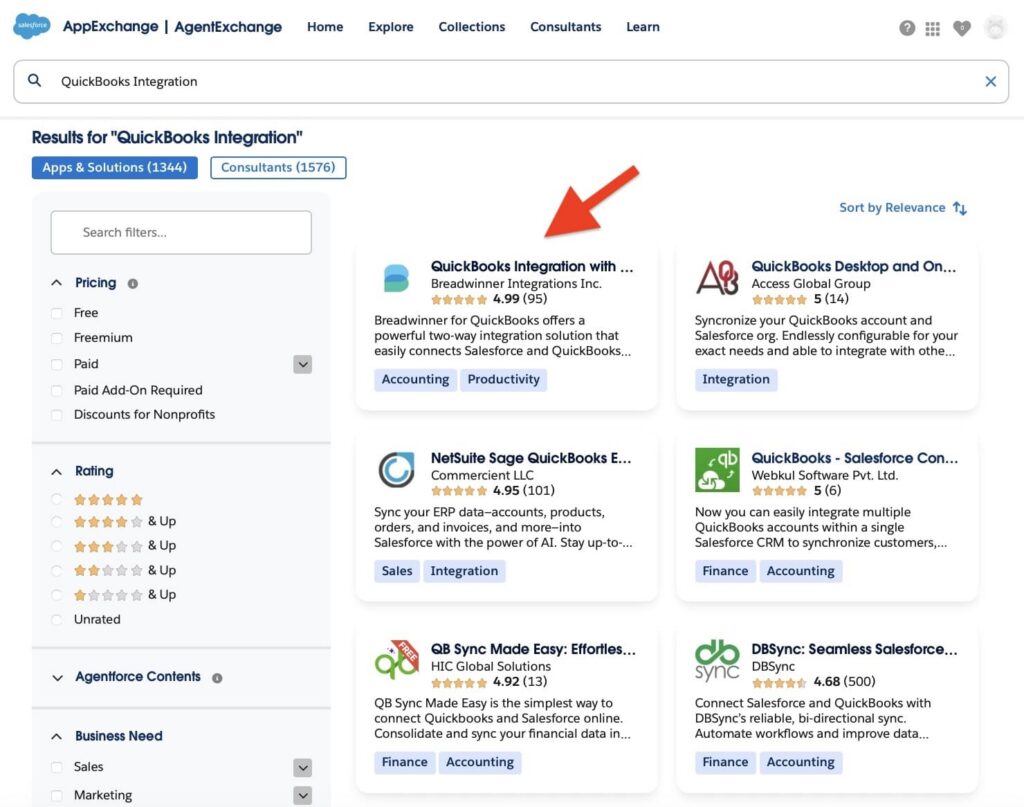
To find Salesforce-native options, we searched AppExchange, Salesforce’s marketplace. A search for “QuickBooks integration” led us to Breadwinner, a tool designed to bring QuickBooks data directly into Salesforce.
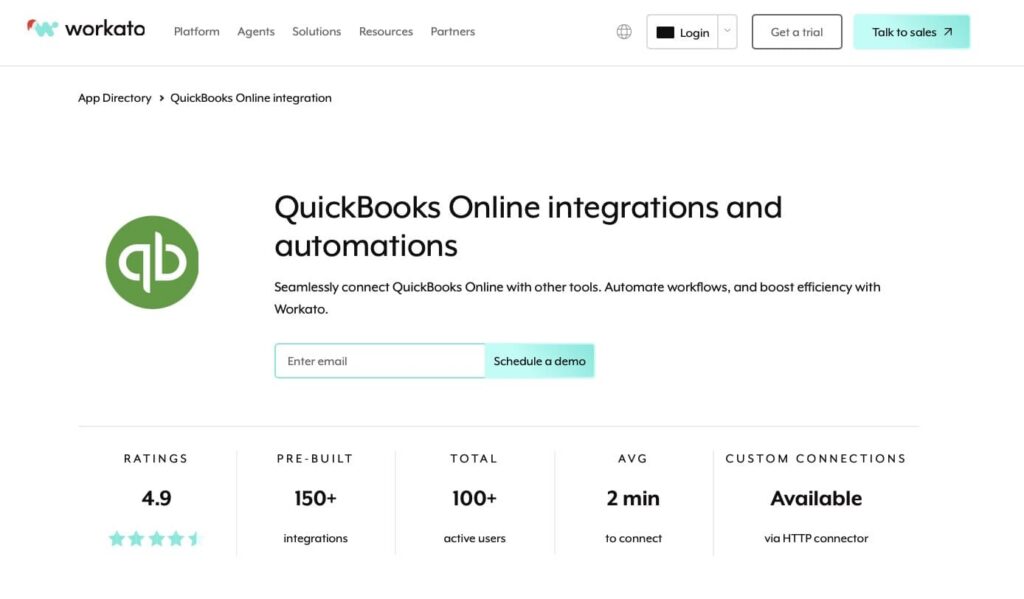
As an iPaaS platform, we chose the popular option, Workato Salesforce connector, to show how a platform-based approach compares to a Salesforce-native app.
These two tools let us compare not just individual solutions, but two different ways of approaching Salesforce QuickBooks integration. In the next sections, we’ll examine how each works and highlight the differences that matter for teams in real-world use. At the end of each table, we will provide star ratings to help determine which solution performs best for this specific use case and which approach may suit different team needs.
Overview of Breadwinner for QuickBooks
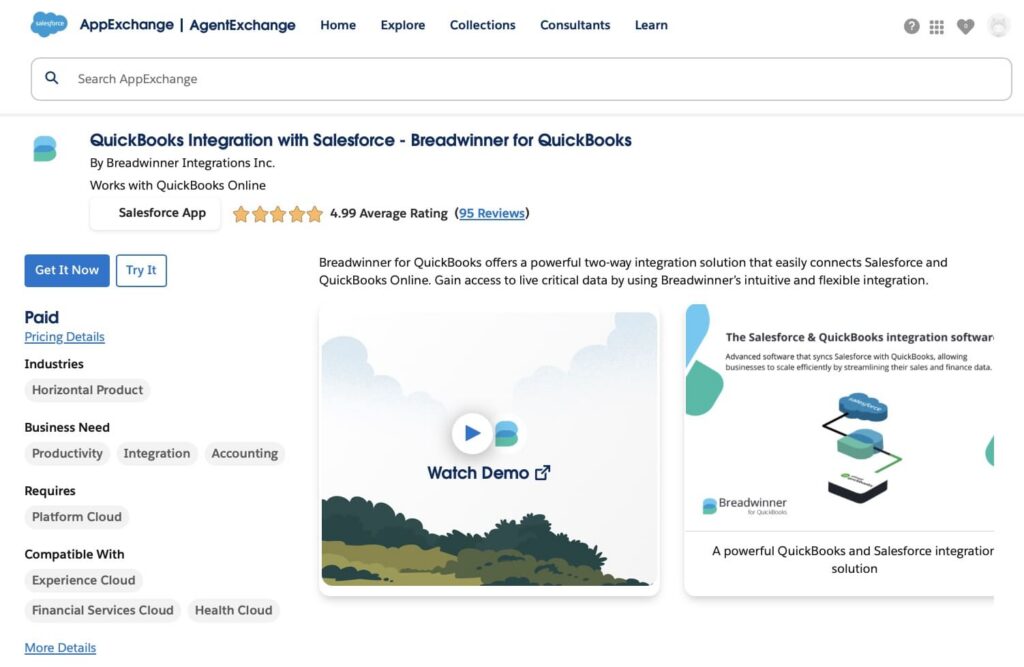
Breadwinner is a Salesforce-native app that brings QuickBooks data, or data from similar financial platforms, directly into Salesforce. Instead of just displaying QuickBooks information in a separate window, Breadwinner makes this data fully native to Salesforce, so invoices, payments, and customer information can be used just like any other Salesforce data.
Why is this important? Because native data can be used immediately in reports, dashboards, and automation tools like Flow or Agentforce. Teams don’t need to export information, re-enter it, or rely on workarounds, everything is already inside Salesforce and ready to drive insights and actions.
Key features:
- Two-way syncing between Salesforce and QuickBooks Online, keeping data accurate in both systems
- Quick setup with minimal configuration
- QuickBooks data stored as native Salesforce data, fully integrated with your CRM
- Supports multiple QuickBooks companies within a single Salesforce org
- Focused on QuickBooks Online, providing a dedicated solution for Salesforce users
Breadwinner Salesforce QuickBooks helps sales, finance, and operations teams work from the same trusted information, enabling faster reporting, clearer visibility, and automated workflows.
Overview of Workato Salesforce Integration
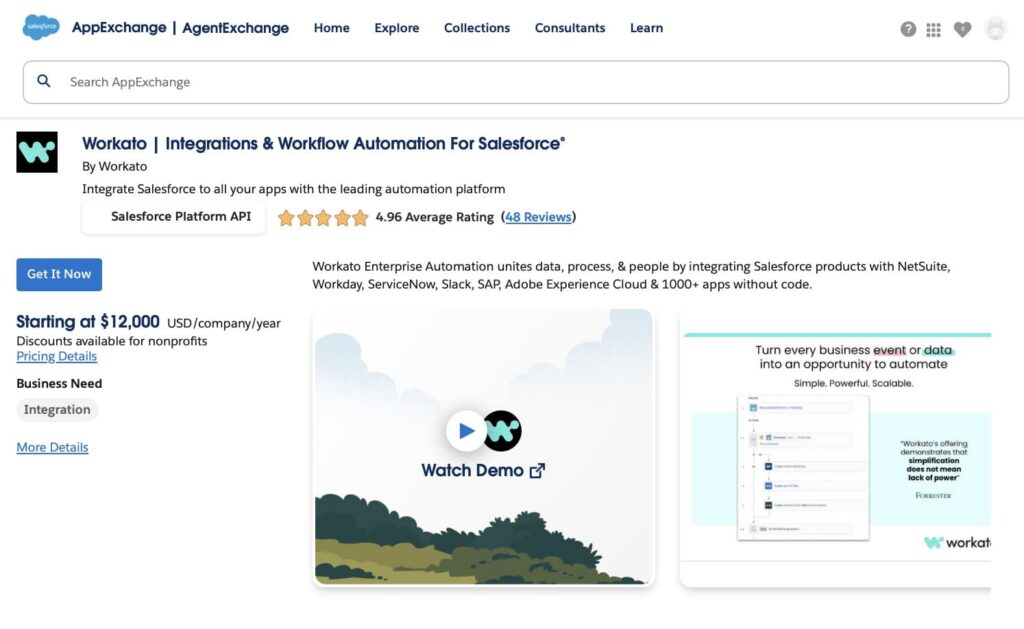
Workato is an integration and automation platform that connects Salesforce, QuickBooks Online, and many other systems. Unlike a tool built for one specific pair of applications, Workato Salesforce lets you design workflows that move data automatically between multiple apps without manual steps.
With Workato QuickBooks, you can set up workflows that trigger actions in one system when events happen in another. For example, creating a new customer in Salesforce can automatically create a corresponding contact in QuickBooks, update payment information, or trigger notifications, all without manual entry.
Key Features:
- Connects Salesforce, QuickBooks, and other business applications in a single platform
- Pre-built connectors and easy workflow design for automation without coding
- Supports real-time triggers and scheduled automation to keep data synchronized
- Handles multi-step workflows with conditions, branching, and complex logic
- Scalable solution for growing teams that need automation across multiple systems
Salesforce Workato represents a platform-based approach to integration. It’s ideal for teams that want flexibility and broader automation, beyond just syncing Salesforce and QuickBooks. Teams can build workflows that suit their business processes, combining multiple tools in one connected system.
Integration Architecture: Breadwinner vs Workato
In this section, we focus specifically on the technical approach each solution uses to connect Salesforce with QuickBooks Online. Breadwinner is built as a native Salesforce app, which operates directly inside the Salesforce environment, while Workato uses cloud-hosted workflows to connect the two systems. This comparison looks only at features and architecture relevant to Salesforce QuickBooks integration, not general iPaaS capabilities.
| Integration Architecture: Breadwinner vs Workato | ||
|---|---|---|
| Aspect | Breadwinner | Workato |
| Integration Type for Salesforce QuickBooks | Native Salesforce‑centric connector | iPaaS workflows for Salesforce and QuickBooks |
| Deployment Model | Managed package inside Salesforce | External cloud platform |
| QuickBooks Connectivity | Direct QuickBooks Online integration | QuickBooks Online via connector |
| Real-Time Sync Support | Near real-time | Near real-time or scheduled, based on recipe design |
| Error Handling Specific to Salesforce/QuickBooks | Errors surfaced in Salesforce UI and logs | Errors surfaced in Workato dashboard and logs |
| Monitoring | Within Salesforce (Breadwinner admin UI) | Workato monitoring and logs |
| Stars Achieved | ⭐⭐⭐⭐⭐ | ⭐⭐⭐⭐ |
Key Takeaways:
- Breadwinner: Runs inside Salesforce and handles authentication, monitoring, and errors within the platform.
- Workato: Uses cloud-hosted workflows to connect Salesforce and QuickBooks and provides centralized monitoring.
Synchronization Capabilities: Breadwinner vs Workato
How data is synchronized between Salesforce and QuickBooks affects timeliness, accuracy, and team efficiency. This section compares Workato with Breadwinner, a popular Workato alternative, in terms of sync direction, real-time capabilities, and error handling specific to the Salesforce QuickBooks integration.
| Synchronization Capabilities: Breadwinner vs Workato | ||
|---|---|---|
| Aspect | Breadwinner | Workato |
| Sync Direction | Bi‑directional sync by default | Bi‑directional is possible when relevant workflows are configured |
| Real‑Time Sync | Near real‑time event sync | Real‑time triggers available, requires recipe setup |
| Batch Processing | Supports bulk and scheduled sync | Batch or scheduled runs via recipe configuration |
| Throttling & Limits | Governed by Salesforce API limits | Platform‑managed throttling via recipe execution |
| Conflict Resolution | Built‑in tools to help identify and fix mismatches | Conflict handling must be designed in recipes |
| Data Reconciliation | Breadwinner offers reconciliation support | Reconciliation must be built into workflows |
| Stars Achieved | ⭐⭐⭐⭐⭐ | ⭐⭐⭐ |
Key Takeaways:
- Breadwinner: Automatically syncs QuickBooks data with Salesforce, provides built-in conflict handling, and offers reconciliation support to verify data alignment.
- Workato: Synchronization depends entirely on workflow (recipe) configuration; real-time triggers and conflict handling must be manually set up, and reconciliation is not included by default.
Data Model & Schema Integration: Breadwinner vs Workato
Understanding how QuickBooks data is represented and used in Salesforce is critical for reporting, automation, and operational workflows. This section compares Workato with Breadwinner, one of the alternatives to Workato, in terms of how QuickBooks data is handled, mapped, and exposed inside Salesforce, based only on verified capabilities.
| Data Model & Schema Integration: Breadwinner vs Workato | ||
|---|---|---|
| Aspect | Breadwinner | Workato |
| Data Storage in Salesforce | QuickBooks data imported into Salesforce objects designed for use with Salesforce tools | Data handled via workflows; may be written to Salesforce objects if configured by user |
| Field Mapping | Pre-configured mappings for key QuickBooks entities; allows custom field mapping | Custom mapping defined in workflows/recipes; manual configuration required |
| Referential Integrity | Maintains relationships between customers, invoices, and payments within Salesforce | Relationships managed through workflow logic; not automatic |
| Reporting & Dashboards | Fully usable in Salesforce reports, dashboards, and flows | Only visible in Salesforce if workflows write data into objects; otherwise, accessible in workflow outputs |
| Support for Multiple QuickBooks Companies | Yes, can link multiple QuickBooks Online accounts to a single Salesforce org | Requires separate workflows or connections per company |
| Sync Filtering | Filters are configured in Breadwinner to control which data is imported | Filters configured per workflow; flexible but manual |
| Stars Achieved | ⭐⭐⭐⭐⭐ | ⭐⭐⭐ |
Key Takeaways:
- Breadwinner: QuickBooks data is stored in Salesforce and can be immediately used in reports, dashboards, and automation.
- Workato: Data can be moved into Salesforce if workflows are configured, but it is not automatically stored as Salesforce-native objects.
Transformation Logic & Automation: Breadwinner vs Workato
Transformation and automation determine how easily teams can adapt data between Salesforce and QuickBooks, automate repetitive tasks, and enforce business rules. This table demonstrates how Breadwinner and Workato handle data transformation, automation, and workflow logic, specifically in Salesforce QuickBooks integration.
| Transformation Logic & Automation: Breadwinner vs Workato | ||
|---|---|---|
| Aspect | Breadwinner | Workato |
| Built‑in Automation | Sync automation for core entities (customers, invoices, payments) | Automation depends on workflow (recipe) configuration |
| Data Transformation | Depends on field mapping for sync | Workflows can manipulate and transform data before writing to Salesforce or QuickBooks |
| Workflow Flexibility | Focused on standard sync patterns | Supports multi‑step workflows with conditions defined by the user |
| Scheduling | Sync via configuration defaults and schedules | Schedule or event trigger defined in recipes |
| Error Handling | Sync‑level notifications and logs | Error-handling paths can be configured in workflows |
| Stars Achieved | ⭐⭐⭐⭐⭐ | ⭐⭐⭐⭐ |
Key Takeaways:
- Breadwinner: Offers automation for core sync functions between Salesforce and QuickBooks, with limited transformation and workflow customization.
- Workato: Enables flexible automation and data transformation, but workflows must be configured and maintained by the user.
Setup & Usability: Breadwinner vs Workato
The ease of installing and managing an integration has a direct impact on team adoption, error rates, and ongoing maintenance. Solutions that are quick to set up and simple to maintain save time, reduce mistakes, and help teams work efficiently. This table shows Breadwinner and Workato integration with Salesforce in terms of setup, configuration, and everyday usability.
| Setup & Usability: Breadwinner vs Workato | ||
|---|---|---|
| Aspect | Breadwinner | Workato |
| Initial Setup | Quick installation as a Salesforce managed package; guided setup wizard | Requires creating workflows (recipes) for Salesforce QuickBooks; more configuration steps |
| Configuration Complexity | Low; pre-mapped fields and default sync patterns | Medium to high; workflows, triggers, and transformations must be defined by user |
| User Interface | Fully inside Salesforce; familiar Salesforce UI | Cloud-based interface outside Salesforce; users switch between platforms |
| Maintenance | Minimal; automatic updates and sync monitoring in Salesforce | Requires workflow maintenance, monitoring, and updates in the Workato platform |
| Training Required | Low; designed for Salesforce users | Medium; users must understand Workato workflow concepts |
| Stars Achieved | ⭐⭐⭐⭐⭐ | ⭐⭐⭐ |
Key Takeaways:
- Breadwinner: Easy to install, configure, and maintain directly in Salesforce; minimal training required.
- Workato: Flexible but requires more setup, configuration, and user familiarity with the platform for ongoing management.
Wrapping Up the Comparison
We’ve finished comparing the most important features of Workato vs Breadwinner for Salesforce QuickBooks Online integration. From integration architecture to setup and usability, each section highlighted how the two tools handle real-world needs. Now it’s time to sum up the results and see which solution comes out on top.
And the Winner Is…
After comparing Breadwinner and Workato Salesforce QuickBooks across five key areas, it is clear that Breadwinner takes the lead as the connector alternative to Workato for most organizations.
Breadwinner wins because it:
- Brings QuickBooks data directly into Salesforce, making it immediately usable in reports, dashboards, and flows.
- Offers pre-configured sync and automation for core entities like customers, invoices, and payments.
- Runs entirely within Salesforce, simplifying setup, monitoring, and ongoing maintenance.
Workato QuickBooks Online connector, or Workato alternatives, can be an option for teams that require flexible workflows and complex transformations, but it requires more setup, ongoing configuration, and user expertise to achieve the same out-of-the-box functionality.
| Total Stars: Breadwinner vs Workato | ||
|---|---|---|
| Section | Breadwinner | Workato |
| Integration Architecture | ⭐⭐⭐⭐⭐ | ⭐⭐⭐⭐ |
| Synchronization Capabilities | ⭐⭐⭐⭐⭐ | ⭐⭐⭐ |
| Data Model & Schema | ⭐⭐⭐⭐⭐ | ⭐⭐⭐ |
| Transformation Logic & Automation | ⭐⭐⭐⭐⭐ | ⭐⭐⭐⭐ |
| Setup & Usability | ⭐⭐⭐⭐⭐ | ⭐⭐⭐ |
| Total Stars | 25 ⭐ | 17 ⭐ |
Final Thoughts on Salesforce QuickBooks Integration
In this article, we explored how the two platforms can be connected and compared two approaches to find the right Salesforce QuickBooks connector. The native Salesforce tools bring QuickBooks data directly into Salesforce, minimizing setup time, reducing errors, and making reporting and automation easier, making it one of the Workato alternatives cheaper and simpler to implement.
The iPaaS offers flexibility for complex workflows but requires setup and ongoing management outside Salesforce.Teams can choose the approach that fits their needs, skills, and reporting requirements. To see the native approach in action, you can try Breadwinner for free in your Salesforce environment before committing.

Antonina is a Salesforce Admin with six certifications: Salesforce Certified Platform Foundations, Platform Administrator, Platform Administrator II, CPQ Administrator, AI Associate, and Agentforce Specialist. She started working with Salesforce in 2021 as Intern Salesforce Developer. Now, a 2-Star Ranger on Trailhead, she continues to expand her skills and knowledge. She helps manage Salesforce systems, automate tasks, and improve processes. Antonina loves learning new things and exploring better ways to use technology. In her free time, she enjoys reading, playing sports, and exploring new tech ideas.
 Previous Post
 Next Post