





The Salesforce Omni Channel Retirement
Salesforce continues to evolve its Service Cloud architecture, and this time the change affects Omni-Channel routing.
As part of the Summer ’26 release cycle, and the Salesforce Omni-Channel news, it is clear that Standard Omni-Channel is retiring and Salesforce is moving customers to Enhanced Omni-Channel. While the rollout timing depends on Salesforce release schedules, the direction is clear: organizations relying on Standard Omni-Channel need to prepare for a mandatory transition.
At first glance, this may look like another platform update. In reality, it is a mandatory migration ahead of the Summer ’26 release reaching production environments. Salesforce positions Enhanced Omni-Channel as the future of routing, introducing a unified Inbox experience, updated routing behavior, and support for future Omni-Channel enhancements. However, for many organizations, the migration raises a more fundamental question: if routing needs to be reviewed anyway, is Omni-Channel still the right long-term solution for the business?
That question becomes particularly relevant in environments where routing extends beyond service teams. While Omni-Channel works well for many Case-based support processes, organizations often discover limitations when they need more advanced assignment logic, Lead distribution, territory-based routing, or consistent record assignment across multiple Salesforce objects.
This article explores what changes with Salesforce standard Omni Channel retirement, why some organizations may find the migration more disruptive than expected, what should be reviewed before the transition, and why a purpose-built routing solution might be a better fit for your needs.
- What Is Enhanced Omni-Channel?
- Salesforce Omni Channel Routing: Cases and Leads
- What Should Be Reviewed Before Standard Omni Channel Retirement Salesforce
- How to Migrate to Enhanced Omni-Channel
- What Is the Standard Omni-Channel Alternative?
- Omni-Channel vs Distribution Engine: Strengths and Limitations
- How to Get Started with Distribution Engine
- FAQs About Enhanced Omni Channel Routing Salesforce
- Final Considerations Before Moving to Enhanced Omni-Channel
What Is Enhanced Omni-Channel?
First of all, let’s understand what Enhanced Omni-Channel is.
Enhanced Omni-Channel is Salesforce’s modern routing architecture for Service Cloud, designed as the strategic direction for Omni-Channel and the supported framework moving forward.
At a concept level, it still uses familiar building blocks such as queues, presence statuses, capacity-based routing, skills-based routing, and Omni-Channel flows.
Insight:
Organizations implementing Omni-Channel routing typically see first-response time improve by 40-60% compared to manual queue-based assignment.
However, the key difference is not in the components themselves, but in how they are executed. Enhanced Omni-Channel introduces a different routing and capacity evaluation model, which changes how work is assessed, assigned, and delivered to agents in real time.
Features Included in Enhanced Omni-Channel
So, Enhanced Omni-Channel is the strategic direction for Service Cloud and the standard Salesforce is moving toward, delivering key capabilities such as:
- Omni-Channel Unified Routing,
- Omni Mobile support,
- Omni-Channel Wallboard,
- Agent Inbox experience,
- Interruptible capacity handling,
- Acceptance due date prioritization,
- Work reassignment directly from record pages,
- Enhanced Supervisor capabilities,
- Increased Salesforce Omni Channel limits for queued work,
- Support for future Omni-Channel functionality exclusively in Enhanced mode.
Enhanced Omni-Channel also introduces a shift in how work is presented to agents.
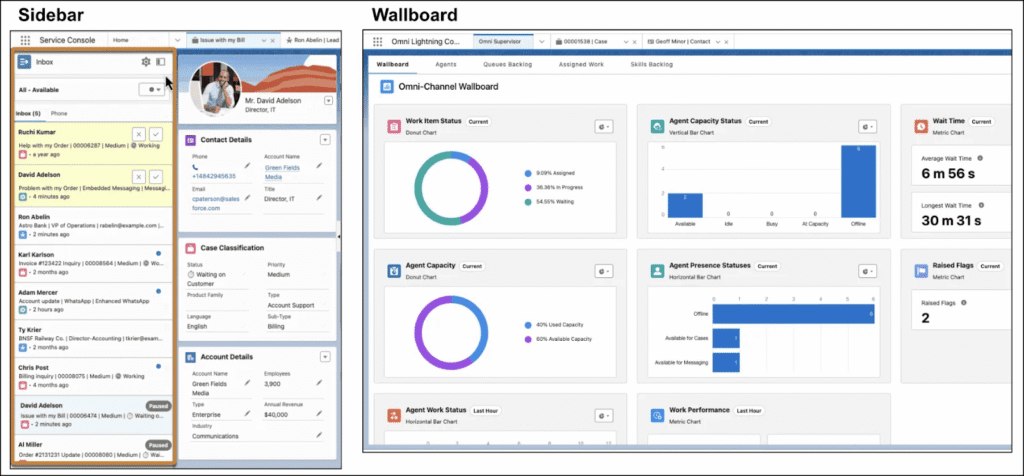
In Standard Omni-Channel, work is split between New and My Work tabs. In Enhanced Omni-Channel, this is consolidated into a unified Inbox experience, where both incoming and active work items are displayed in a single view.
While this change may appear primarily visual, it has an operational impact. It affects agent workflows, training materials, UI references in documentation, and any existing process guidance built around the Standard Omni-Channel layout.
To better understand these changes, it helps to compare Standard and Enhanced Omni-Channel Salesforce side by side.
| Standard vs Enhanced Omni-Channel | ||
|---|---|---|
| Area | Standard Omni-Channel | Enhanced Omni-Channel |
| Routing model | Queue-based routing with standard Omni configuration | Enhanced routing model with updated execution and evaluation logic |
| Work experience | Work split between New and My Work tabs | Unified Inbox experience for all work items |
| Capacity handling | Static capacity model tied to work item assignment | Enhanced capacity model with more flexible evaluation and interruption handling |
| Work assignment | Primarily queue and routing-rule driven | Expanded options, including reassignment from record pages, queues, skills, and flows |
| Supervisor visibility | Standard Omni-Channel Supervisor view | Enhanced Supervisor view with Agentforce Service Agent monitoring and real-time insights |
| Channel support | Standard messaging, chat, and service channels | Broader and evolving channel support designed for future enhancements |
| Work prioritization | Limited prioritization logic | Enhanced prioritization, including due-date based handling |
| Agent experience | Separate views for incoming and active work | Unified workspace with consolidated work management |
| Operational behavior | Work may remain in queues until matched | More dynamic evaluation of work and agent availability |
| Future roadmap | Limited new feature development | All future Omni-Channel capabilities will be delivered exclusively here |
Salesforce Omni Channel Routing: Cases and Leads
Omni-Channel plays a central role in Service Cloud routing, especially for Omni Channel Case routing Salesforce, and, in some implementations, Lead distribution. Research highlights that customer expectations continue to increase, with 92% of service professionals saying building stronger customer relationships is more important than ever, and 82% reporting that customers expect more than they did before. In this context, routing becomes a key part of delivering timely and consistent service. Its effectiveness depends heavily on how well the routing model is designed and how cleanly the supporting configuration layers are structured.
Where Omni-Channel Works Well
Omni-Channel performs best in environments where routing requirements are predictable and closely aligned with Service Cloud processes.
Salesforce Omni Channel Case routing provides:
- Real-time distribution of work based on agent availability,
- Queue-based intake management,
- Skills-based routing capabilities,
- Workload balancing across agents,
- Visibility through supervisor tools and monitoring dashboards.
These capabilities make Omni-Channel particularly effective for high-volume service teams where speed of assignment and workload distribution are the primary goals.
Salesforce Omni Channel Lead routing is possible, but it is not a fully native use case. In many Salesforce environments, Leads require additional Flows, assignment rules, or custom automation before they can participate in routing in a similar way to Salesforce Omni Channel Case assignment. As requirements become more complex, supporting configuration typically increases.
Why Many Teams Find Omni-Channel More Complex Than Expected
One of the biggest misconceptions about Omni-Channel is that because it is included with Salesforce, it is automatically simple or low-cost to implement.
While the feature is available within existing licensing, anything beyond basic Salesforce Case routing often requires significant configuration and ongoing maintenance by Salesforce Admins, Developers, or Architects.
As enhanced Omni-Channel routing requirements expand, logic is often split across multiple configuration layers, making it harder to track and manage over time. This can impact both maintainability and visibility of how records are actually being assigned.
Another common challenge is that routing issues rarely surface as clear errors. Instead, records may remain in queues, wait longer than expected, or be distributed unevenly, with problems typically identified through reporting or operational delays rather than system notifications.
At this point, many organisations begin reassessing whether the current routing model is sufficient for their needs or whether a more structured assignment approach is required.
What Should Be Reviewed Before Standard Omni Channel Retirement Salesforce
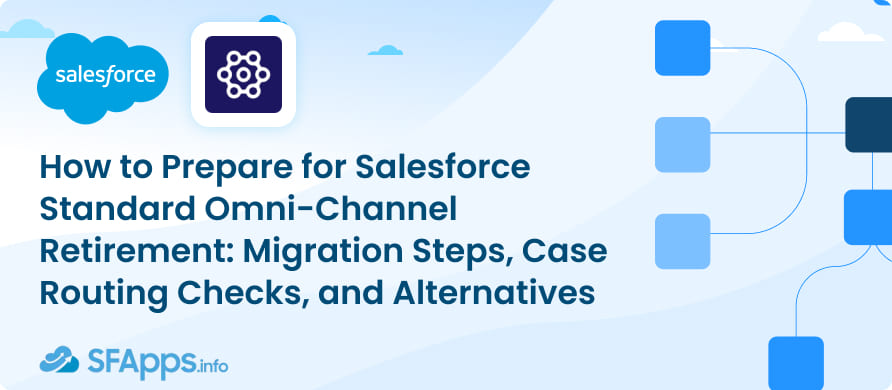
Salesforce is clear about one thing: Enhanced Omni-Channel only works correctly when service channels are aligned with its routing model.
At a technical level, organizations need to review existing channel configurations, routing logic, and agent workflows before retiring Standard Omni-Channel. However, the real challenge is not the upgrade itself, but the level of routing complexity that has built up over time.
One of the common misconceptions is that this is a simple feature upgrade. In reality, most organizations need to review existing routing rules, Flows, queue structures, skills-based routing, and service channel dependencies before they can safely transition to the enhanced model.
While Enhanced Omni-Channel is not a separately licensed feature, with the standard Omni Channel end of life, the migration is not cost-free. The main investment is time and internal expertise. For complex environments, validation and testing can take several weeks or months and typically involves Salesforce Admins, Developers, Architects, and service operations teams.
1. Legacy channel dependencies.
Standard and Enhanced service channels are not interchangeable. Before migration, organizations need to identify any legacy channels still in use, such as:
- Standard Messaging implementations
- Standard Chat configurations
- Legacy Live Agent deployments
- Older messaging integrations tied to Standard Omni-Channel
If these are not addressed, routing behavior may change after migration and some work items may not be processed correctly.
Organizations created after Summer ’23 are often already aligned with the enhanced model, while older orgs typically require a more detailed review.
2. Hidden routing complexity.
Channel compatibility is only part of the migration. The bigger risk is understanding how routing is actually being handled across the organization.
In many Salesforce environments, routing logic is distributed across multiple layers, including queues, assignment rules, automation flows, skills-based routing, capacity settings, and reporting processes.
All of these still exist in Enhanced Omni-Channel. What changes is how they are evaluated at runtime.
Because of this, routing issues rarely appear as system errors. Instead, records may remain in queues, experience delays, or be distributed unevenly without clear failure signals.
This is why migration is not just a technical change. It becomes a point to reassess whether the current routing model still reflects how work should actually be distributed in the business.
How to Migrate to Enhanced Omni-Channel
From a technical perspective, enabling Enhanced Omni-Channel is straightforward. The complexity sits in what needs to be validated before and after activation, rather than the switch itself.
Most migration effort comes from ensuring that existing routing behaviour is not unintentionally changed by differences in how the enhanced model evaluates capacity, queues, and routing logic.
Key areas that typically require review include:
- Legacy service channels (Chat, Messaging, Live Agent),
- Queue and assignment rule structures,
- Skills and capacity configuration,
- Flow-based routing dependencies,
- Agent workspace and Inbox behaviour,
- Supervisor visibility and reporting.
The main risk is not system failure, but behavioural change in routing outcomes: Cases and Leads may route differently, or remain unassigned longer if dependencies are not fully aligned.
For this reason, migration is less about implementation steps and more about validating that routing still behaves as expected under the enhanced execution model.
What Is the Standard Omni-Channel Alternative?
While Omni-Channel is positioned as the default routing engine in Salesforce Service Cloud, it is primarily designed for real-time work distribution within service operations, especially Case-based workloads. As organizations expand routing across sales, service, and operational teams, this limitation becomes more visible especially from a Salesforce change management perspective.
As routing complexity increases, many organisations begin evaluating dedicated assignment solutions that are not restricted to the Service Cloud model. One example is NC Squared’s Distribution Engine, designed specifically for cross-object record routing in Salesforce.
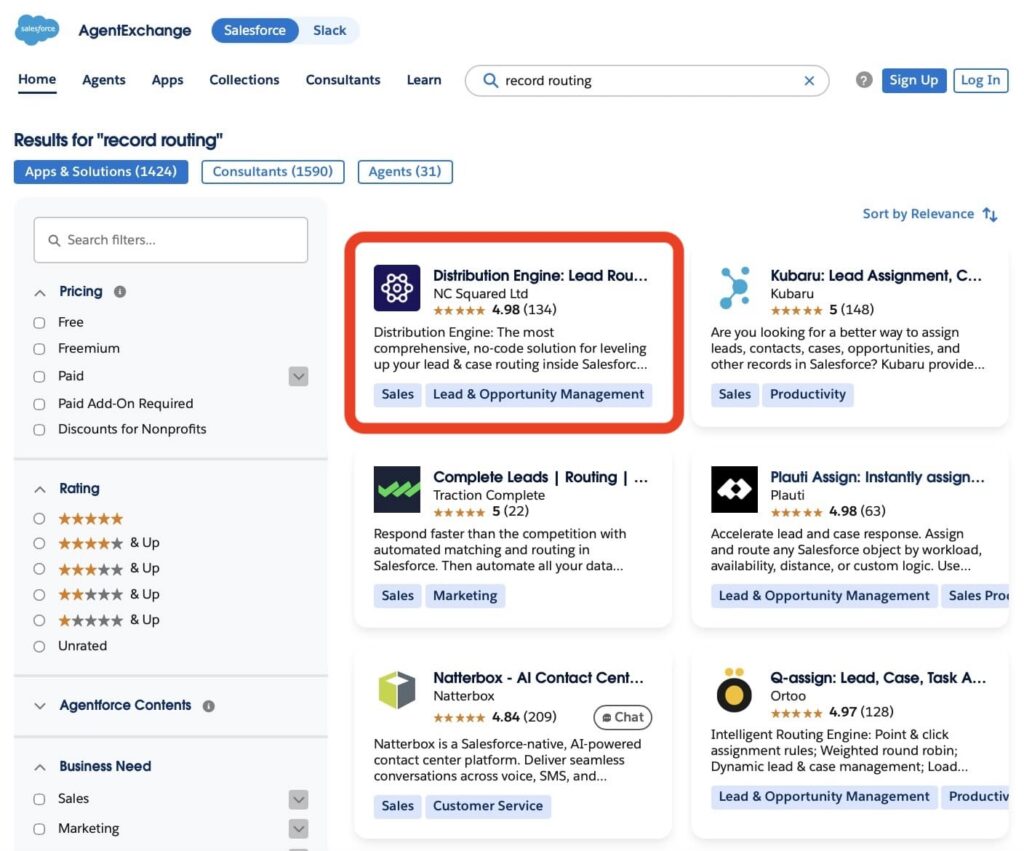
Unlike Omni-Channel, which focuses on assigning work to service agents in real time, Distribution Engine provides a unified assignment layer across Salesforce. It supports routing based on workload, capacity, territories, tags, and business rules, and can distribute records across Leads, Cases, Opportunities, Accounts, and custom objects within a single framework.
In practice, this enables a consistent routing model across the organisation rather than separate logic per object. For teams managing complex go-to-market structures or multi-team assignment processes, this often becomes the key factor when deciding whether to extend Omni-Channel or move to a dedicated routing layer.
Omni-Channel vs Distribution Engine: Strengths and Limitations
Omni-Channel and Distribution Engine as a Salesforce Lead routing app, solve a similar problem at a high level: routing work in Salesforce, but they do it from two different architectural directions.
Omni-Channel is built as part of Service Cloud execution and focuses on real-time assignment of work to agents. Distribution Engine, built by NC Squared, is designed as a broader record distribution layer that can operate across multiple Salesforce objects and business processes, not only service workloads.
Omni-Channel
Omni-Channel is most effective when routing is aligned with Service Cloud processes and structured Case management.
Its strengths are centred around real-time service execution:
- Native integration with the Service Cloud console and agent workspace,
- Real-time routing based on agent availability,
- Support for queue-based and skills-based assignment,
- Visibility into agent workload and supervisor monitoring.
These capabilities make it well suited for high-volume service environments where fast and consistent Case distribution is the primary requirement.
However, Omni-Channel remains tightly aligned with the Service Cloud model, which limits its flexibility when routing needs extend beyond service use cases or require consistent logic across multiple Salesforce objects.
Distribution Engine
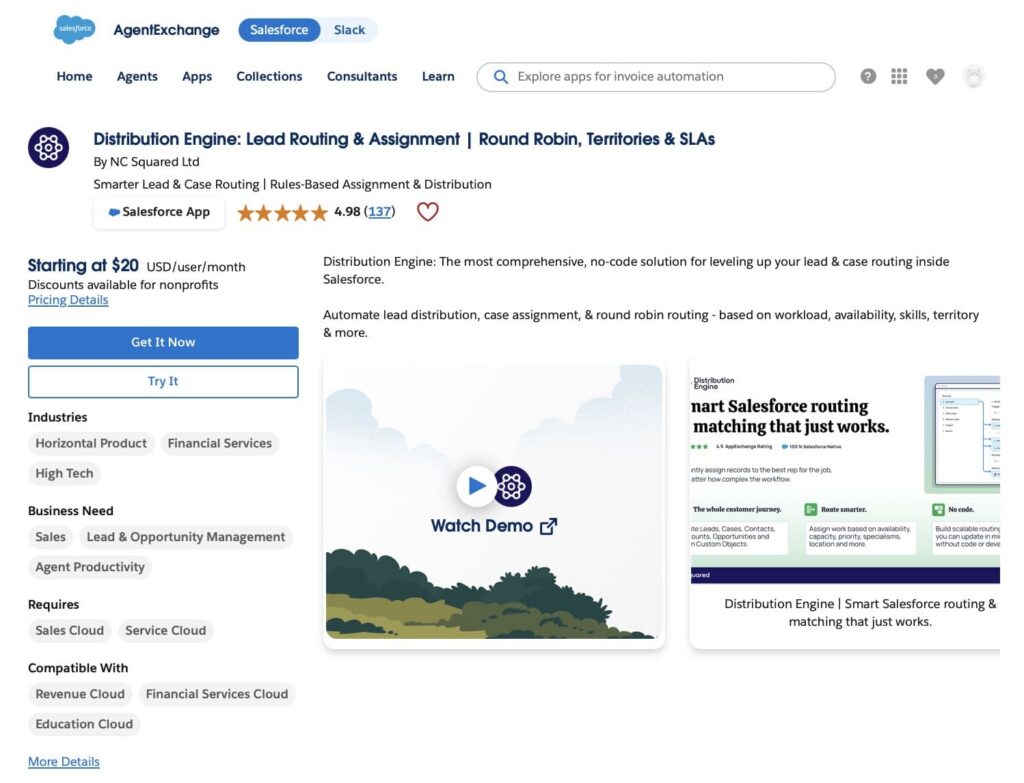
Distribution Engine is designed for broader assignment logic across Salesforce, not only service agent workloads. It focuses on record distribution across multiple objects and business processes, rather than being limited to Service Cloud routing patterns.
At its core, Distribution Engine is not just a routing tool. It is designed to operate as an outcome-driven assignment layer, where routing is defined by the business result that needs to be achieved, rather than simply determining who receives a record.
Instead of treating routing as a technical step of “assigning an object to a user”, it is structured around operational outcomes such as improving speed to lead, ensuring high-priority customer issues are immediately assigned to the right specialist, or maintaining SLA compliance through consistent and timely reassignment when conditions change.
This approach allows organisations to define routing once and apply it consistently across different Salesforce objects and teams, while maintaining control over how work is prioritised and distributed.
Strengths:
Distribution Engine supports a unified routing model that can be applied across Salesforce objects such as Leads, Cases, Opportunities, Accounts, and custom objects.
Key capabilities include:
- routing based on workload, territory, skills, SLAs, capacity, and business priority,
- automated reassignment when conditions change,
- distribution models such as round robin and load balancing,
- centralized routing logic across multiple teams and processes,
- visibility into how records are assigned and distributed across the organisation.
Another key aspect is operational ownership. Instead of routing logic being primarily maintained by Salesforce administrators or development teams, Distribution Engine allows go-to-market and operations teams to directly configure and manage assignment rules. This includes a self-service model where teams responsible for sales, service, or operations can build and adjust routing logic without relying on deep technical configuration work.
As a result, routing becomes less of a backend implementation task and more of an operational capability owned by the teams closest to the work.
Limitations:
While Distribution Engine extends routing flexibility significantly beyond standard Salesforce capabilities, it is a separate product that sits outside native Service Cloud routing, adding an additional layer to the architecture and requiring dedicated implementation effort.
However, organisations typically view this as a trade-off between platform simplicity and operational efficiency, where the investment is offset by reduced reliance on complex Flow or Apex logic and greater control over how work is distributed across teams.
How to Get Started with Distribution Engine
Getting started with Distribution Engine typically follows a standard Salesforce installation process via AppExchange, followed by configuration of routing logic within Salesforce.
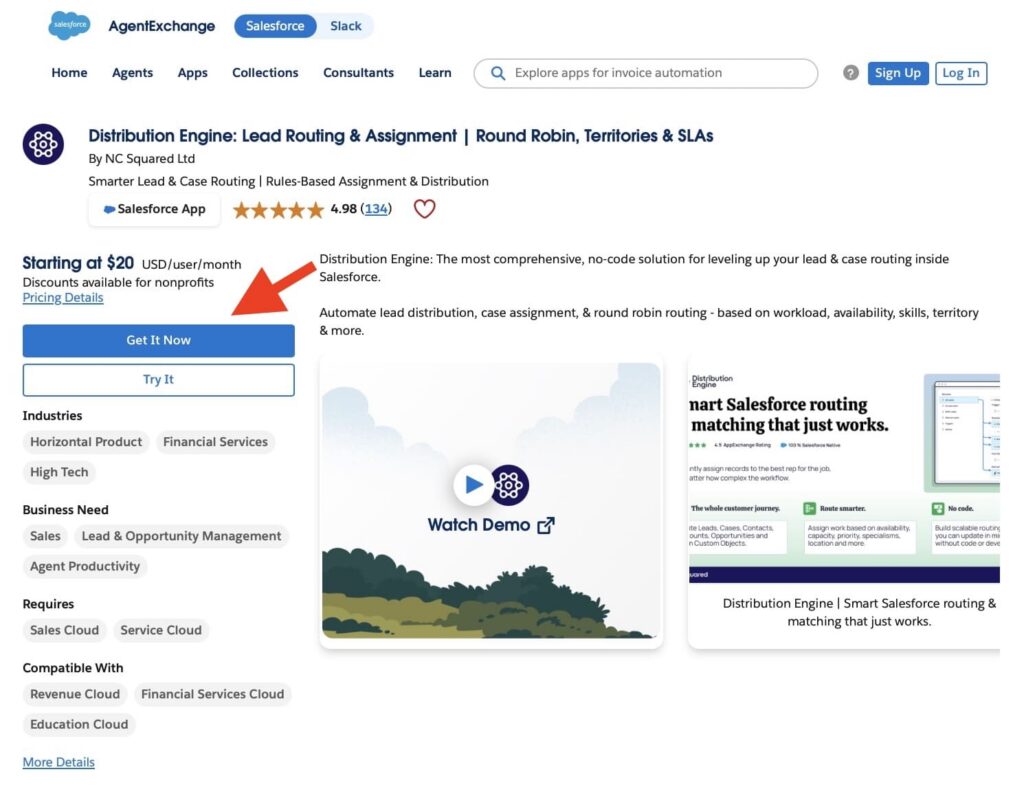
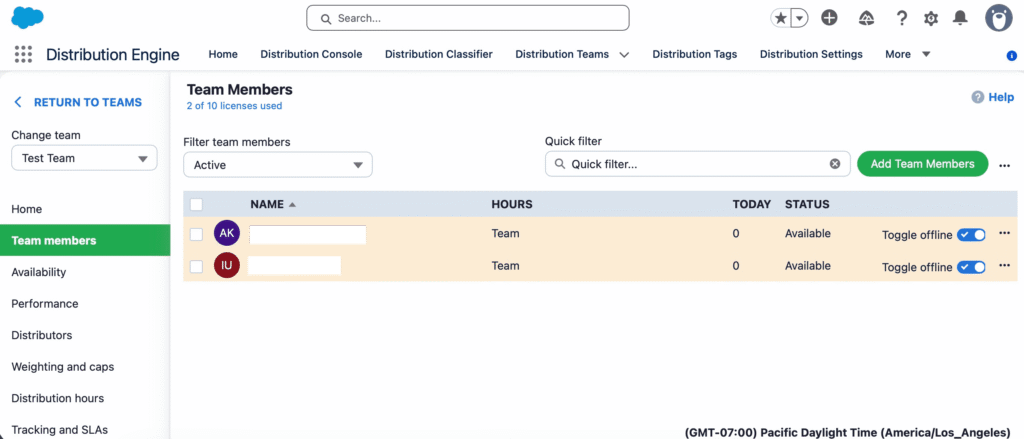
Once installed, the focus shifts from setup to defining how work should be distributed across teams. This includes determining which users are eligible to receive records, how availability and capacity are considered, and how different business rules influence assignment.
Routing logic is then structured around core capabilities such as workload balancing, territory or attribute-based assignment, and prioritisation rules that control how records are distributed across Leads, Cases, Opportunities, Accounts, and custom objects.
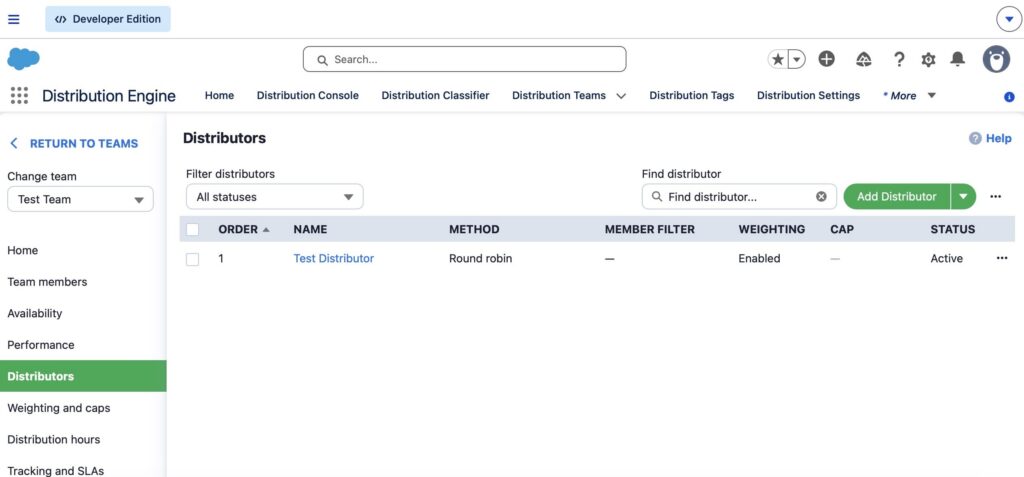
Unlike traditional Salesforce routing approaches that often require multiple layers of Flows, queues, and assignment rules, Distribution Engine centralises this logic into a single framework, allowing organisations to maintain consistent assignment behaviour across different teams and processes.
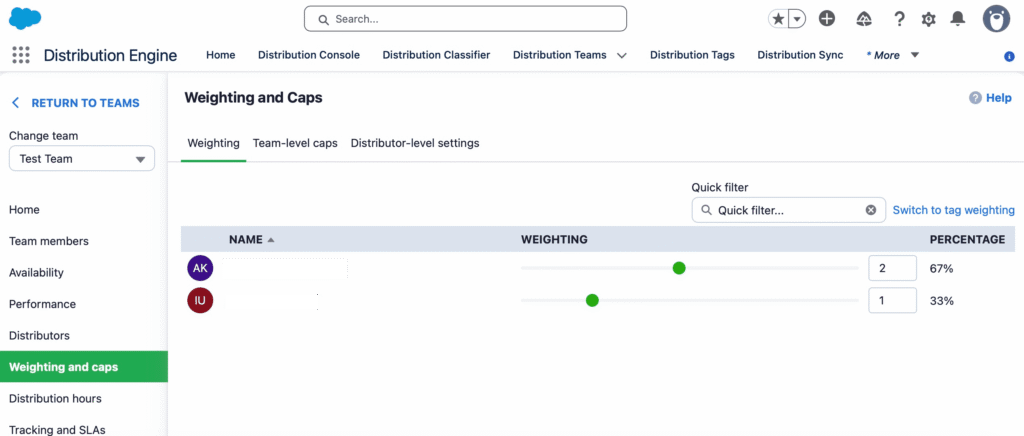
Once active, organisations typically monitor routing performance through reporting and assignment visibility tools, refining rules over time to ensure workload distribution remains balanced and aligned with operational needs.
FAQs About Enhanced Omni Channel Routing Salesforce
As organisations move to Enhanced Omni-Channel, a few practical questions typically come up around what changes, what needs attention, and where risks sit during migration.
1. What changes when moving from Standard to Enhanced Omni-Channel?
Core routing concepts such as queues, skills, and capacity remain the same. The main difference is in how routing decisions are evaluated at runtime, which can affect assignment behaviour in edge cases such as capacity handling or availability matching.
2. What happens if Enhanced Omni-Channel is not enabled?
If Enhanced Omni-Channel is not enabled by the enforcement deadline, Omni-Channel routing and Omni Supervisor may stop functioning, impacting work assignment and monitoring.
3. Is Enhanced Omni-Channel automatically enabled in Salesforce orgs?
In many newer orgs it is enabled by default. Older orgs may require activation depending on current configuration and service channel setup.
4. What happens if standard service channels are not upgraded?
Legacy channels such as Chat or Messaging must be upgraded before migration. If not, related work items may not route correctly.
5. When should organizations consider alternatives like Distribution Engine?
When routing extends beyond Service Cloud use cases or requires consistent assignment logic across multiple Salesforce objects and teams.
Final Considerations Before Moving to Enhanced Omni-Channel
Salesforce standard Omni-Channel retirement represents a structural change in routing, requiring organisations to reassess how routing behaves in production as complexity increases over time.
In many environments, this transition surfaces existing challenges such as Salesforce data optimization, fragmented Flow-based routing, legacy channel dependencies, and inconsistent queue ownership.
The key consideration is whether the current routing model can still support the required level of control, consistency, and scalability under the enhanced framework.
At this moment of forced change, the real success factor is not enabling Enhanced Omni-Channel. It is deciding whether it can genuinely serve your routing needs, and, if not, choosing a solution that can.

Antonina is a Salesforce Admin with six certifications: Salesforce Certified Platform Foundations, Platform Administrator, Platform Administrator II, CPQ Administrator, AI Associate, and Agentforce Specialist. She started working with Salesforce in 2021 as Intern Salesforce Developer. Now, a 2-Star Ranger on Trailhead, she continues to expand her skills and knowledge. She helps manage Salesforce systems, automate tasks, and improve processes. Antonina loves learning new things and exploring better ways to use technology. In her free time, she enjoys reading, playing sports, and exploring new tech ideas.
 Previous Post
 Next Post