





When Marketing in Salesforce Feels Slower than It Should
Do you ever try to create a campaign in Salesforce Marketing Cloud, but end up spending your time searching for the right image or logo instead?
- Assets are spread across local drives, SharePoint folders, or external Digital Asset Management (DAM) systems, while Salesforce sits at the end of that chain waiting for uploads.
- Marketing teams often rely on quick fixes, such as saving images on desktops or recreating assets that already exist elsewhere.
- Even in large organizations, designers and marketers still exchange visuals through email because Salesforce lacks direct access to their asset libraries.
Insight:
A study by IBM Corporation and Adobe showed that 88% of customer-experience and marketing professionals said content demands had at least doubled in the last two years.
Every time someone downloads, renames, and re-uploads a file, a little more time is lost, and the chance of using an outdated logo or banner increases. The result is slower campaign delivery and inconsistent branding. And all this while content demand is growing.
The real solution lies in using Salesforce digital asset management to give teams direct access to approved content right where campaigns are built.
- The Hidden Cost of Poor Salesforce Asset Management
- The Role of DAM Connectors in Fixing Salesforce Asset Problems
- Challenge #1: Siloed Storage and Slow Workflows
- Challenge #2: Using the Wrong or Old Versions
- Challenge #3: Repetitive Uploads and Edits
- Challenge #4: Brand Compliance and Access Control
- Challenge #5: Collaboration Barriers in Distributed Teams
- Practical Benefits for Salesforce Teams
- Closing Thoughts: A More Connected Way to Work in Salesforce
Instead of using content storage and campaign execution as separate steps, modern connectors make assets available directly inside Salesforce. The right integration removes the endless switching between tools, giving teams one reliable workspace for building messages and keeping content accurate.
If your marketing workflow still depends on downloading and re-uploading files, it may be time to look at media Salesforce solutions that bring storage, design, and publishing into one connected system.

The Hidden Cost of Poor Salesforce Asset Management
At first, the problem looks minor: a few extra clicks to find an image or re-upload a file. But multiplied across a marketing team, that time loss becomes measurable.
When every step requires searching, downloading, and resizing visuals from different folders or drives, hours disappear from actual creative work.
On average, businesses are saving 13.5 hours a week on asset-related tasks once a DAM system is in place, which represents about 34% of a typical workweek.

For large teams using Salesforce Marketing Cloud, that means entire days lost each month to locating or replacing visuals instead of producing content.
These inefficiencies also show up in budgets. Teams often recreate materials that already exist, store duplicates across systems, and misplace brand-approved versions.
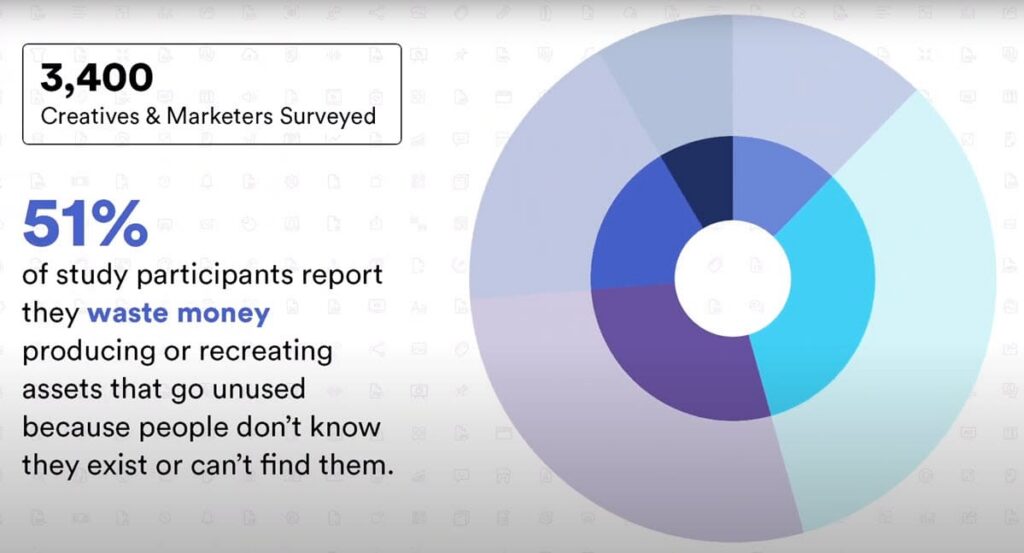
A study found that 51% of teams recreate assets simply because they cannot find existing ones.
Over time, this leads to higher production costs, delayed campaigns, and inconsistent messaging across channels. These gaps show why many teams look for Salesforce digital media management solutions that connect storage, content creation, and campaign execution in a single workflow.
The Role of DAM Connectors in Fixing Salesforce Asset Problems
Poor asset organization limits the value of Salesforce itself. A CRM can only deliver personalized experiences when the right content is ready to use. Without connected asset management, teams have good data in Salesforce but have difficulty turning it into effective campaigns.
One clear way to solve this issue is to use a native AppExchange connector that brings approved assets directly into Salesforce.
Some AppExchange tools extend this idea further by supporting many DAM and cloud platforms at the same time. This gives teams the flexibility to work with different storage systems and adjust their setup in the future without being tied to a single provider.
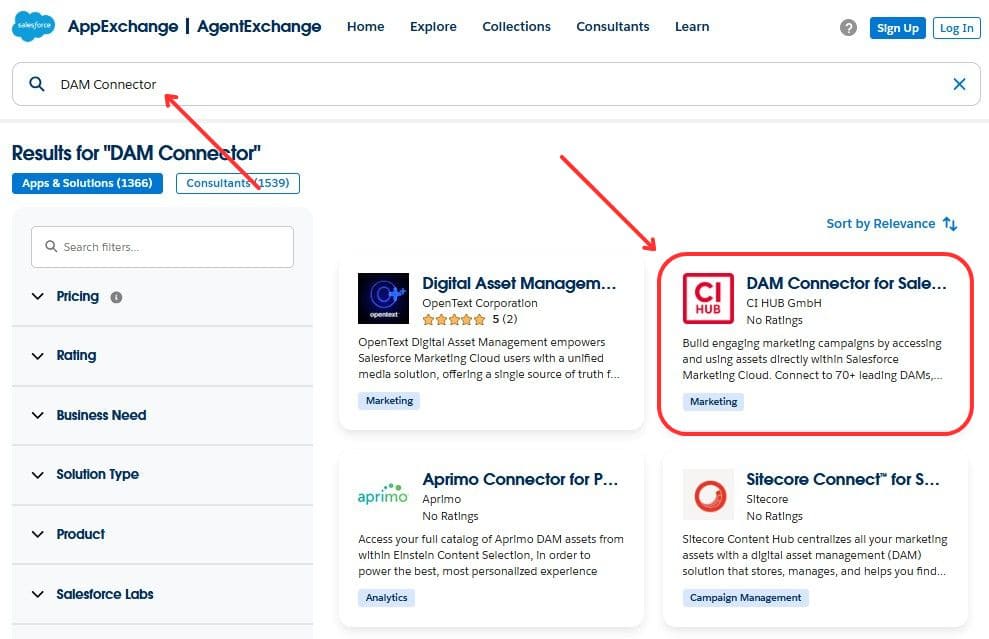
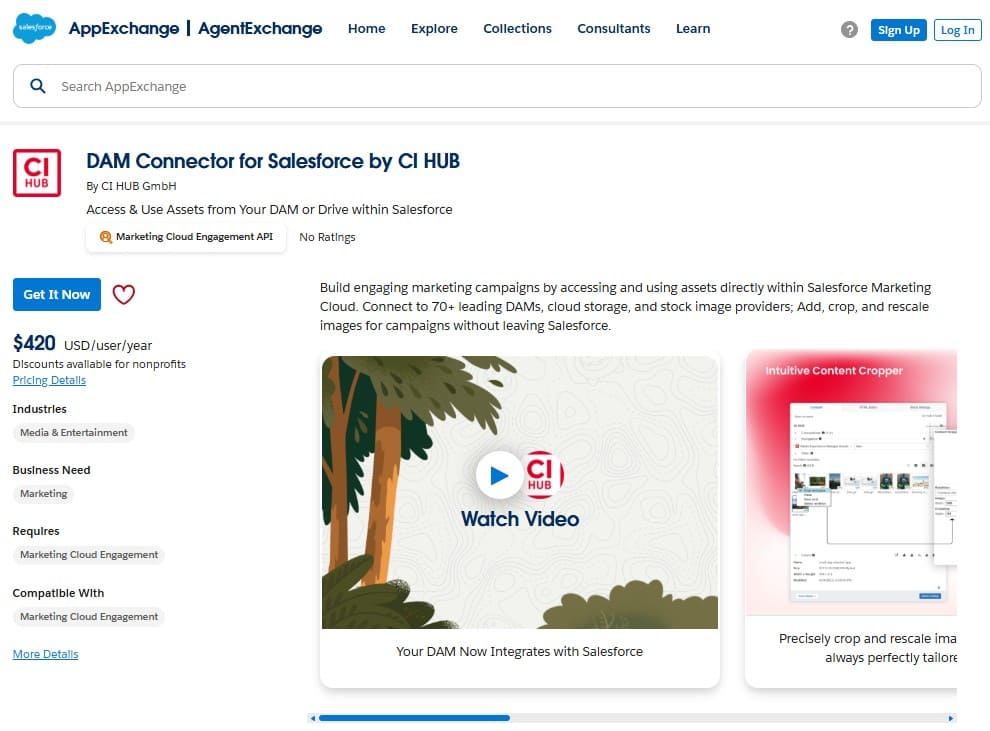
The DAM Connector for Salesforce by CI HUB is one such option we found on AppExchange. It allows Marketing Cloud users to connect more than 70 asset sources and work with them inside Salesforce without switching tabs or moving files manually.
The next sections outline the main digital asset management challenges that appear in Salesforce and show how DAM integration helps address them.
Challenge #1: Siloed Storage and Slow Workflows

When assets live in too many places, every marketing task slows down. Salesforce users often switch between Google Drive, SharePoint, Adobe Experience Manager, or Dropbox to locate the right file.
Each platform has its own structure, interface, naming conventions, and permissions. The result is a constant cycle of downloads, uploads, and re-uploads just to keep assets moving between tools.
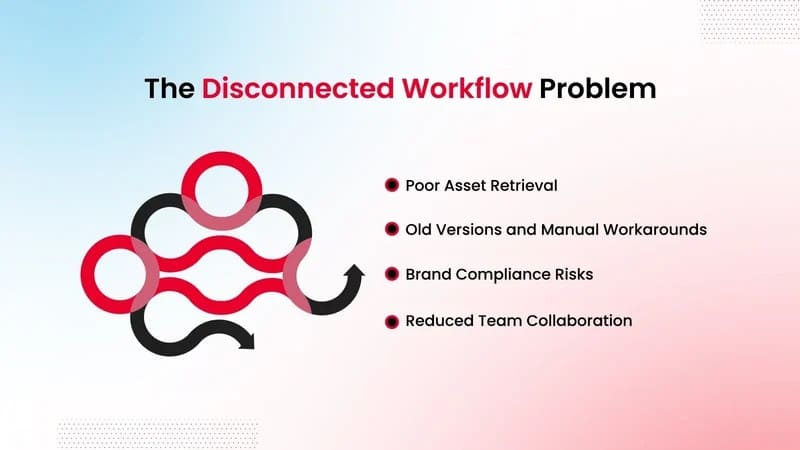
These broken workflows cause more than lost time. They fragment version control and make it difficult to confirm whether the latest approved image is being used. The same file might appear under several names across shared folders, leading to repeated work and off-brand content. In global teams, it becomes almost impossible to track which assets were used where.
How Salesforce DAM Integration Solves This
By connecting Salesforce directly with existing DAM or cloud storage systems, marketers can access all approved assets from one panel inside Content Builder. There’s no need to open extra tabs or move files manually, everything from logos to video clips stays linked to its source location.
With tools like the CI HUB Connector for Salesforce, teams can connect more than 70 DAM, Media Asset Management (MAM), and cloud storage solutions in minutes, as the CI HUB Connector review shows. Assets remain in their original repositories but become searchable and usable directly in Salesforce. This eliminates redundant file handling, ensures version accuracy, and keeps campaign workflows intact from start to finish.
Challenge #2: Using the Wrong or Old Versions

Few things frustrate marketing teams more than realizing a campaign used the wrong logo or last season’s product image. Without centralized control, different departments store their own file versions, rename them locally, and reuse them in new campaigns. In Salesforce Marketing Cloud, this results in outdated or duplicated visuals appearing across emails, ads, or landing pages.
The problem grows as more people contribute to content creation. Designers upload revisions to shared folders, marketers pull images into campaigns, and reviewers send new edits by email. After a few rounds, no one can say with certainty which file is the final, approved version. This version confusion breaks brand consistency and increases the risk of compliance errors, especially for regulated industries.
How Salesforce Marketing Cloud Digital Asset Management Fixes It
A connected Salesforce Marketing Cloud digital asset management system removes confusion around file versions. When Salesforce is integrated with a DAM or cloud repository, each asset retains its source link, metadata, and approval status. Any update in the DAM instantly reflects in Salesforce, ensuring that campaigns always use the latest approved visual.
For example, with CI HUB DAM Connector, marketers can browse, preview, and insert approved visuals directly from the DAM panel, without downloading or renaming files. Each asset’s metadata, format, and version history remain intact, preventing accidental use of outdated materials.
Challenge #3: Repetitive Uploads and Edits

Even when teams find the right file, preparing it for Salesforce Marketing Cloud often involves several manual steps. Marketers download assets from shared folders, resize them in separate tools, switch between tabs, and then upload the updated files back into Salesforce. When this repeats across dozens of content pieces, these small tasks become a noticeable bottleneck.
These steps also make errors more likely. Someone may upload an outdated visual, crop an image incorrectly, or reuse a file stored locally instead of the approved version. In fast-moving teams, these inconsistencies accumulate quickly and affect campaign quality.
Context switching adds another layer of delay. Moving between storage platforms, editing tools, and Salesforce interrupts focus and breaks the workflow. Over a full week of production, these interruptions add up to hours of lost time and uneven results.
How Salesforce Marketing Cloud Workflow Automation Helps
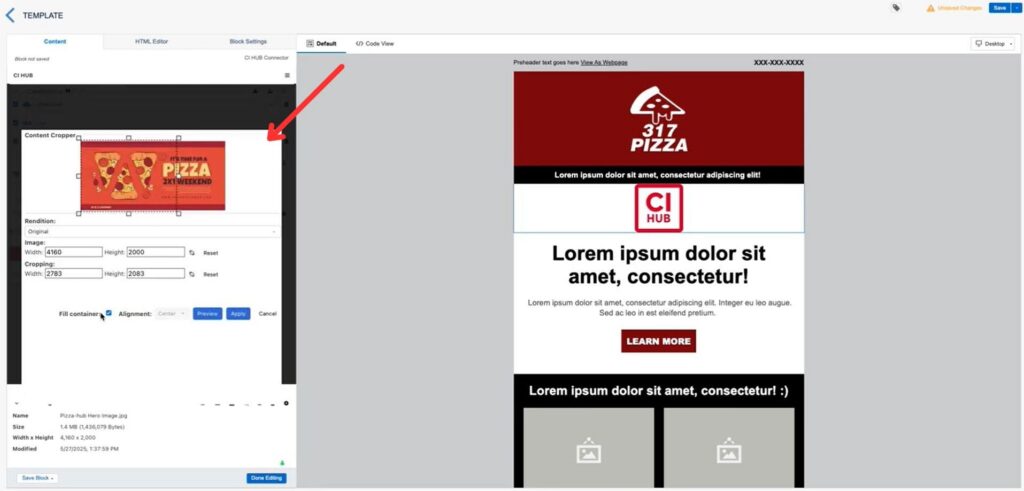
This is where Salesforce Marketing Cloud workflow automation helps simplify everyday work. With the right connector, routine tasks like cropping, resizing, or selecting the correct version can be done directly inside Content Builder, without using external editors or moving files manually.
The CI HUB Connector supports this approach by letting marketers prepare and insert visuals inside Salesforce, choose the needed format, and access updated files instantly from connected DAM or cloud systems. Because assets stay linked to their source, new versions appear automatically without multiple uploads.
Challenge #4: Brand Compliance and Access Control

As teams grow and more people work with marketing assets, keeping every campaign on brand becomes harder. Marketers often take visuals from shared folders, email chains, or old project materials without realizing that a newer approved version already exists. Small differences, such as an outdated logo or an older product image, can appear in Salesforce Marketing Cloud and reach customers unnoticed.
Access control is a related aspect of this same issue. In many organizations, anyone can download or adjust assets even when certain files should be limited to specific teams or regions. Without clear rules, visuals intended for internal use or restricted markets may end up in broad campaigns. For regulated industries, this increases the risk of using imagery that should not be publicly displayed.
How Connected Salesforce Marketing Cloud Workflow Protects Brand Consistency
A connected Salesforce Marketing Cloud workflow helps prevent these problems. With an integration in place, users see only approved and current assets, and permissions apply automatically. The CI HUB Connector supports this setup with Single Sign-On access and centralized configuration, giving large teams controlled links to DAM, MAM, and cloud platforms.
With governed access and clear approval paths, campaigns stay consistent across every Salesforce channel.
Challenge #5: Collaboration Barriers in Distributed Teams

Distributed teams rely on shared content to keep campaigns moving, but this becomes difficult when assets live across several platforms. Marketers in different regions may save files in their own systems, designers may share updates through email, and agencies may use entirely separate storage tools. When everyone works from a different source, Salesforce Marketing Cloud becomes disconnected from the rest of the creative process.
This scattered setup slows down collaboration. A marketer preparing an email may wait for a designer to resend a file, while another teammate continues using an outdated asset because it was the only one available locally. These delays multiply when several teams need to approve visuals or work on the same content.
Time zones add another layer of difficulty to this challenge. For global teams, an asset update made in one region may not reach others until the next day, causing inconsistent campaign results.
How Integration Helps Teams Work from a Shared Source
Many Salesforce digital asset management challenges disappear when teams work from a connected environment. Integrating Salesforce with a DAM or cloud repository gives every user access to the same approved assets, no matter where they are located or which tool they normally use.
With a shared source of truth, distributed teams move faster, align more easily, and deliver consistent content across all Salesforce campaigns.
Practical Benefits for Salesforce Teams
When teams use connected asset workflows inside Salesforce, the daily work of building campaigns becomes faster and more predictable. Removing manual steps, scattered storage, and repeated uploads creates a smoother experience for everyone involved. The benefits appear across several key areas.

1. Faster Campaign Production
Connected workflows reduce the time spent searching for files or adjusting visuals. Teams can focus on creating content rather than preparing it.
- No switching between storage tools,
- Fewer repetitive uploads,
- Assets are ready to use inside Content Builder.
This allows marketers to move from idea to campaign much more quickly.
2. Consistent and Accurate Branding
When all users work with the same approved visuals, branding becomes easier to control.
- Only current versions appear in Salesforce,
- Fewer errors caused by outdated images,
- Shorter review cycles for design and marketing teams.
Updates made in the DAM are reflected automatically, keeping every channel aligned.
3. Better Coordination Across Distributed Teams
Global teams and agencies benefit from shared access to the same governed asset library.
- No waiting for someone to resend a file,
- Clear visibility into the latest approved assets,
- More predictable campaign timelines across regions.
This helps different departments work together without delays or repeated tasks.
4. Stronger Security and Access Control
A structured approach gives organizations better oversight.
- Single Sign-On provides controlled access,
- Permissions from the DAM carry over to Salesforce,
- Reduced the chance of restricted or outdated visuals reaching customers.
This is especially helpful for industries with strict approval rules.
Using Salesforce with a connected digital asset management tool gives teams a reliable, organized working environment that supports both creative work and operational efficiency, helping them deliver campaigns with greater confidence.
Closing Thoughts: A More Connected Way to Work in Salesforce
The challenges described in this article all point to the same issue: Salesforce becomes harder to use when assets are stored and updated elsewhere. Scattered folders, outdated visuals, and repeated uploads slow teams down and make campaign quality harder to control.
Connecting Salesforce to a central asset source helps remove these issues. With approved files available directly inside Marketing Cloud, teams avoid guesswork, cut down on manual steps, and keep branding consistent across channels. Distributed teams also benefit from having one shared library instead of separate local copies.
If your team runs into the challenges outlined in this article and you want to explore how a connected DAM workflow works inside Salesforce, CI HUB provides a 30-day free trial to help you evaluate it.

Mykhailo is a Salesforce Certified Platform Administrator with development experience in the fintech field. Since 2021, he has gained the Double Star Ranger rank on the Salesforce Trailhead education platform, where he acquired 26 Superbadges in Business Administration, Process Automation, Security, and more. With a decade of expertise in consulting and compliance, he aspires to translate complex technical concepts into accessible content, helping organizations make the most of Salesforce. Mykhailo is passionate about using technology for everyday needs, enjoys reading sci-fi and non-fiction books, and playing video games. He also has an interest in history and outdoor activities such as hiking, camping, and kayaking.
 Previous Post
 Next Post