





From Scattered Data to Clear Supplier Decisions
Managing suppliers is rarely as simple as it looks on paper. For many organizations, supplier data lives across spreadsheets, emails, shared drives, and disconnected systems. Performance reviews are manual, risk indicators are reviewed too late, and procurement insights often rely more on experience than real-time data.
Insight:
In 2025, around 85–90% of organizations still used spreadsheets for supplier and procurement activities. Even with digital tools on the rise, manual methods remain widely used, making it harder for teams to track performance, monitor risk, and generate timely insights from supplier data.
As procurement and operations teams grow, these limitations become more visible. What once worked for a small supplier base starts to break down when organizations need transparency, accountability, and measurable value from many supplier relationships.
Consider a mid-sized company that uses Salesforce daily, while its supplier management still relies on spreadsheets and disconnected files. As the supplier base grows, inconsistencies appear. While marketing teams can rely on up-to-date Salesforce dashboards for insights, procurement teams often spend days or even weeks gathering data from spreadsheets, emails, and disconnected systems just to prepare for a quarterly review, causing delays in reporting and missed risks.
The challenge is not effort, but the lack of a scalable way to manage suppliers within the same platform the business already relies on. This situation is common for companies looking for manufacturing apps for Salesforce to manage suppliers and related data in one place.
This article looks at common Salesforce supply chain management challenges, how we approach solving them, and how a Salesforce-native app can help bring structure, visibility, and insight into supplier relationships.
- The Challenge: Supplier Data Without a Single Source of Truth
- Looking for a Better Approach Inside Salesforce
- LUPR Overview: A Supplier Data Hub Built on Salesforce
- Getting Started with LUPR
- Key Features That Address the Core Challenge
- LUPR Supplier Community for Salesforce Supplier Collaboration
- Why Salesforce-Native Matters
- To Sum Up: Turning Supplier Data into a Strategic Asset
The Challenge: Supplier Data Without a Single Source of Truth
Salesforce supplier management today is about keeping all supplier data in one view, onboarding vendors efficiently, and going beyond contract negotiations to track performance, compliance, and risk. Modern teams are expected to:
- Track supplier performance over time
- Monitor compliance, certifications, and risk
- Support ESG and supplier diversity initiatives
- Identify and realize supplier savings and optimization opportunities
- Collaborate across procurement, finance, and operation
- Keep an up to date Approved Supplier List (ASL/AVL)
- Automate procurement processes to eliminate errors and improve efficiency
Why SRM Built on Salesforce Matters
Although Salesforce is a powerful platform for managing customers and sales processes, most orgs were not initially designed to handle supplier relationship management. As a result, supplier data often becomes fragmented across multiple sources. Supplier details may be scattered within different systems, while performance metrics are frequently tracked separately in spreadsheets. Risk assessments are often reviewed manually or only at infrequent intervals, and information about savings initiatives is commonly documented outside Salesforce in disconnected systems. This lack of a unified data model makes it difficult for teams to get a complete, accurate picture of supplier performance and risk at any given time.
Consequences of Fragmented Supplier Data
When supplier data is fragmented, organizations face several challenges that directly affect decision-making and operational efficiency:
- Increased costs: More than half (52%) of companies worldwide lose more than one month of operational capacity in any year affected by logistics disruption.
- Reactive performance and risk management: Without proper visibility supplier issues are often discovered too late, limiting the organization’s ability to respond proactively.
- Limited collaboration across teams: Departments may all reference different versions of supplier information, which leads to misalignment, confusion, and inefficient processes.
Looking for a Better Approach Inside Salesforce
Rather than introducing another standalone procurement tool, the goal was clear:
find a Salesforce procurement software solution that keeps supplier management inside Salesforce, close to organizational data, and within a system IT can trust and easily approve.
Based on the challenges above, we defined a set of criteria before exploring possible solutions:
- Native to Salesforce, not an external system
- A centralized supplier data model
- Built-in support for performance tracking and analytics
- Clear visibility into supplier risk and compliance
- Designed for cross-team collaboration, not just record-keeping
With those requirements in mind, we explored the Supplier Management options available on Salesforce AppExchange.
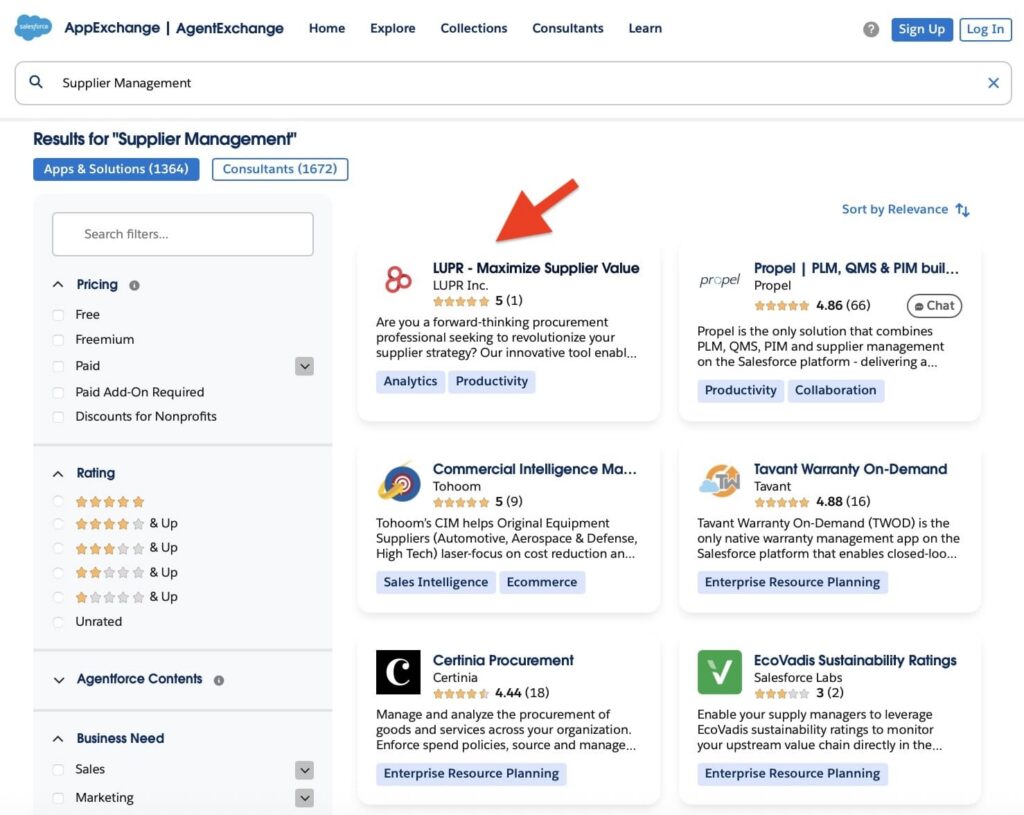
During this review, LUPR stood out in the list of available tools, but more importantly, it clearly matched the criteria we were looking for compared to other solutions in the category, making it a leading Salesforce SRM option for organizations seeking structured supplier management.
In the next sections, we take a closer look at the app to understand how it works and how it can help address common supplier management challenges.
LUPR Overview: A Supplier Data Hub Built on Salesforce
LUPR is a Salesforce-native application designed specifically for SRM Salesforce, or supplier relationship and performance management. Instead of treating suppliers as static records, it positions them as strategic partners whose performance, risk, and value can be continuously measured and improved. LUPR empowers procurement teams to move beyond record-keeping and realize an average 30% improvement in KPI performance per managed category within the first year by identifying optimization opportunities that disconnected systems miss.
LUPR also leverages automation and AI tools to streamline supplier workflows, prioritize risk alerts, and identify savings opportunities more efficiently, helping teams focus on strategic decision-making rather than manual tasks.
Because LUPR runs directly on the Salesforce platform, it inherits Salesforce’s security model, reporting capabilities, and Lightning experience. This means teams don’t need to switch tools or learn a completely new system to manage suppliers more effectively.
At a high level, LUPR acts as a centralized hub and a powerful procurement software solution where procurement teams can:
- Maintain a single source of truth for supplier data
- Track performance metrics and KPIs over time
- Monitor risk and compliance issues
- Analyze spending and savings opportunities
- Collaborate across teams using shared dashboards and portals
Instead of exporting data for analysis, insights live where decisions are made.
Getting Started with LUPR
One of the main advantages of a Salesforce-native app is how naturally it fits into an existing Salesforce org. There’s no separate platform to maintain and no complex integration to manage, everything starts directly within Salesforce.
Step 1: Find and Install the App
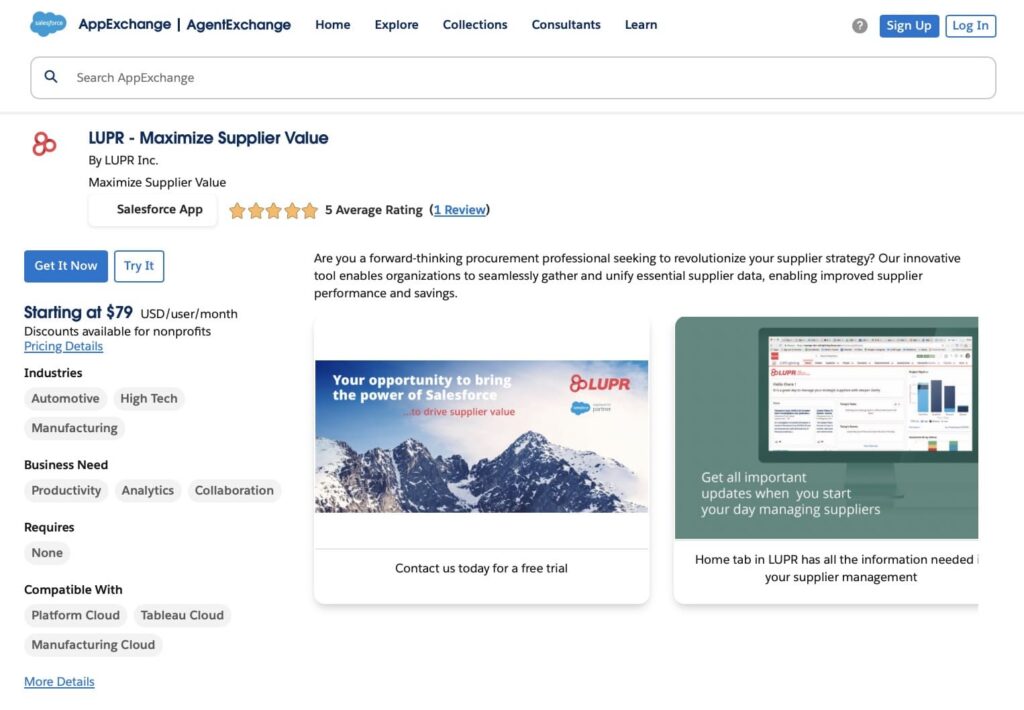
To get started, go to Salesforce AppExchange and search for LUPR.
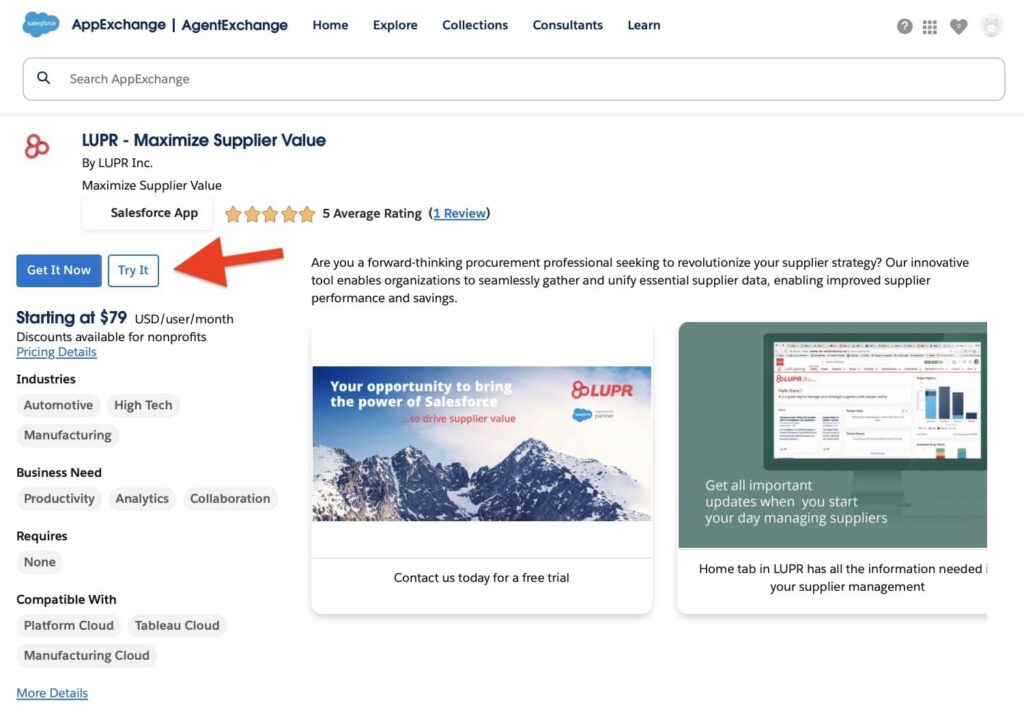
From there, you can review the app details and choose to install it into a sandbox or production environment by clicking “Get It Now” or “Try It”. After clicking, you’ll see a confirmation screen where you can review terms and select which environment to use. At this stage, the user must also select the installation type. Once the installation type is confirmed, LUPR will send an email with detailed installation instructions to support the installation process. The user can also schedule a call with one of LUPR experts if assistance is needed.
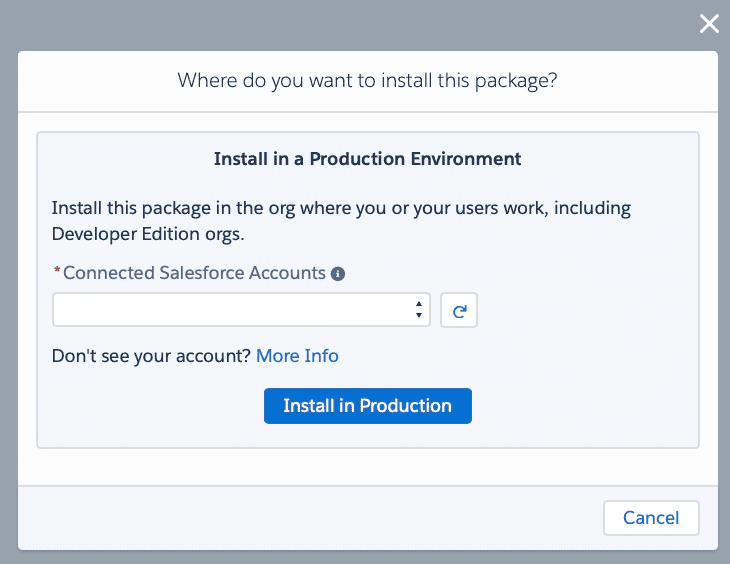
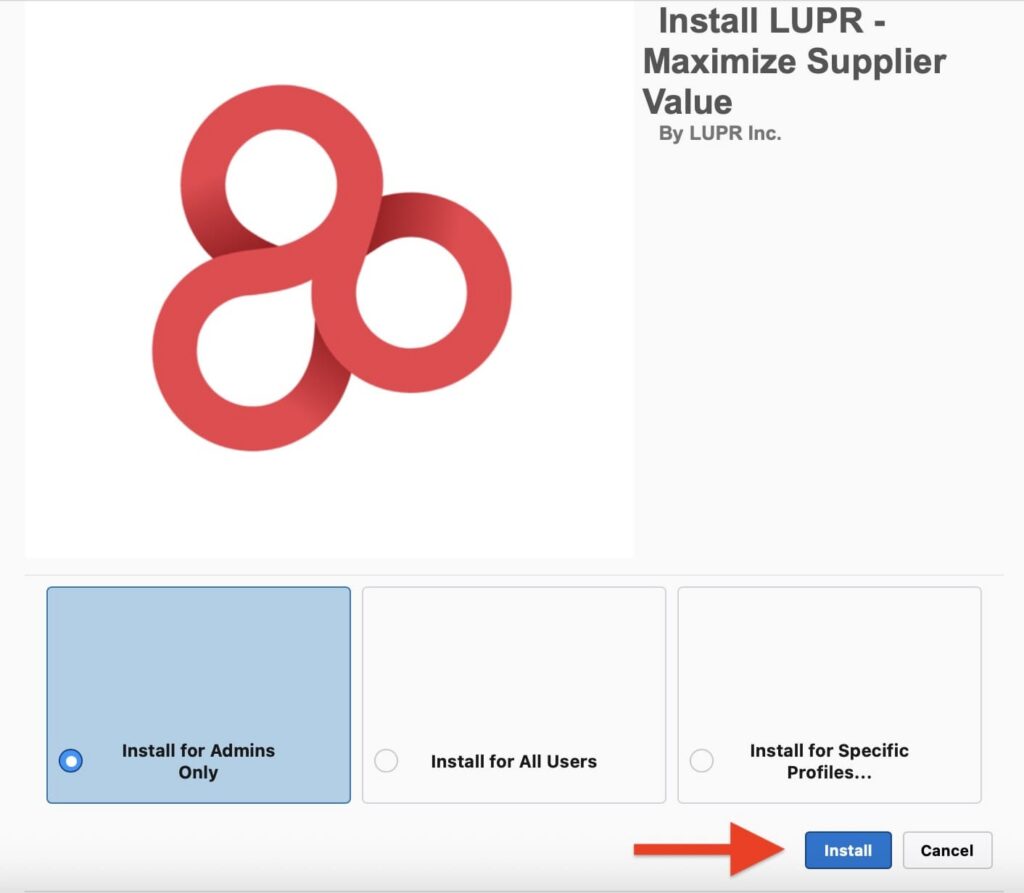
The installation process also lets you choose whether to grant access to all users or only to administrators, ensuring that the right people can start using the app once installation is complete.
Step 2: Configure Supplier Data and Metrics
After installation, supplier records, performance metrics, and dashboards can be configured to align with your business processes. Organizations can either handle this setup internally or request assistance from the LUPR team, which can provide guidance to ensure the app is configured to meet specific business needs.
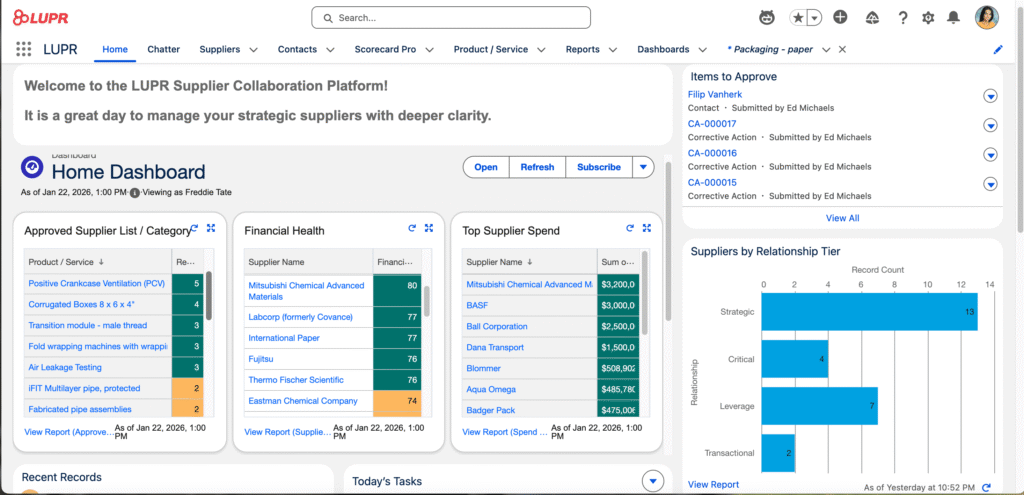
LUPR can also integrate with existing ERPs and legacy systems, allowing organizations to unify supplier data without disrupting current workflows. This ensures that historical and external data remain accessible and actionable within Salesforce.
Key Features That Address the Core Challenge
Let’s take a look at how LUPR helps teams manage suppliers more effectively. By centralizing data, tracking performance, and providing visibility into risk and compliance, the app brings supplier management directly into Salesforce, making it a comprehensive Salesforce procurement solution. This reduces manual work, supports better decision-making, and helps teams stay on top of supplier performance across the organization.
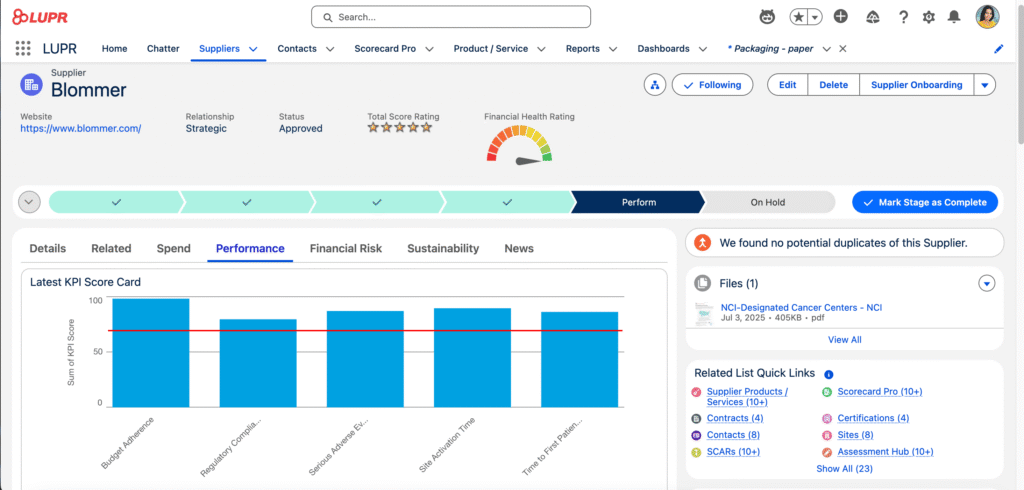
1. Centralized Supplier Management
At the core of LUPR is a unified supplier database. All supplier-related information lives in one place, reducing duplication and inconsistency.
Teams can maintain structured supplier profiles that go beyond basic contact details. This creates a foundation for performance analysis, strategic planning and relationship accelerators.
2. Performance Tracking and Scorecards
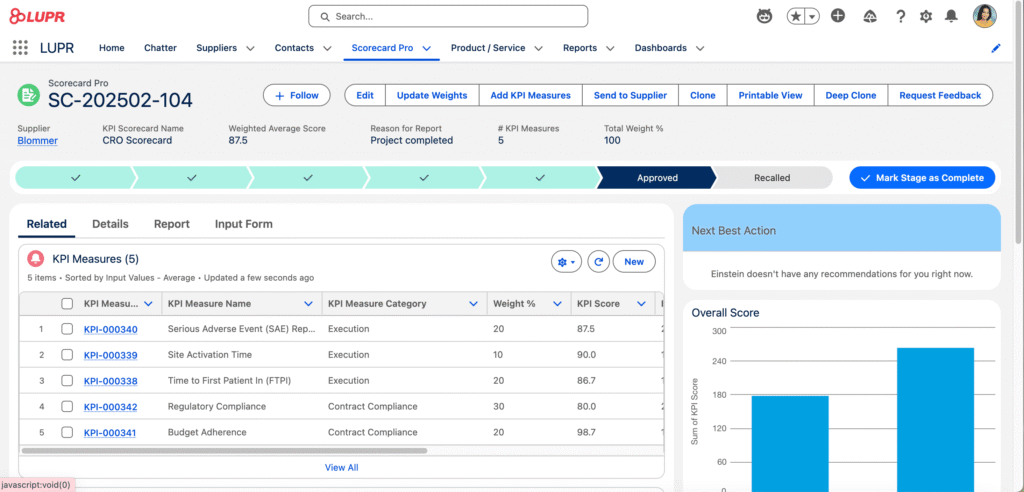
Supplier performance is only useful if it’s measurable. LUPR enables teams to define KPIs and track them consistently across suppliers and categories.
Instead of subjective assessments, performance reviews are backed by data. Scorecards make it easier to identify high-performing suppliers and those that require attention.
3. Analytics and Insights
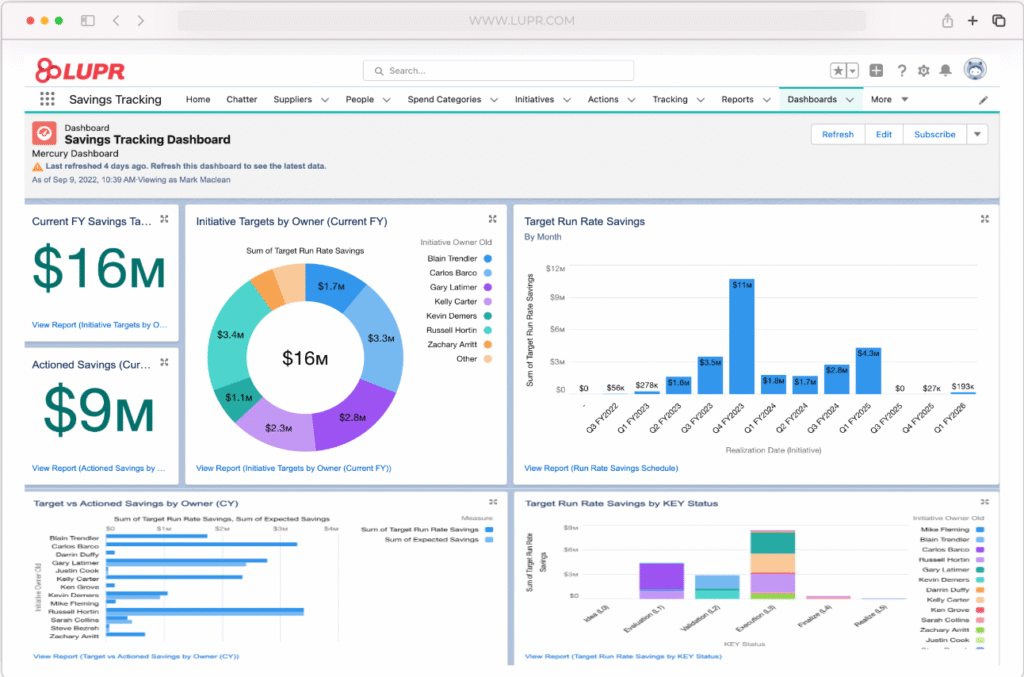
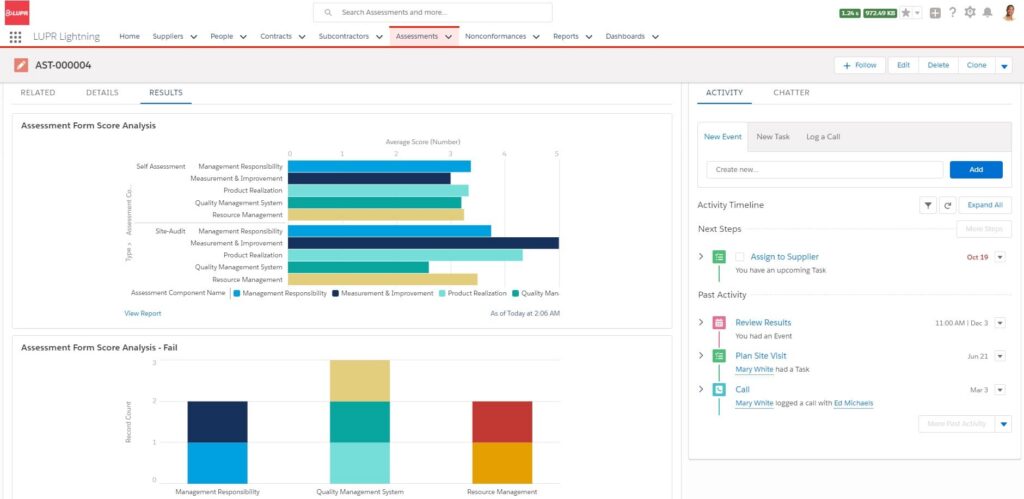
LUPR delivers powerful insights for procurement and supply chain teams, supporting Salesforce procurement management and delivering Salesforce supply chain analytics. LUPR provides executive-ready dashboards that instantly translate supplier data into strategic insights, allowing managers to allocate budget and resources more confidently and demonstrate the procurement value to the C-suite.
Dashboards and insights update in real time as supplier data changes, giving teams up-to-date information about particular suppliers or categories to make faster and more confident decisions.
LUPR’s Dashboards
4. Risk and Compliance Monitoring
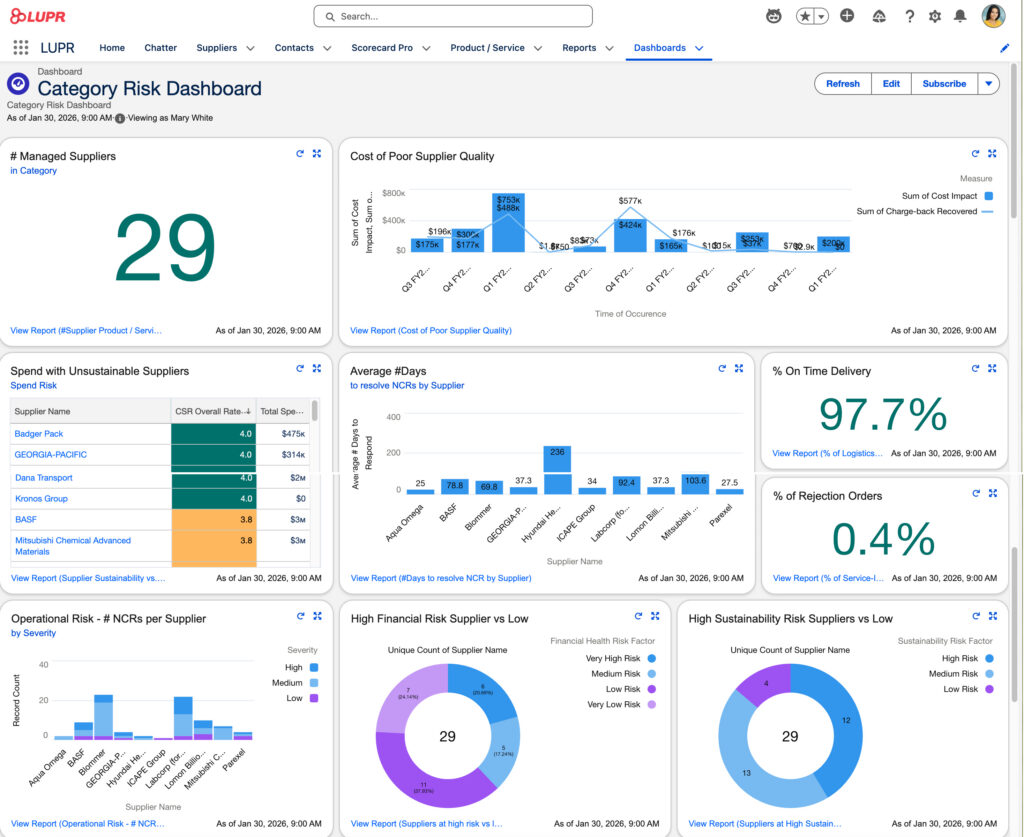
Supplier risk is one of the hardest areas to manage manually. Manual processes make it twice as likely that a critical but non-compliant supplier will slip by without an annual performance review. LUPR introduces structured ways to track compliance, certifications, and potential risk indicators.
By centralizing this information, teams can move from reactive risk management to proactive monitoring.
Manage supplier information
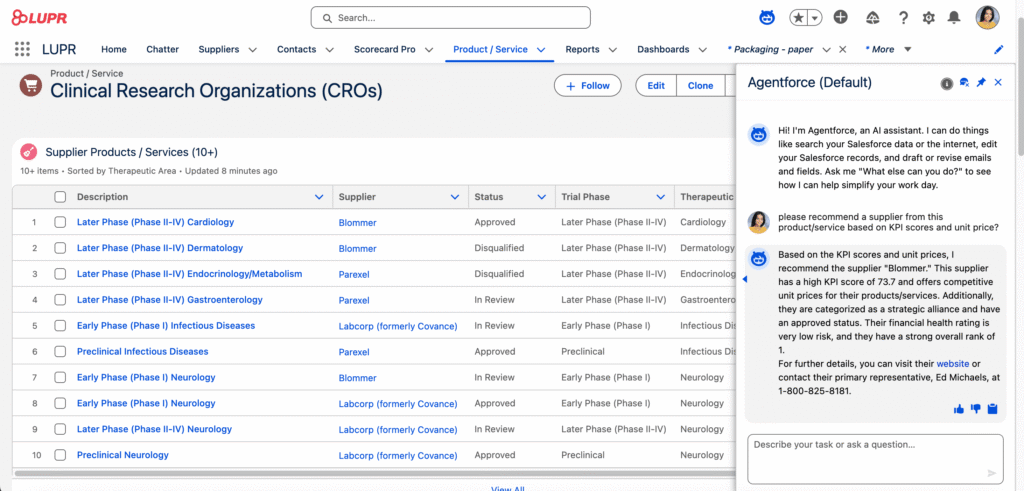
5. Supplier Categories in LUPR – Category Co-Pilot
LUPR includes a dedicated Categories object that allows organizations to formally structure their supplier landscape and decide what strategy they will use to optimize value from it. Categories are managed through standard Salesforce list views and support multiple attributes, making them easy to manage and analyze over time.
The Category Co-Pilot enables category managers to quickly and easily complete a structured assessment that drives clear strategy definition and prioritization. Based on the assessment results, a well-defined category strategy is established, leading to tailored guidelines and customized processes aligned to the specific needs of each category.
For example, the strategy helps determine how frequently suppliers should be evaluated, the appropriate level of effort required to realize savings, and where to focus resources for maximum impact. This ensures a consistent, data-driven approach while allowing flexibility to adapt to the unique characteristics of each category.
6. Collaboration Across Teams
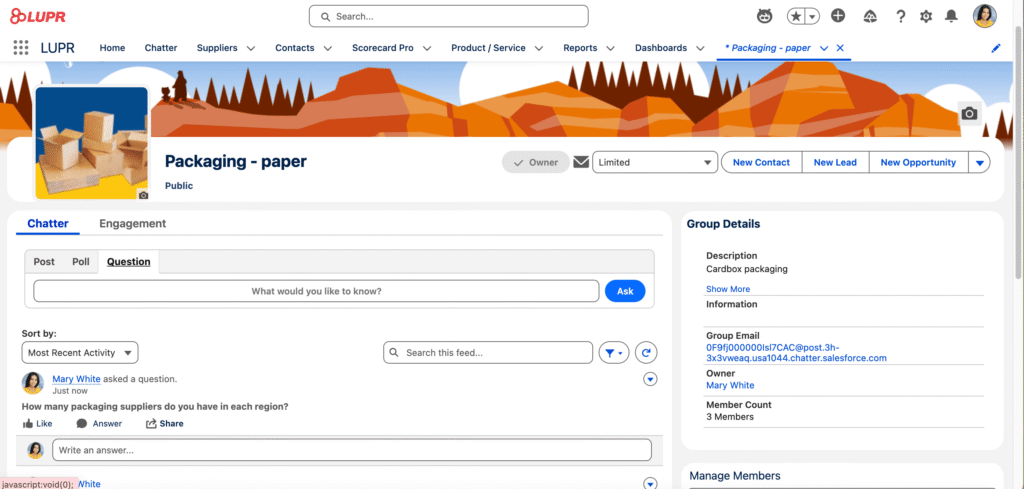
Procurement and supplier management rarely belongs to one team alone. LUPR supports collaboration by giving stakeholders shared visibility into performance, status, and updates. The platform leverages Salesforce Chatter, allowing users to comment, share insights, and communicate directly on records within the system.
For teams that use external communication tools, LUPR also supports integration with Slack, enabling notifications and discussions in a familiar workspace.
LUPR Supplier Community for Salesforce Supplier Collaboration
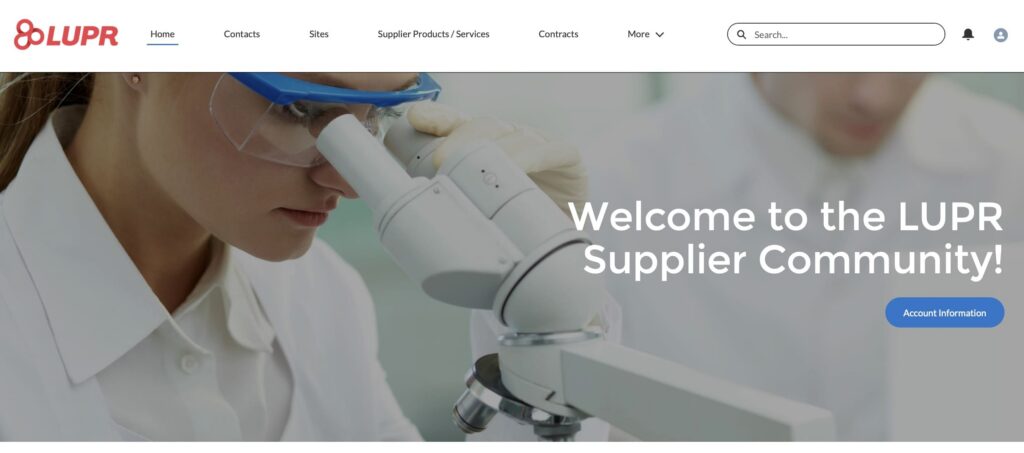
LUPR offers a dedicated Supplier Community that brings buyers, internal teams, and suppliers together in one collaborative space. It helps organizations engage with suppliers in real time, improving responsiveness and reducing reliance on emails or disconnected spreadsheets.
How it works in practice:
1. Onboarding new suppliers: Procurement teams can share required documents and steps with suppliers directly in the community, tracking completion and approval in real time.
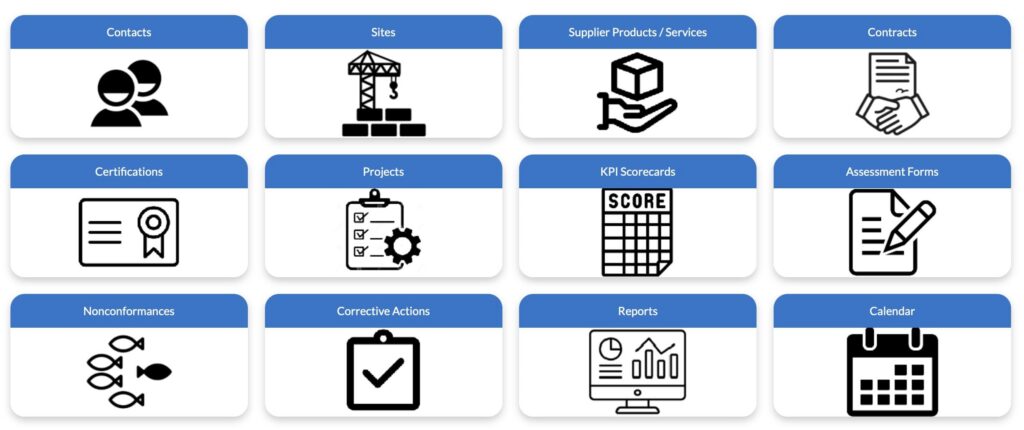
2. Performance discussions: Category managers can review supplier performance metrics and discuss issues or opportunities directly with suppliers within the platform.
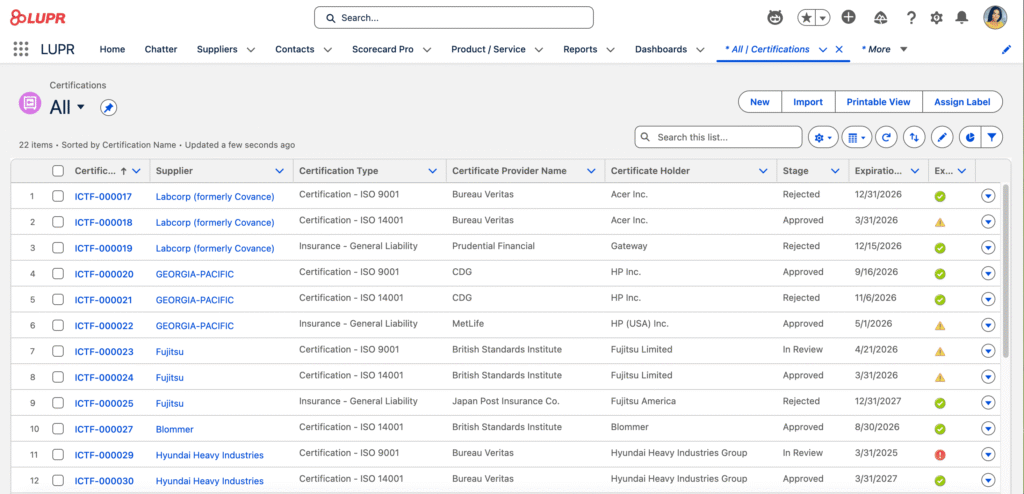
3. Compliance and certifications: LUPR automatically flags a supplier’s key ISO certification expiry 90 days in advance, initiates the recertification workflow via the Supplier Community, and prevents potential production halts. Suppliers can submit certifications or updates, while internal teams can monitor and approve them without leaving Salesforce.
4. Cross-team collaboration: Procurement, finance, and operations can all participate in discussions and monitor supplier activity from a single source of truth.
By consolidating communication and collaboration in one place, the Supplier Community strengthens relationships, improves accountability, and helps teams act faster on supplier-related decisions.
Why Salesforce-Native Matters
One of the most important aspects of LUPR is not a single feature, but its architectural choice. Unlike third-party supplier management tools that have limited integration with Salesforce, LUPR is built directly on the Salesforce platform, which brings several key advantages:
- No duplicate data models: All supplier information lives in Salesforce objects, so there’s no need to maintain parallel databases or reconcile conflicting data.
- Seamless workflow integration: LUPR works with existing Salesforce processes, approvals, and automation, avoiding the need for complex syncing or custom connectors.
- Unified reporting and analytics: Because all data resides in Salesforce, dashboards and reports are consistent and can leverage Salesforce’s native reporting tools.
- Single user management: User access and permissions are managed through Salesforce, eliminating the need for separate logins, licenses, or role setups.
- Scalable and future-proof: As your organization grows or adopts new Salesforce features, LUPR automatically benefits from platform updates, ensuring long-term sustainability.
- Improved adoption: IT already familier with Salesforce face a smaller learning curve, making it easier to integrate supplier management into daily workflows.
- Improved Productivity: No need for manual data reconciliation before every review cycle, freeing up to 35 hours per month for strategic initiatives instead of data scrubbing.
For organizations that already rely on Salesforce as a system of record, this native approach reduces friction, lowers operational risk, and simplifies long-term maintenance, while still providing powerful supplier management capabilities. For example, LUPR can serve as a Salesforce solution for automotive industry companies that need to manage suppliers, track performance, and monitor risk within the platform they already use.
To Sum Up: Turning Supplier Data into a Strategic Asset
Supplier management is a strategic priority for organizations of all sizes, yet many still struggle with fragmented data, delayed insights, and manual processes. Bringing supplier performance, risk, and collaboration into a single system helps teams make faster, more informed decisions and drives better outcomes across Salesforce processes for procurement, finance, and operations.
LUPR offers a native approach to Salesforce supplier relationship management and performance that centralizes supplier data, tracks key metrics, provides visibility into risk, and supports collaboration both internally and with supplier contacts. Because it is built directly on the Salesforce platform, teams can leverage existing workflows, reporting tools, and security models while avoiding disconnected systems.
If you want to evaluate how LUPR can fit into your own Salesforce environment, the provider offers a free 30‑day trial. This gives you a way to benchmark your current data visibility against the single source of truth LUPR provides before committing to a subscription.

Antonina is a Salesforce Admin with six certifications: Salesforce Certified Platform Foundations, Platform Administrator, Platform Administrator II, CPQ Administrator, AI Associate, and Agentforce Specialist. She started working with Salesforce in 2021 as Intern Salesforce Developer. Now, a 2-Star Ranger on Trailhead, she continues to expand her skills and knowledge. She helps manage Salesforce systems, automate tasks, and improve processes. Antonina loves learning new things and exploring better ways to use technology. In her free time, she enjoys reading, playing sports, and exploring new tech ideas.
 Previous Post
 Next Post