





Telephony integration with Salesforce helps your sales and support teams handle phone calls directly from Salesforce, see customer details during calls, and automatically log call information.
Connecting phone systems with Salesforce is essential for efficient communication and sales productivity. Approximately 50% of consumers prefer using voice channels for customer service interactions. With 65% of customers wanting quick support, telephony integration can help improve satisfaction. An impressive 70% of consumers believe that voice will remain a vital channel for customer service moving forward. These numbers show how important telephony integration is for better customer service and efficiency.
In this guide you will find how to set up telephony integration, some useful apps to make it happen, cost considerations, and top apps that can help you.
- What Is Telephony Integration with Salesforce?
- Step-by-Step Guide to Setting up Telephony Integration in Salesforce
- Looking for Telephony Solutions on Salesforce AppExchange
- Category #1. Salesforce-Native Voice & Contact Center Solutions
- 1. Unaric Voice – (Service Cloud Voice for CTI, Microsoft Teams & Telephony)
- 2. Conquer for SMS + CTI Telephony, AI Contact Center, Voice + Dialer | Salesforce
- 3. PhoneIQ CTI | Phone System, Power Dialer, Call Center, Telephony, Mobile
- 4. Transform Sales and Customer Service with Voice for Salesforce by Enreach
- 5. Axialys CCaaS : CTI, IVR, ACD real-time monitoring, NativePhone integration
- 6. Odigo CTI for Salesforce | Contact Center | IVR, ACD, Call campaigns, SMS
- 7. Plivo CX Omnichannel Customer Service | Call Center | Voice, Chat, WhatsApp, SMS
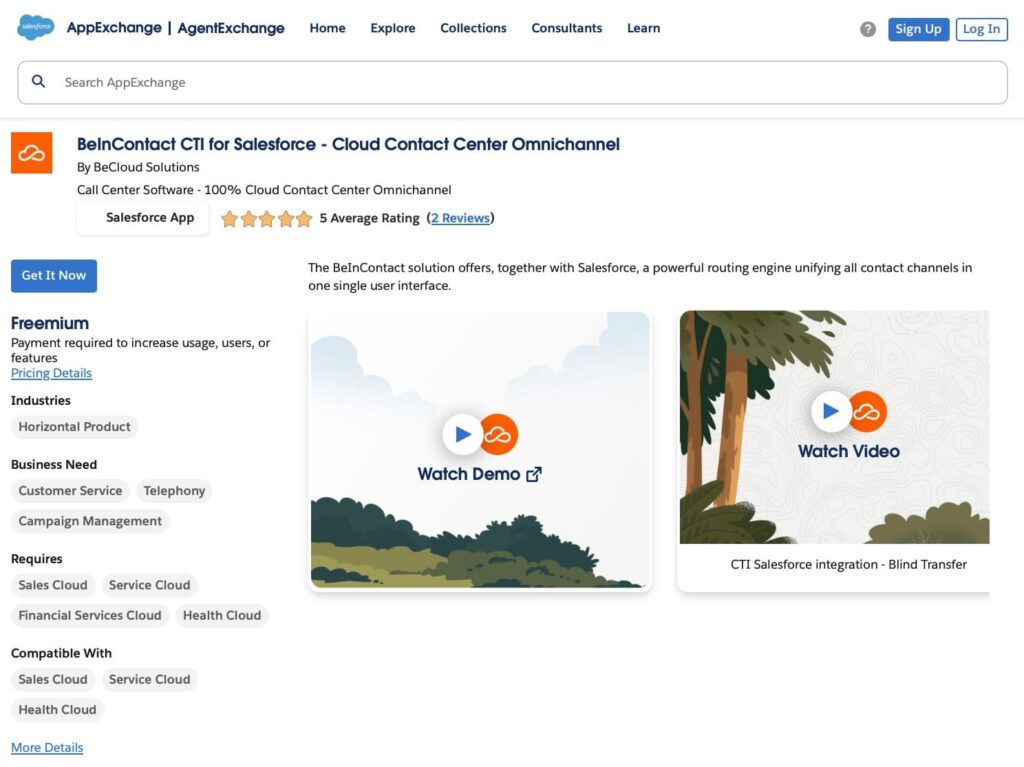
- 8. BeInContact CTI for Salesforce – Cloud Contact Center Omnichannel
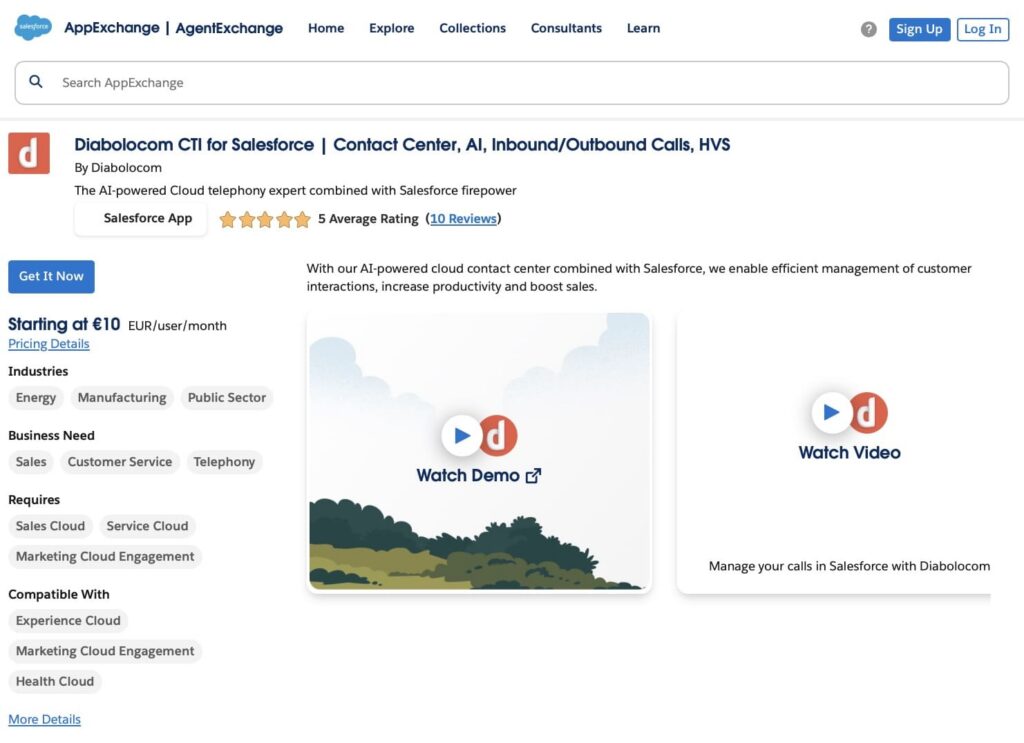
- 9. Diabolocom CTI for Salesforce | Contact Center, AI, Inbound/Outbound Calls, HVS
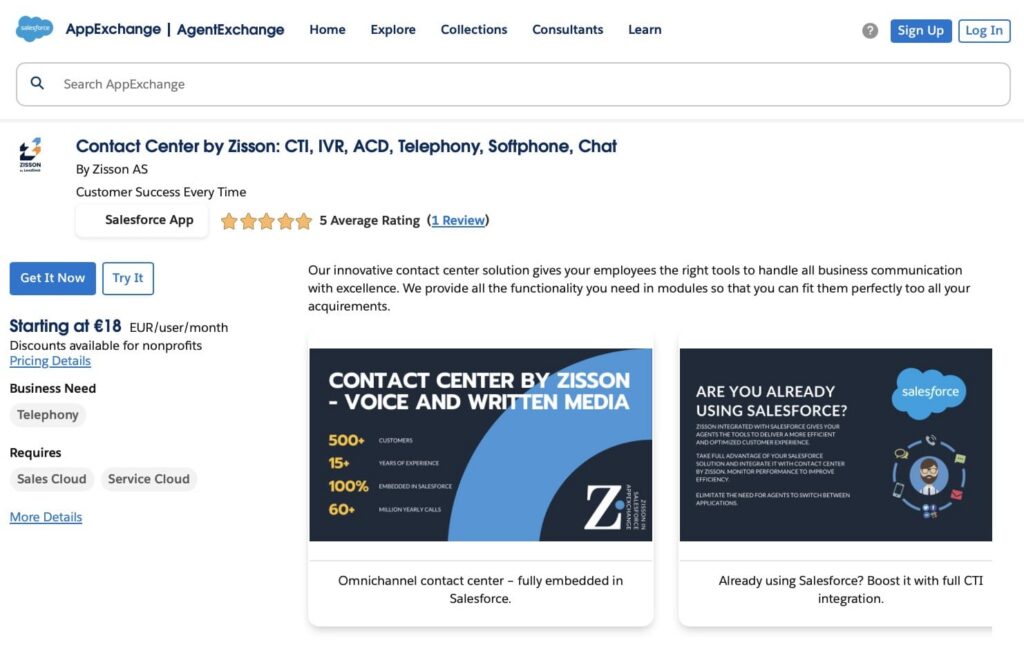
- 10. Contact Center by Zisson: CTI, IVR, ACD, Telephony, Softphone, Chat
- Category #2. CTI Connectors & Phone System Integrations
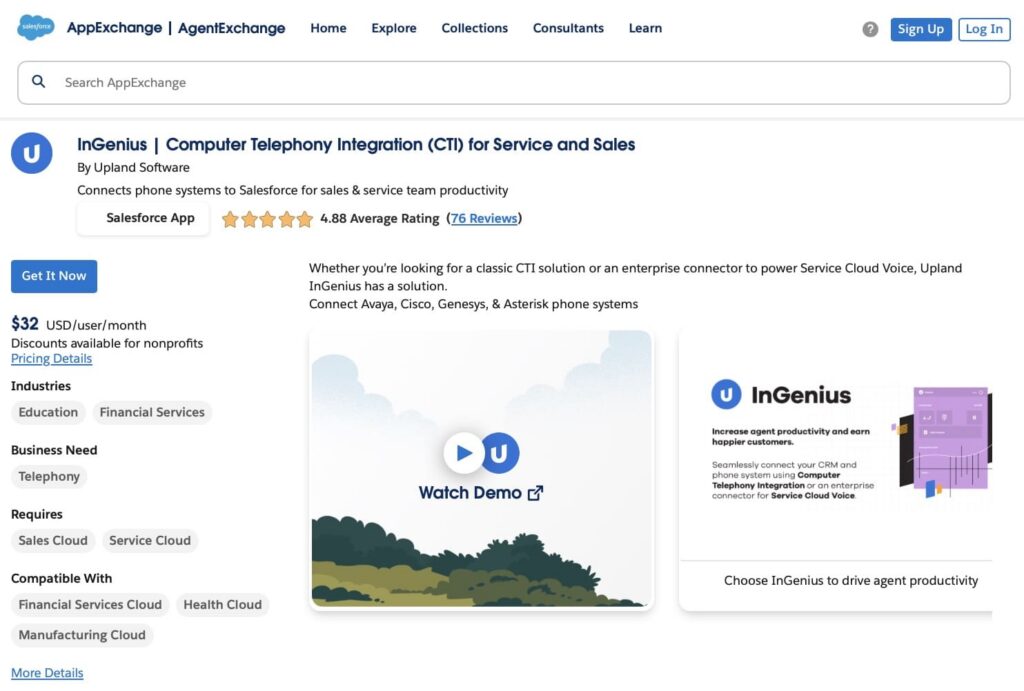
- 1. InGenius | Computer Telephony Integration (CTI) for Service and Sales
- 2. b+s Connects for Cisco Contact Center | omnichannel | CTI | Sales Engagement
- 3. link|that Cube – CTI & AI Solution for CISCO | Avaya | Unify | MS | Sinch & more
- 4. PhoneMondo – cloud CTI callerID notifications plus reports and statistics
- 5. Certwo CTI – Telephony Integration App
- 6. thinkConnect CTI Connector for Salesforce
- 7. NEWT Connector for Salesforce
- Category #3. Sales Dialers & Sales Engagement Telephony
- Cost of Telephony Integration in Salesforce
- Final Thoughts
What Is Telephony Integration with Salesforce?
Salesforce telephony integration (also called Computer Telephony integration (CTI) Salesforce) allows you to connect your phone system to Salesforce. This means when a customer calls, your team can answer, view customer details, and log everything in Salesforce without needing to switch between different tools.
With telephony integration, users can make and receive calls directly from Salesforce, view customer information during calls, automatically log calls, and create records related to the conversations. For service and support teams, Salesforce Service Cloud telephony integration enhances productivity by providing instant access to customer profiles, past interactions, and case histories, ensuring quicker resolution times.
Benefits of Telephony Integration in Salesforce
- Centralized communication: by integrating telephony with Salesforce, all phone interactions are stored in a single place, making it easier for sales and service teams to track, analyze, and act on customer data.
- Improved productivity: teams no longer need to switch between multiple tools to manage calls and CRM data, reducing the time spent on manual tasks such as call logging.
- Enhanced customer experience: agents can access a caller’s information instantly, allowing them to provide more personalized and efficient support.
- Data-driven insights: by tracking all interactions within Salesforce, businesses can generate detailed reports on call volume, call outcomes, and agent performance.
Insight:
Improved Customer Experience
Integrating telephony with Salesforce gives agents access to complete customer data, enhancing service efficiency and reducing frustration. With 82% of organizations using unified CRM systems, these integrations are essential for building customer trust and satisfaction in a competitive landscape.
Step-by-Step Guide to Setting up Telephony Integration in Salesforce
Step 1: Choose the right phone system
Before setting up your call center in Salesforce, it’s essential to choose the right phone system for your business. Here are the main options:
1. VoIP Services (Voice over IP)
VoIP systems use the internet to make and receive calls, offering greater flexibility, scalability, and cost savings compared to traditional phone lines. They often include features such as call logging, click-to-dial, call routing, and integration with CRM systems like Salesforce, making them ideal for sales and support teams.
2. Traditional PBX Systems
If you already have a physical phone setup (PBX), you may want to stick with it. While computer telephony integration Salesforce is possible, it might require additional setup, such as a CTI adapter.
3. Cloud-Based Phone Systems
These systems, are designed for high call volumes in contact centers and integrate smoothly with Salesforce, providing advanced features like call tracking and analytics.
Factors to Consider When Choosing
- Business Needs: how many users? Remote work or office-based? Sales or customer service focus?
- Salesforce Integration: if you prefer a different tool, make sure the system supports Salesforce Open CTI to allow for seamless integration.
- Budget: choose a system that fits your budget and offers the key features you need.
Step 2: Install and Integrate Your Telephony App
Before setting up the call center, you need to integrate your chosen telephony system with Salesforce. All apps require some integration and configuration, and the specific steps may vary slightly depending on the provider. Most telephony providers offer apps or CTI adapters that can be installed from Salesforce AppExchange. Here is one common way to do it:
- Install the App:
- Go to AppExchange and search for the app provided by your telephony service.
- Install the app into your Salesforce org, ensuring you have the necessary permissions.
- Connect and Configure the App: after installation, follow the provider’s guide to complete the integration. This typically involves:
- Logging into your telephony system via the Salesforce app.
- Authorizing the connection between Salesforce and your telephony system.
- Setting up call routing, user permissions, and other features.
You can also use CallRail for telephony integration. Check out Callrail Salesforce Integration to learn how to set it up.
Step 3: Set up the Call Center in Salesforce
Now that your telephony system is integrated, you can proceed to set up the Call Center in Salesforce. Note that the exact steps depend on your app provider, be sure to check the official documentation of your chosen app to complete the setup correctly:
- Obtain the Call Center Definition File from your telephony provider. This file (XML) includes all the configuration details for connecting Salesforce to your phone system.
- Import the Call Center Definition File:
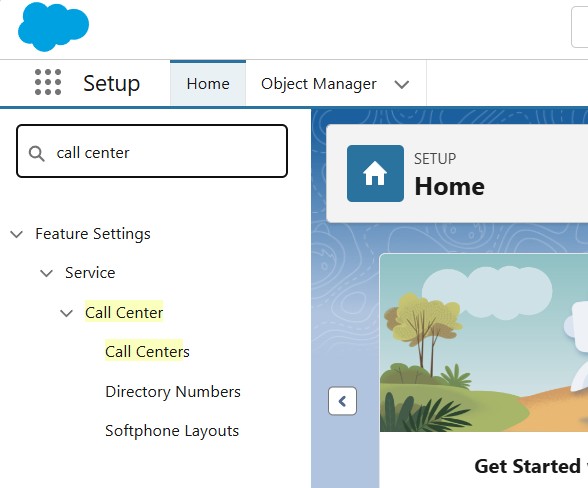
- In Salesforce Setup, search for Call Centers:
- Check the information about the Call Center and click continue:
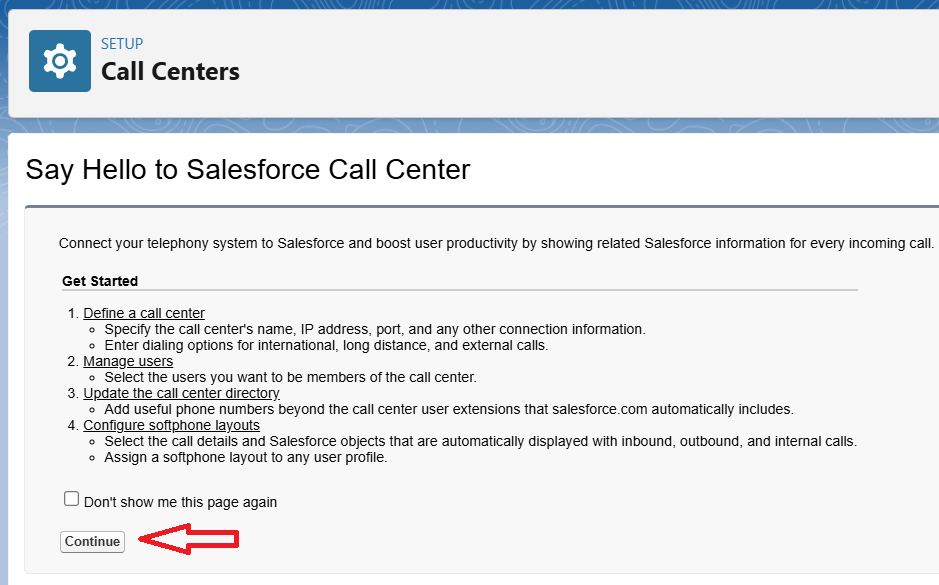
- Upload the Call Center Definition File by clicking “Choose File”, then select the file.
- Click Import to complete the setup:
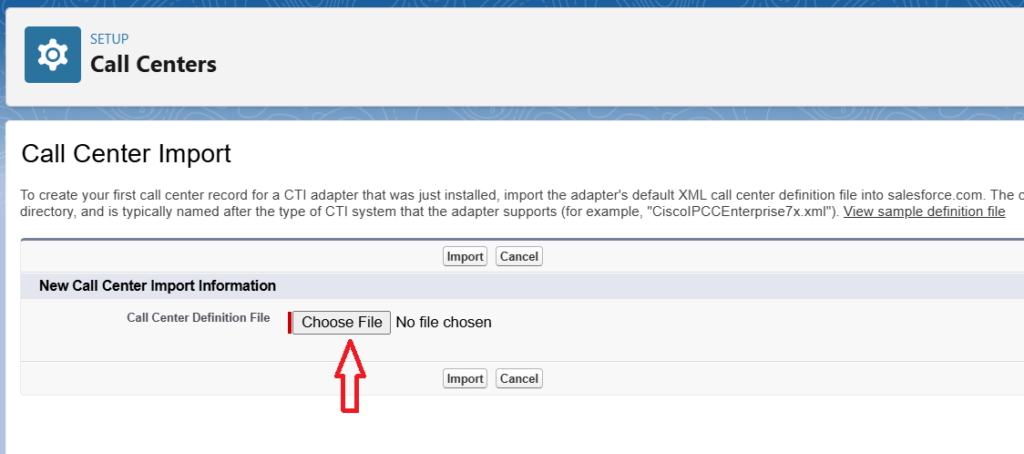
With the call center configured, your team can start managing calls directly from Salesforce. The telephony integration Salesforce allows for features like click-to-dial, call logging, and automatic screen pops for incoming calls.
Step 4: Test the Integration
Test the system by making a few phone calls. Check if:
- Call logs are automatically created in Salesforce.
- Calls can be made directly from Salesforce.
- Customer details appear during incoming calls.
You can also set up custom fields and workflows to match your business needs.
Looking for Telephony Solutions on Salesforce AppExchange
When looking for telephony integrations for Salesforce, we started with Salesforce AppExchange. It is Salesforce’s official marketplace, which makes it a practical place to explore solutions that are built to work with Salesforce and follow its security and platform standards.
For this article, we reviewed Salesforce call center solutions and telephony apps Salesforce AppExchange offered, that add voice capabilities to the platform. These apps support different use cases, such as connecting phone systems, running contact centers, making outbound sales calls, or adding voice-based workflows to Salesforce processes.
To make this easier to understand, we grouped the apps based on how they are usually used in Salesforce projects. This grouping reflects our own way of looking at the market and is meant to help readers quickly find the type of solution they are interested in. Instead of listing all apps together, we focused on the main role each app typically plays when teams search for a telephony integration.
In the sections below, each group covers a different approach to telephony in Salesforce. This structure is designed to make navigation simpler and to help teams compare similar types of solutions more easily.
Category #1. Salesforce-Native Voice & Contact Center Solutions
This group includes Salesforce apps for telephony that provide a full voice or call center experience inside CRM. Teams choose these solutions when they need to manage calls, agents, queues, and workflows directly in Salesforce, without relying on external systems. These Salesforce telephony tools are designed for both inbound and outbound calls and are often used by service or sales teams looking for a complete voice experience.
1. Unaric Voice – (Service Cloud Voice for CTI, Microsoft Teams & Telephony)
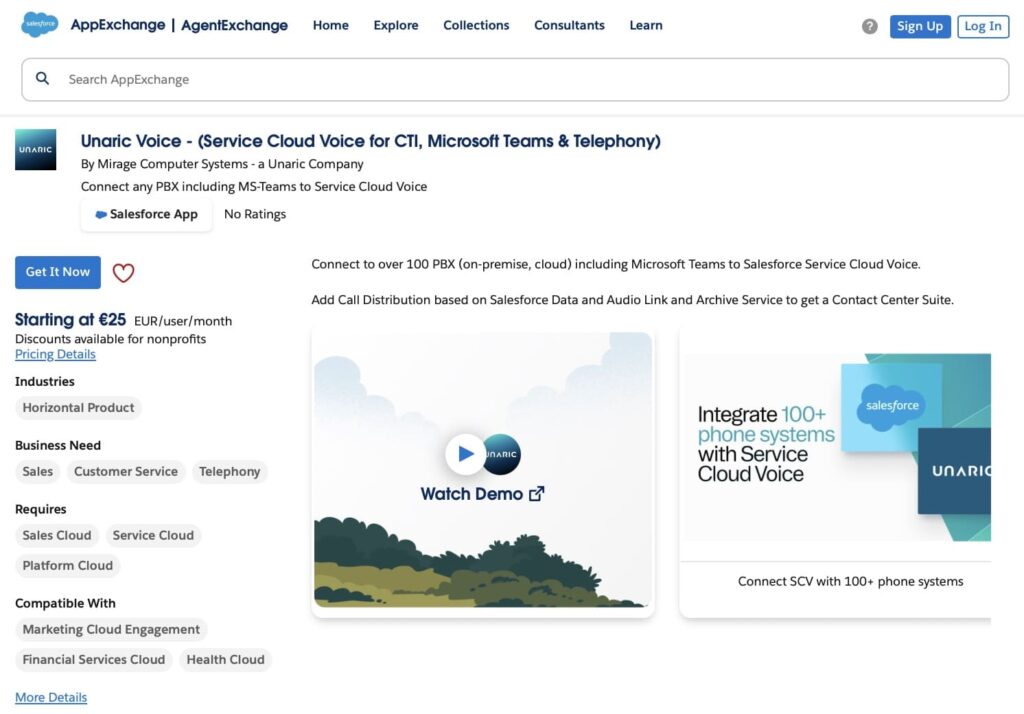
Overview:
Unaric Voice connects Salesforce with Microsoft Teams Phone and other phone systems. It lets your team make and receive calls directly inside Salesforce, without switching between apps. The system works with many phone providers and is built to support Service Cloud Voice.
Key Features:
- Calls inside Salesforce: your team can answer, hold, or transfer calls without leaving Salesforce.
- Click-to-call from records: start calls by clicking a phone number in any Salesforce record.
- Automatic call logging: call details are saved in Salesforce automatically, no need to enter them by hand.
- Works with Microsoft Teams Phone: if you use Teams for calling, it can be connected to Salesforce with this setup.
- Live dashboards and reports: track call volumes, missed calls, and team activity with real-time data.
- Supports many phone systems: Unaric Voice works with over 100 PBX systems, including Cisco, Avaya, and Asterisk.
Benefits:
Unaric Voice helps teams save time, avoid switching tools, and keep all call information in one place. It makes it easier to track what’s happening during calls and keep Salesforce records up to date.
2. Conquer for SMS + CTI Telephony, AI Contact Center, Voice + Dialer | Salesforce
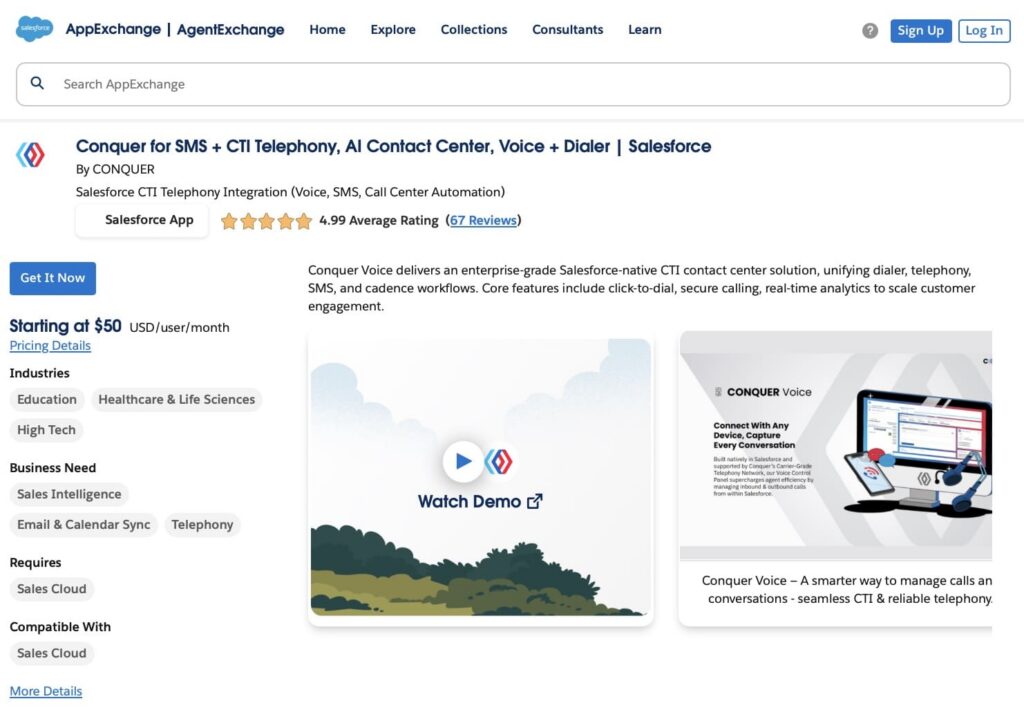
Overview:
Conquer is a Salesforce-native CTI and contact center solution that unifies calls, SMS, dialer, and multi-channel cadences in one platform. Teams can manage all communications directly in Salesforce without switching between apps.
Key Features:
- Click-to-dial and automated call logging
- Outbound dialer for domestic and international calls
- Multi-channel communication: calls, SMS, email
- Real-time dashboards for team performance and analytics
- AI-driven insights for coaching and next-best-step guidance
- Secure, GDPR-compliant call recording
Benefits:
Conquer one of the telephony Salesforce solutions that helps manage voice and messaging interactions, coordinate multi-channel communication, and monitor performance within Salesforce.
3. PhoneIQ CTI | Phone System, Power Dialer, Call Center, Telephony, Mobile
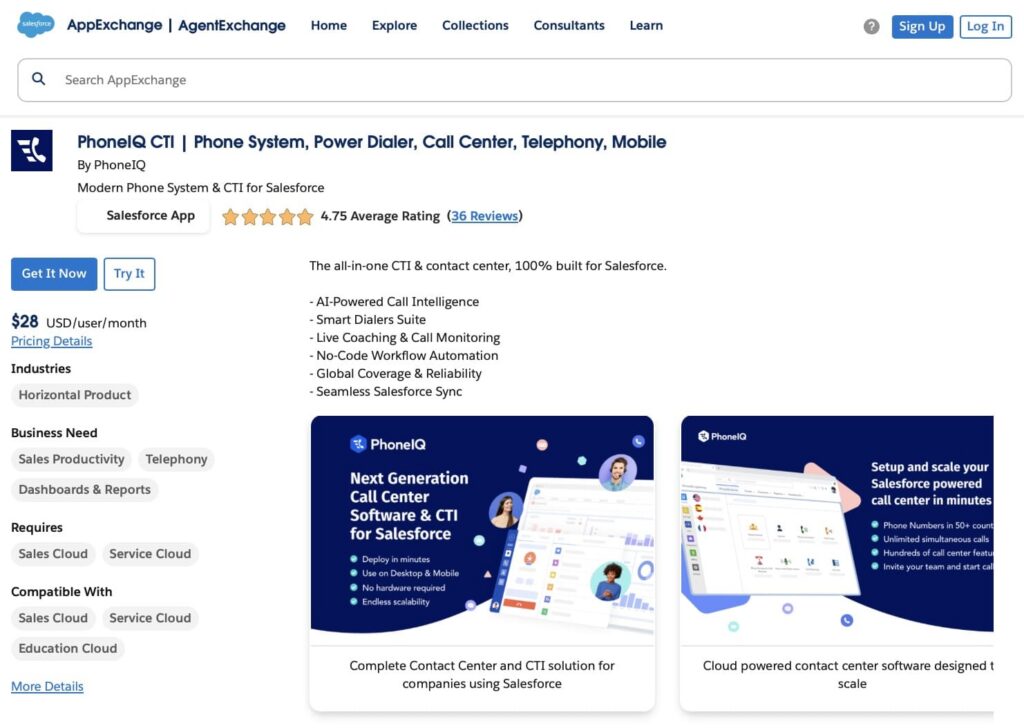
Overview:
PhoneIQ CTI is an all-in-one CTI and contact center solution built entirely for Salesforce Lightning. It provides integrated voice, messaging, and sales engagement tools, enabling teams to manage communications and workflows directly within Salesforce.
Key Features:
- AI-powered call intelligence and smart dialers
- Click-to-dial, screen pop, call logging, and auto dialing
- Workflow automation for tasks, cases, and call dispositions
- Native Salesforce integration for seamless sales and service processes
- Live coaching and call monitoring
- Global coverage with local and toll-free numbers
Benefits:
PhoneIQ handles calls and messages in Salesforce, uses automated workflows, and manages interactions efficiently.
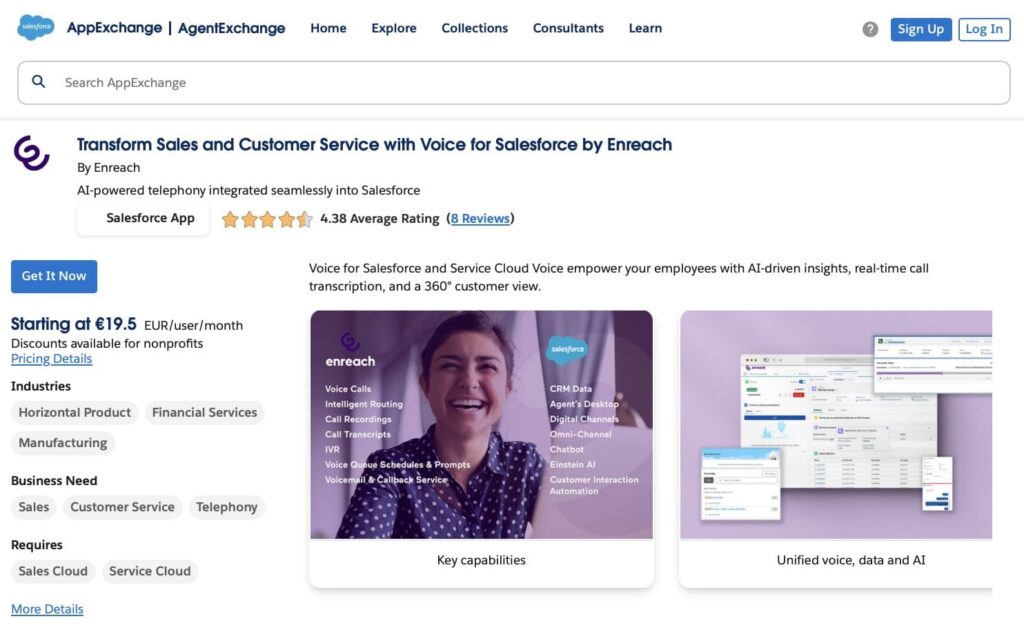
4. Transform Sales and Customer Service with Voice for Salesforce by Enreach
Overview:
Enreach Voice for Salesforce lets teams handle calls directly in Salesforce, providing a complete view of customer interactions and integrating voice with Sales and Service Cloud.
Key Features:
- Click-to-dial and automated call logging
- AI-powered call handling
- Real-time call transcription and caller pop-ups
- Unified view of all customer interactions in Salesforce
- Reporting and analytics for call performance
Benefits:
Enreach Voice helps to manage calls efficiently, keep Salesforce data accurate, and improve visibility into sales and service interactions.
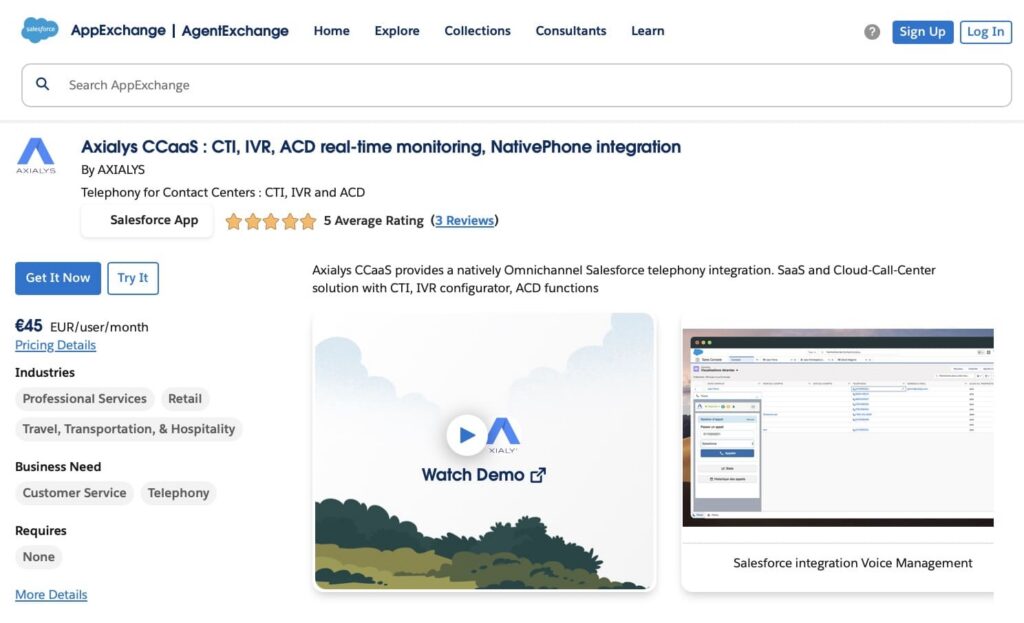
5. Axialys CCaaS : CTI, IVR, ACD real-time monitoring, NativePhone integration
Overview:
Axialys CCaaS is a cloud-based contact center solution that integrates directly with Salesforce. It provides CTI, IVR, and ACD functionality for managing inbound and outbound calls, with tools for agents, supervisors, and administrators.
Key Features:
- CTI integration for seamless calling in Salesforce
- IVR and ACD for efficient call routing
- Real-time monitoring & reports for agents and supervisors
- Cloud-based, SaaS solution with high-quality voice
- User-friendly interface for all management levels
Benefits:
Axialys CCaaS can handle calls, monitor performance in real time, and keep all call interactions inside Salesforce, while reducing costs and improving voice quality.
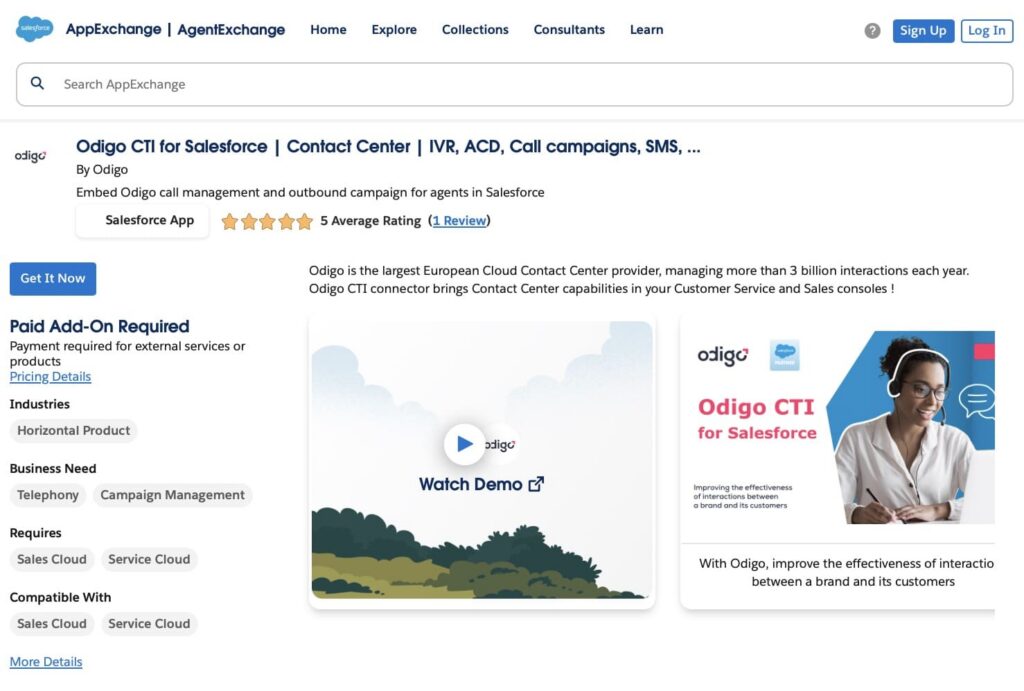
6. Odigo CTI for Salesforce | Contact Center | IVR, ACD, Call campaigns, SMS
Overview:
Odigo CTI for Salesforce is a cloud-based contact center solution that integrates directly with Salesforce. It brings call management, IVR, ACD, and outbound campaigns into Service Cloud and Sales Cloud, helping teams handle calls efficiently while matching clients with the right agent.
Key Features:
- CTI integration for seamless calling in Salesforce
- IVR and ACD for automated call routing
- Outbound call campaigns for sales and service teams
- Multichannel support (voice, SMS, other channels)
- Routing & distribution rules to match clients with skilled agents
- Cloud-native and scalable for large contact centers
Benefits:
Odigo CTI improves customer experience, manages calls efficiently, and ensures consistent service across channels, all directly within Salesforce.
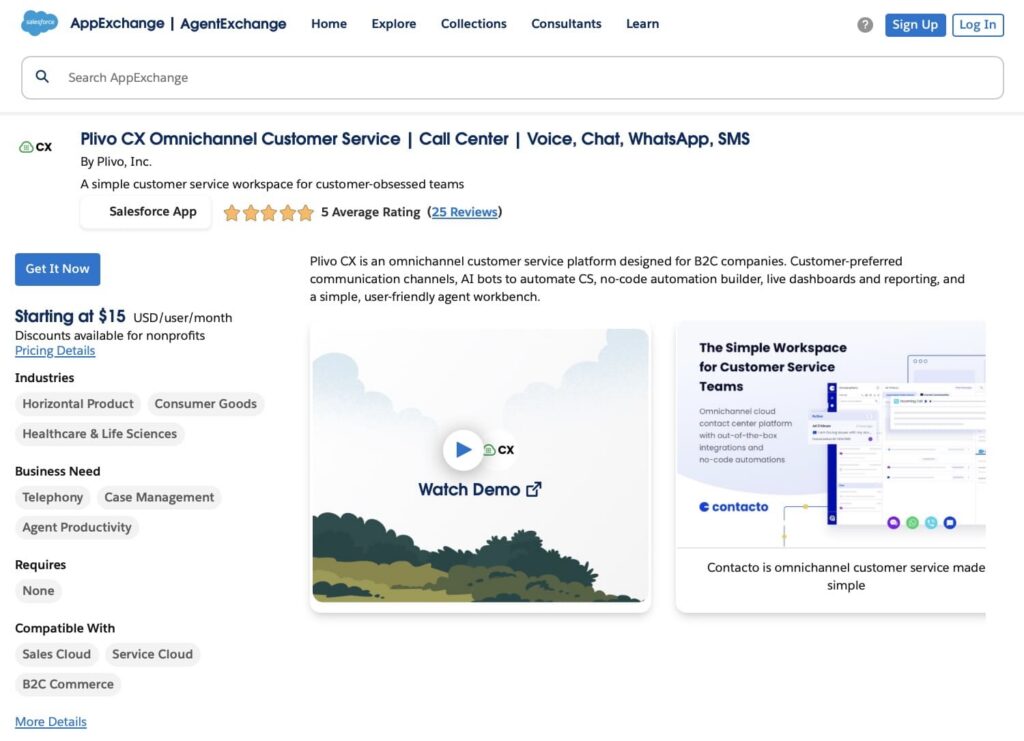
7. Plivo CX Omnichannel Customer Service | Call Center | Voice, Chat, WhatsApp, SMS
Overview:
Plivo CX is a cloud-based customer service platform that lets teams handle voice calls, chat, SMS, and WhatsApp messages from a single Salesforce workspace.
Key Features:
- Omnichannel support: voice, chat, SMS, WhatsApp
- Click-to-call and message from Salesforce
- AI-powered automation for routine inquiries
- No-code workflow builder for custom automations
- Live dashboards and reporting
Benefits:
Plivo CX helps to manage all customer interactions in one place, reduce system switching, and keep Salesforce data accurate and up to date.
8. BeInContact CTI for Salesforce – Cloud Contact Center Omnichannel
Overview:
BeInContact is a cloud-based Salesforce contact center solution that allows teams to manage calls, SMS, email, and other channels in a single interface.
Key Features:
- Omnichannel support: voice, SMS, email, chat, social channels
- CTI integration with Salesforce, including click-to-call and screen pop
- Routing engine for efficient call and interaction distribution
- Call recording and transcripts
- Customizable platform for business-specific workflows
- Analytics and dashboards for agent performance and interactions
Benefits:
BeInContact provides a cloud contact center inside Salesforce that focuses on omnichannel routing (voice, email, chat, social), agent workload distribution, and centralized supervision of customer interactions.
9. Diabolocom CTI for Salesforce | Contact Center, AI, Inbound/Outbound Calls, HVS
Overview:
Diabolocom CTI for Salesforce is an AI-powered cloud contact center that integrates directly with Salesforce. It allows teams to handle inbound and outbound calls, automate workflows, and manage customer interactions all within Salesforce, boosting agent efficiency and customer satisfaction.
Key Features:
- CTI integration for seamless calls in Salesforce
- AI-powered interaction management for personalized customer engagement
- IVR, skill-based routing, and automatic answering machine detection
- Inbound/outbound call blending and power dialer support
- Historical context & CRM data integration for agents
- Real-time dashboards and customizable activity reports
Benefits:
Diabolocom supports Salesforce-based contact centers with inbound and outbound call campaigns, skill-based routing, and real-time supervision, linking telephony activity directly to Service and Sales Cloud records.
10. Contact Center by Zisson: CTI, IVR, ACD, Telephony, Softphone, Chat
Overview:
Contact Center by Zisson is a cloud contact center solution that integrates with Salesforce. It allows teams to handle calls, chat, and other customer interactions in one platform, with tools for routing and managing communications efficiently.
Key Features:
- CTI integration for making and receiving calls in Salesforce
- IVR and ACD for directing calls to the right agent
- Softphone support for handling calls directly in Salesforce
- Chat integration to manage text-based interactions
- Modular setup to configure functionality based on team needs
- Intuitive interface for agents, supervisors, and administrators
Benefits:
Contact Center by Zisson focuses on IVR-based call routing, softphone usage, and modular contact center functionality embedded in Salesforce.
Category #2. CTI Connectors & Phone System Integrations
This group includes apps that primarily connect Salesforce to phone systems or telecom platforms. Their main purpose is to provide CTI functionality like call control, screen pops, call logging, and routing. These tools are used when teams want to integrate their current phone systems with Salesforce without replacing them.
1. InGenius | Computer Telephony Integration (CTI) for Service and Sales
Overview:
InGenius is a CTI connector for Salesforce that links phone systems to Service Cloud and Sales Cloud. This Salesforce telephony app allows agents to make and receive calls directly in Salesforce and access caller information without switching between applications.
Key Features:
- CTI integration for Avaya, Cisco, Genesys, and Asterisk phone systems
- Screen pop and call transfer to reduce repeated questions for callers
- Call logging to track interactions in Salesforce automatically
- Agent activity tracking for reporting and monitoring
- Single view of customer interactions across calls
Benefits:
InGenius connects enterprise phone systems like Cisco, Avaya, and Genesys to Salesforce, providing screen pops, call control, and automatic call logging for Service and Sales Cloud users.
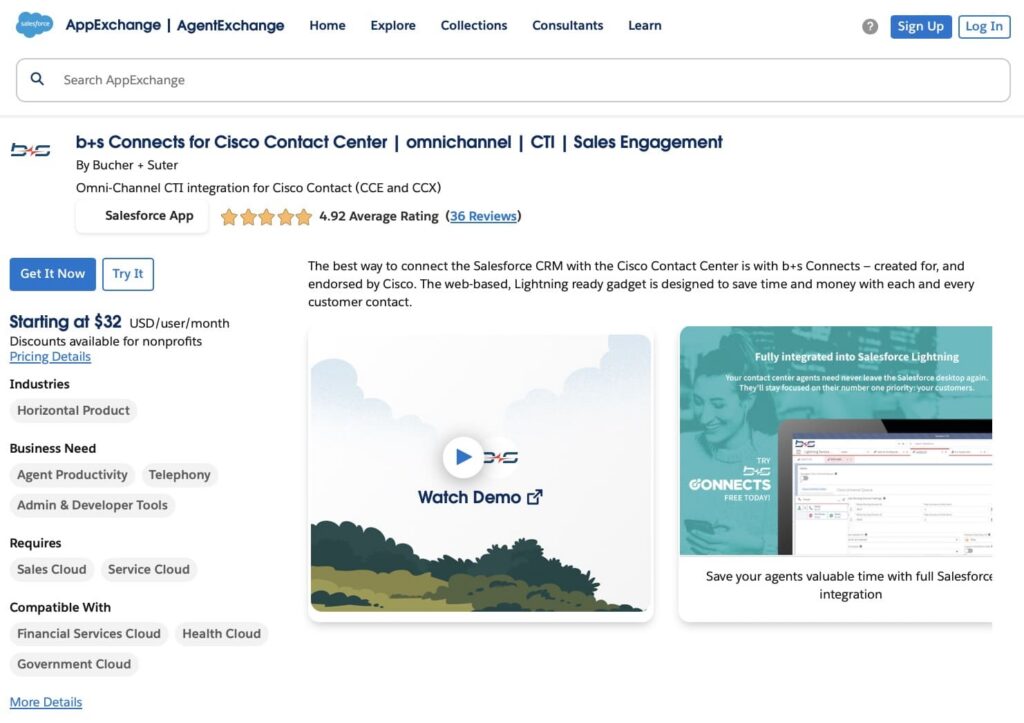
2. b+s Connects for Cisco Contact Center | omnichannel | CTI | Sales Engagement
Overview:
b+s Connects is a CTI and omnichannel integration app that connects Cisco Contact Center systems to Salesforce. It allows agents to handle voice, email, and other customer interactions directly in Salesforce with optimized routing and integration.
Key Features:
- CTI integration with Cisco Contact Center (CCE and CCX)
- Omnichannel support for voice, email, and cases in Salesforce
- Configurable caller routing to connect customers with the right agent
- Lightning-ready interface for a unified agent experience
- Sales Engagement is ready for Salesforce Sales Cloud users
Benefits:
b+s Connects integrates Cisco Contact Center with Salesforce, exposing Cisco call routing, agent controls, and interaction data within the Salesforce interface.
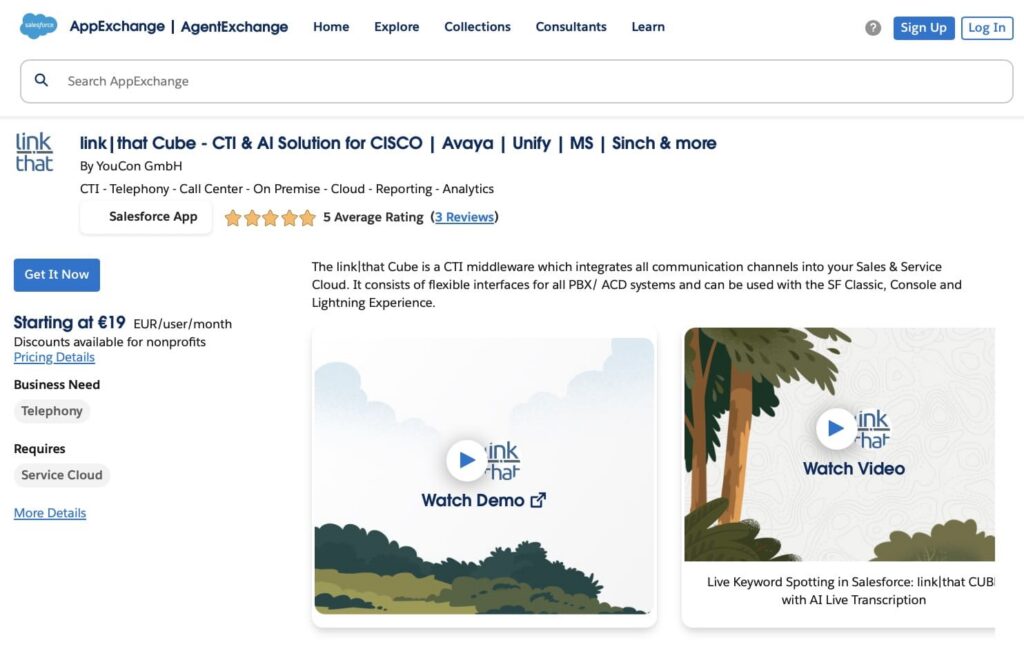
3. link|that Cube – CTI & AI Solution for CISCO | Avaya | Unify | MS | Sinch & more
Overview:
link|that Cube is a CTI middleware that integrates multiple phone systems and communication channels with Salesforce. It allows agents to handle calls, transfer tickets, and access caller information directly in Salesforce, supporting both on-premise and cloud environments.
Key Features:
- CTI integration with Cisco, Avaya, Unify, Microsoft, Sinch, and other systems
- Click-to-call, call transfer, and conference calls
- IVR and routing support for managing calls efficiently
- Integration with Salesforce Classic, Console, and Lightning
- Reporting and analytics, including AI-based transcripts and KPIs
- Supports multiple protocols and deployment options (TAPI, JTAPI, REST, SOAP, cloud, on-premise)
Benefits:
link|that Cube integrates Salesforce with heterogeneous telephony and contact center systems (such as Cisco, Avaya, and Unify), supporting CTI functions across complex enterprise setups.
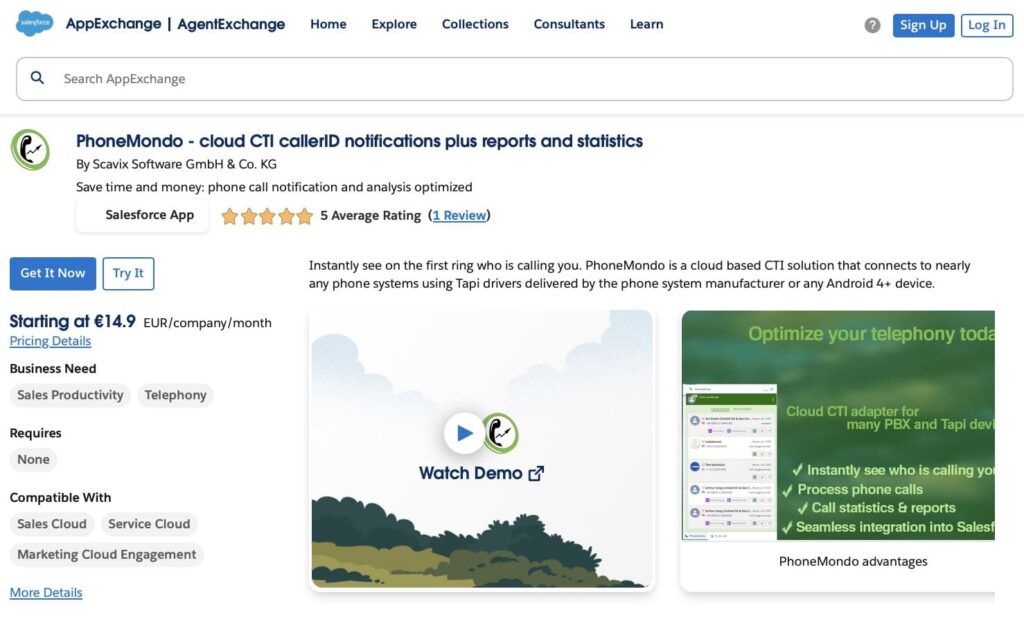
4. PhoneMondo – cloud CTI callerID notifications plus reports and statistics
Overview:
PhoneMondo is a cloud-based CTI solution that connects phone systems to Salesforce. It allows agents to see caller information on the first ring and manage calls directly in Salesforce.
Key Features:
- Caller ID notifications for incoming calls
- Click-to-call and call handling
- Call statistics and reports
- Supports TAPI drivers and Android devices
Benefits:
PhoneMondo provides Salesforce-native caller identification and screen pops, giving agents instant context on inbound calls while tracking call activity and performance directly in Salesforce.
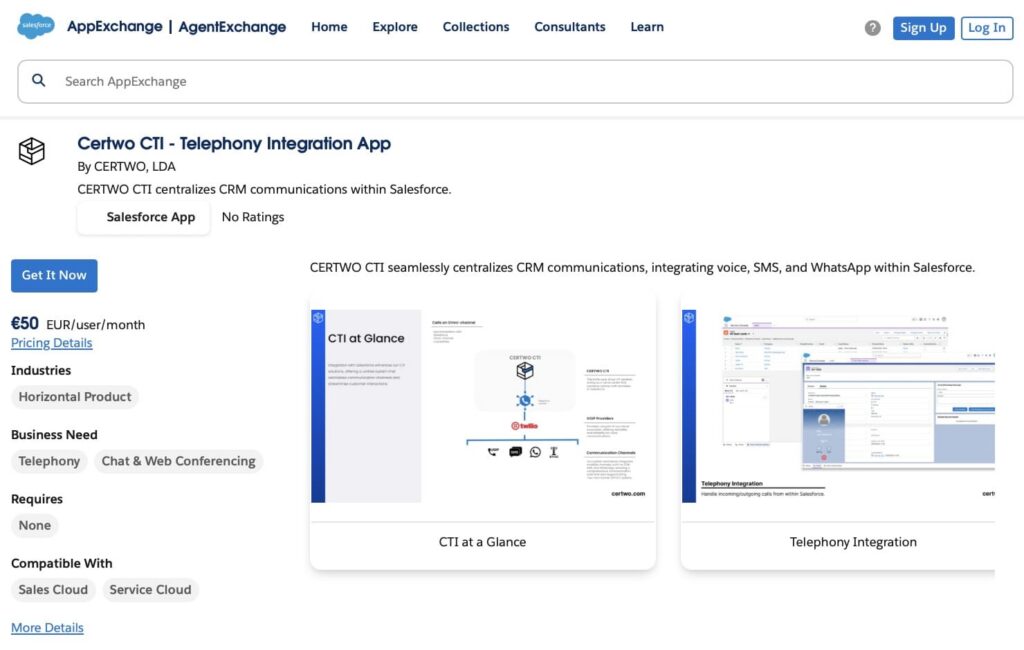
5. Certwo CTI – Telephony Integration App
Overview:
Certwo CTI is a Salesforce telephony integration app that centralizes voice, SMS, and WhatsApp communications within Salesforce. It allows agents to handle incoming and outgoing calls directly in Salesforce and manage interactions efficiently.
Key Features:
- Click-to-call from Salesforce records
- Omni-Channel routing integrated with Salesforce
- Power dialer for automated outbound calls
- Call recording for training or quality purposes
- Phone number management for provisioning and assignment
- Call metrics and reporting
Benefits:
Certwo CTI centralizes voice, SMS, and WhatsApp communications in Salesforce, enabling efficient call routing, automated logging, and detailed tracking of call activity.
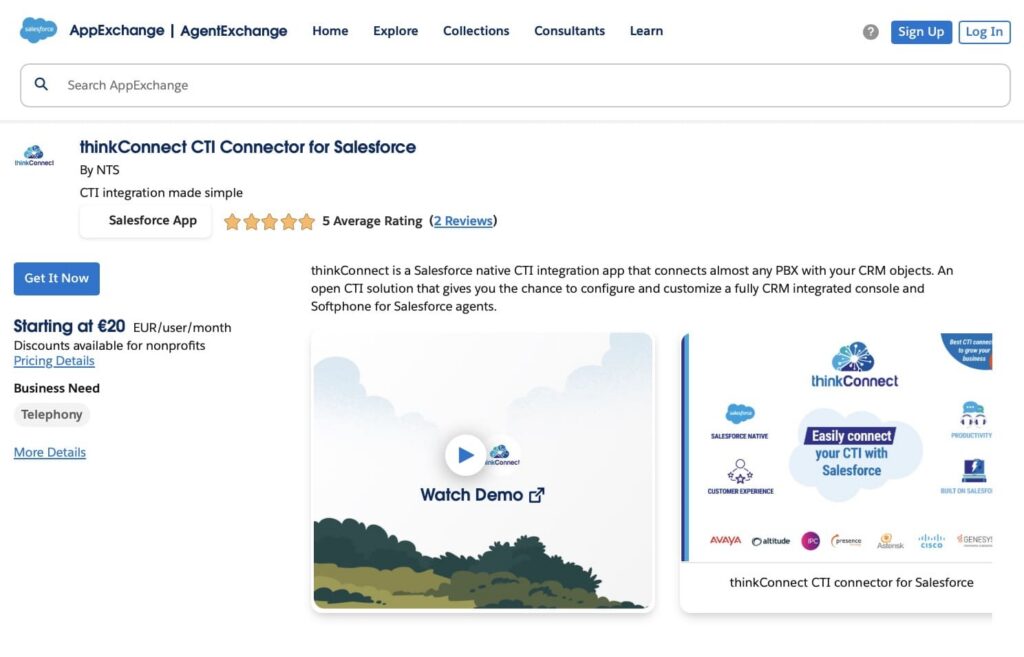
6. thinkConnect CTI Connector for Salesforce
Overview:
thinkConnect CTI Connector is a Salesforce-native CTI app that connects a wide range of PBX systems to Salesforce. It allows agents to make and receive calls directly in Salesforce and access call information linked to CRM objects.
Key Features:
- CTI integration with Avaya, Genesys, Cisco, Altitude, Enghouse, and Asterisk PBXs
- Native Salesforce integration with business objects and Omnichannel
- Softphone for Salesforce agents with call wrap-up and reporting
- Lightning-ready and customizable interface
- Multi-language support for global teams
Benefits:
thinkConnect links Salesforce with multiple PBX systems and provides a native CTI console, softphone, and call controls for agents while exposing call wrap‑up details and reporting inside Salesforce.
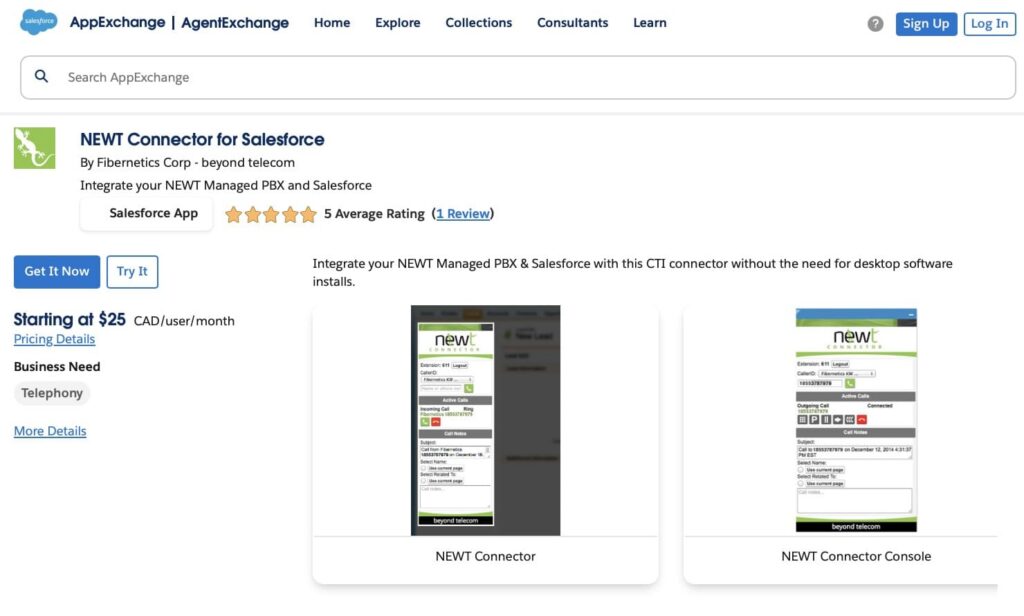
7. NEWT Connector for Salesforce
Overview:
NEWT Connector for Salesforce is a CTI integration app that connects NEWT Managed PBX systems to Salesforce. It allows agents to make and receive calls directly in Salesforce without additional desktop software.
Key Features:
- Click-to-call from any Salesforce phone number
- Incoming call pop-ups with record search based on Call ID
- Call control functions: hold, transfer, park, conference, and end call
- Create and attach notes or tasks to Salesforce records
Benefits:
NEWT Connector links NEWT Managed PBX systems with Salesforce, enabling click‑to‑dial, incoming call pop‑ups, and PBX call control functions directly within the Salesforce interface.
Category #3. Sales Dialers & Sales Engagement Telephony
This group includes apps from the telephony AppExchange section, designed for outbound sales teams. They help sales reps make more calls, automate dialing, manage call activities, and track performance in Salesforce. These solutions focus on sales productivity, rather than handling full inbound call center workflows.
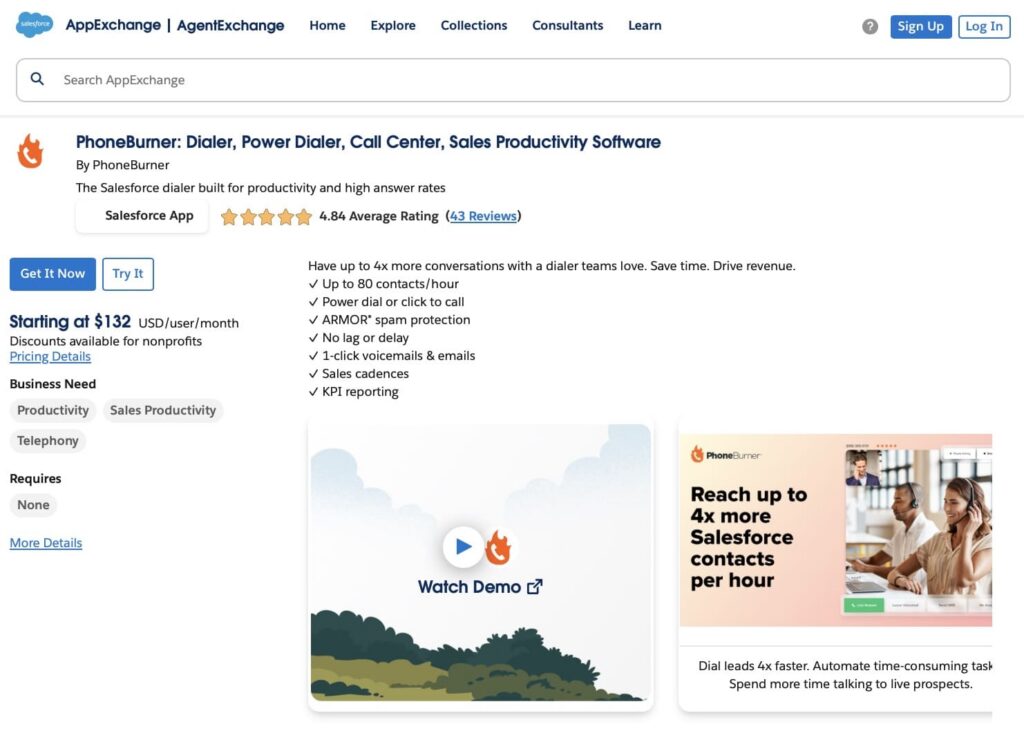
1. PhoneBurner: Dialer, Power Dialer, Call Center, Sales Productivity Software
Overview:
PhoneBurner is a Salesforce dialer and sales productivity software that helps teams make outbound calls efficiently and manage follow-ups directly in Salesforce.
Key Features:
- Power dialer for high-volume calling
- Click-to-call from Salesforce records
- 1-click voicemails and emails
- Sales cadences for structured follow-ups
- Call routing and callback handling
- KPI reporting and activity tracking
Benefits:
PhoneBurner enables Salesforce users to run high‑volume outbound call campaigns, automate voicemails and emails, and track engagement and performance with integrated reporting.
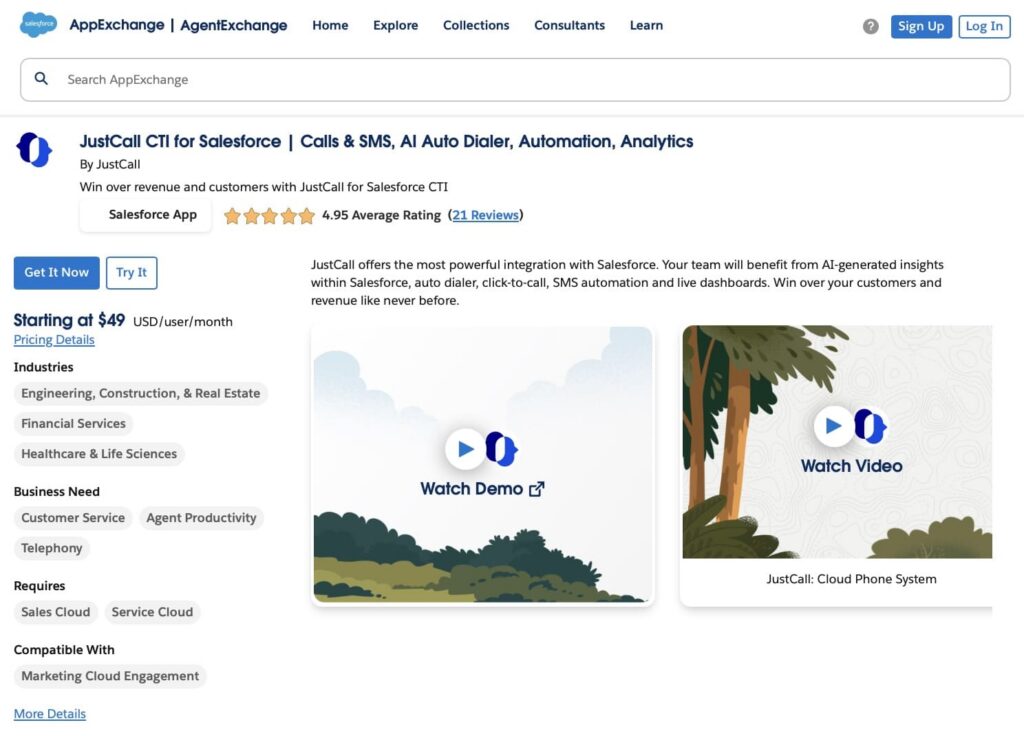
2. JustCall CTI for Salesforce | Calls & SMS, AI Auto Dialer, Automation, Analytics
Overview:
JustCall CTI for Salesforce is a Salesforce dialer and messaging tool that allows teams to make calls, send SMS, and run outbound campaigns directly within Salesforce.
Key Features:
- Click-to-call and auto dialer for outbound calls
- SMS and MMS campaigns for lead outreach
- Call recording and conversation logging
- AI-generated insights within Salesforce
- Live dashboards and analytics
Benefits:
JustCall allows Salesforce users to make and receive calls, run SMS/MMS campaigns, leverage AI-driven insights, and automatically log all interactions for streamlined sales and support workflows.
3. Ring.io Sales Engagement and Power Dialer
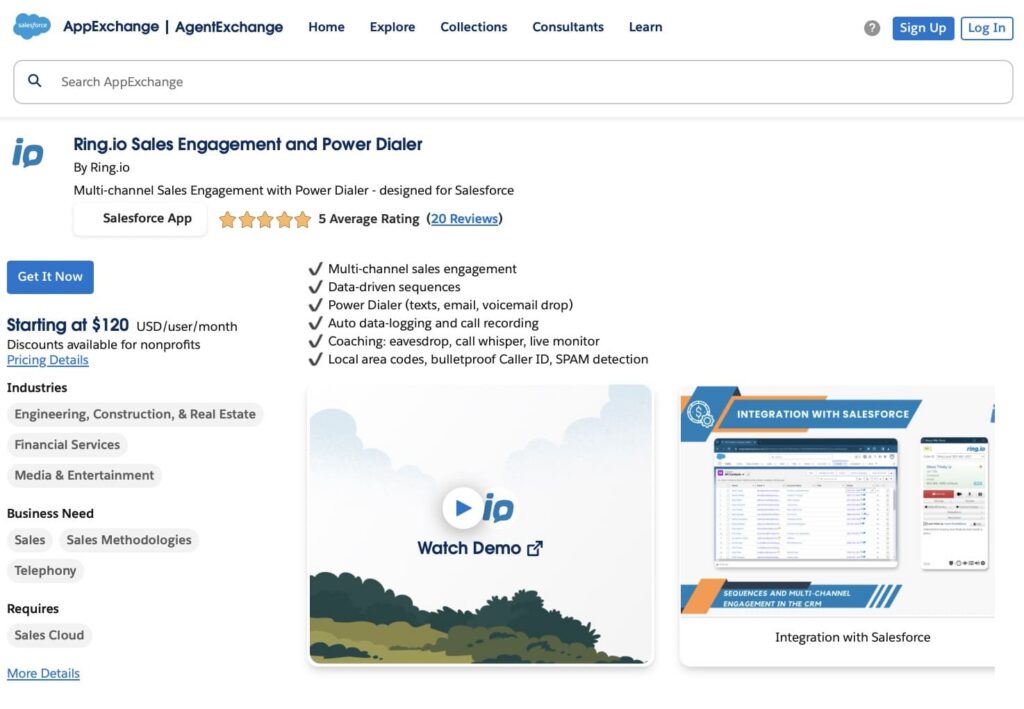
Overview:
Ring.io is a Salesforce sales engagement and power dialer tool that allows teams to manage outbound calls, texts, and emails directly within Salesforce.
Key Features:
- Power dialer for calls, SMS/MMS, and email
- Multi-channel sequences with data-driven sending
- Call recording and auto data logging in Salesforce
- Coaching features: eavesdrop, call whisper, live monitor
- Local caller ID and spam detection
- Integration with Salesforce, Gmail, and Outlook
Benefits:
Ring.io enables Salesforce users to run outbound call, SMS, and email sequences, automatically log interactions, monitor engagement, and improve sales productivity with local caller ID and coaching features.
Insight:
Salesforce CTI telephony integration automates tasks such as call logging, allowing teams to focus on customer engagement instead of administrative work. It also provides valuable analytics on call data, helping organizations identify trends and make informed decisions for future improvements.
Cost of Telephony Integration in Salesforce
The cost of telephony integration in Salesforce depends on your setup and the size of your business. Here are a few things that affect the price:
1. Salesforce Native Solutions
If you use Salesforce’s built-in voice services, like Service Cloud Voice, the cost will depend on your Salesforce subscription. Prices typically start at about $50 per user per month.
2. Third-Party Telephony Providers
Third-party apps have their own pricing plans, which usually depend on the number of users. For example:
- Unaric Voice: Starts at $27 per user per month.
- Conquer: Starting at $50 per user per month.
- InGenius: $32 per user per month.
3. Custom Integrations
If you need a custom Salesforce telephony integration API or have a unique setup (like an on-premise phone system), development costs can vary widely. Custom solutions might range from a few thousand dollars for small businesses to over $100,000 for large companies with complex needs.
Tips for a Successful Telephony Integration
- Automate as much as possible: use Salesforce to automatically log calls, create follow-up tasks, and update customer records. This will save your team a lot of time.
- Monitor call data: use Salesforce’s reporting tools to track call volume, average call time, and customer satisfaction. These insights can help you make improvements.
For more insights on setting up your call center, see the Salesforce Call Center Integration.
Need help with Salesforce Telephony integration? Request a Salesforce Consultant with a matching experience.

Final Thoughts
Telephony integration with Salesforce can make a huge difference in how your team handles customer calls and manages data. It brings all phone interactions into one place, improves customer service, and helps your team work faster and smarter.
Whether you choose a third-party app or build a custom solution, telephony integration is worth the investment. Consider the costs, follow the setup steps carefully, and monitor your results to get the most out of your integration.
For more information on Salesforce integrations, explore the comprehensive integrations in Salesforce to learn more about connecting various applications and systems.

Dorian is a 6X Certified Salesforce Developer and Administrator with a start in the IT world as a CRM Admin in 2020. Since diving into Salesforce in 2021 via Trailhead and Focus on Force, he has achieved a Ranger Rank, earned several Superbadges, and bagged certifications including the Salesforce Certified Platform Administrator, Platform App Builder, Platform Foundations and Platform Developer by 2023. In 2024 he also became Salesforce Certified AI Associate and earned Agentforce Specialist Certification in 2025. Dorian is very keen on continuous learning, always looks for fresh ways to improve his knowledge. He enjoys running, boxing, kickboxing and reading diverse kinds of books in his free time.
 Previous Post
 Next Post