





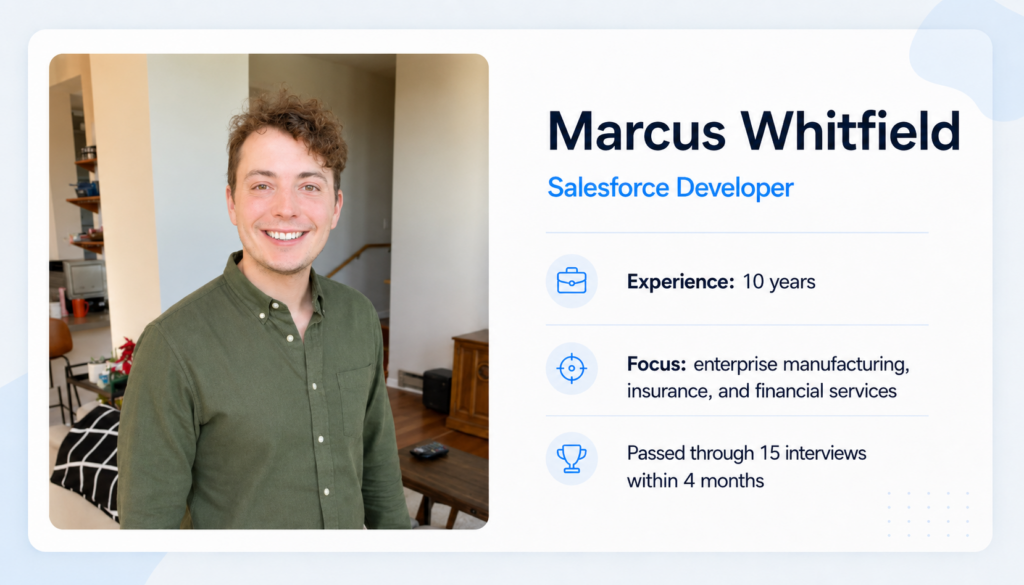
This post is contributed by Marcus Whitfield, a Salesforce Developer with 10 years of experience building Apex solutions across enterprise manufacturing, insurance, and financial services orgs.
I was let go in January after my company restructured and I had not interviewed in years. Over the next 4 months I completed 15 technical screens, ranging from 200-person SaaS startups to multi-national enterprises with live Apex coding exercises, governor limit scenarios, and trigger design walkthroughs. The 20 Apex interview questions and answers below reflect exactly what I encountered, with the answers I gave and my honest read on what each interviewer was testing.
Top 10 Most Frequently Asked Apex Interview Questions
These came up in at least 10 of my 15 screens. These Salesforce Apex interview questions formed the foundation of every technical round.
Q1. What are Apex governor limits and why do they exist?
Governor limits are runtime caps per transaction: 100 synchronous SOQL queries, 150 DML statements, 6 MB heap, 10,000 ms CPU time. They exist because Salesforce is multi-tenant and badly written code in one org degrades the platform for everyone.
From my point of view, the interviewer wants the multi-tenancy explanation, not just the numbers. These Apex governor limits interview questions came up in every screen without exception.
Q2. What is bulkification and how do you ensure your Apex code is bulkified?
Bulkification means writing Apex that handles collections of records efficiently. Never put SOQL or DML inside a loop: collect all IDs into a Set before querying, and all updates into a List before a single DML call. Triggers must handle up to 200 records per execution.
The way I see it, the follow-up is almost always a snippet with SOQL inside a for loop. If someone doesn’t recognize that pattern immediately, it signals inexperience, regardless of how many years they’ve been in the field.
Q3. What is the difference between a before trigger and an after trigger?
Before trigger: fires before save, Trigger.new is writable, modify fields without an extra DML call. After trigger: fires after commit, has a record ID, use it to relate child records or query the saved ID.
I’d be cautious with candidates who say before triggers are “faster” but cannot explain the reason: they avoid an extra DML call.
Q4. How do you prevent recursive trigger execution?
The standard pattern is a static Boolean flag in a helper class. The trigger checks the flag at entry, sets it to false, runs its logic, then resets it. A more robust variation uses a static Set of already-processed record IDs, which handles partial re-entry in complex transaction chains.
From what I’ve seen, mentioning the Set-of-IDs approach separates candidates who have actually debugged recursive trigger chains from those who have only seen simple examples.
Q5. What is the difference between SOQL and SOSL?
SOQL queries a single object deterministically. SOSL searches across multiple objects using a text index and is useful when you do not know which object holds a value. SOQL limit is 100 per transaction; SOSL is 20. SOSL results may miss very recently inserted records due to index lag.
In practice, the index lag detail is a strong indicator of real experience. Candidates who have only used SOSL in tutorials rarely know that.
Q6. What is a future method and when would you use it?
@future runs in a separate async transaction after the caller commits. Use it for trigger callouts, mixed-DML errors, or offloading CPU work. Parameters must be primitives; @future cannot call @future.
The mixed-DML case is the part I’d pay attention to. Candidates who ignore the limitations usually have not had to work around @future boundaries in a live org.
Q7. What is Queueable Apex and how does it differ from future methods?
Queueable implements the Queueable interface; enqueue via System.enqueueJob(). Advantages over @future: jobs chain, accept SObjects as parameters, and appear in the Apex Jobs UI.
In practice, chaining support and the ability to pass SObject parameters are the key differences. @future is better suited for simple one-off callouts where no chaining is required.
Q8. What is the difference between Database.insert and the insert DML statement?
insert is all-or-nothing: any failure rolls back the entire list. Database.insert(records, false) allows partial success: passing records commit, failures are captured in a SaveResult array. Use partial success in batch jobs processing large datasets with mixed data quality.
I’d say batch context is the strongest use case here, because that’s where partial success really matters in production.
Q9. What is a sharing model in Salesforce and how does it interact with Apex?
Apex runs in system context by default. ‘With sharing’ enforces the running user’s record access; ‘without sharing’ bypasses it; ‘inherited sharing’ defers to the caller. Triggers always run in system context regardless of class declaration.
In my experience, the trigger behavior is a good filter. Developers often think ‘with sharing’ on a trigger class changes data access, but it doesn’t. Recognizing that distinction shows security awareness.
Q10. What are the main differences between Apex Batch and Apex Trigger for processing large data volumes?
A trigger fires on DML events in real time within a single transaction’s limits. Batch Apex implements Database.Batchable and processes records in chunks (up to 2,000 per execute(), default 200), each in its own transaction with a fresh governor limit set. Batch is right for millions of records, cleanup jobs, and nightly recalculations.
What matters to me is whether they understand the transaction boundary. If they mention Batch Apex but don’t explain that limits reset per chunk, the answer still feels too theoretical.
5 Uncommon Apex Developer Interview Questions That Surprised Me
These came up in fewer than 4 of my 15 screens, usually with senior panels. They are not in most prep guides but signal depth.
Q1. What is the difference between ‘with sharing’, ‘without sharing’, and ‘inherited sharing’, and when would you choose each?
‘With sharing’ enforces record-level access. ‘Without sharing’ bypasses it. ‘Inherited sharing’ (API v48.0+) takes the sharing context from the calling class, the preferred default for utility classes.
In my experience, this is not the usual interview question. Most interviewers only ask about ‘with sharing’ and ‘without sharing’, but probing inherited sharing checks whether the candidate thinks about security by design.
Q2. How does Apex handle transaction control and what are savepoints?
You create explicit savepoints with Database.setSavepoint() and roll back with Database.rollback(sp). This lets you partially undo DML within a transaction without failing the entire operation. Savepoints count against the DML governor limit.
I usually see savepoints come up in complex integrations where partial-success recovery matters. To me, the interviewer was likely aiming at a compensation-pattern use case and checking whether the candidate understands transactional behavior beyond simple DML.
Q3. What is Platform Events and how does it differ from Change Data Capture?
Platform Events: custom publish-subscribe events, received async via Apex trigger, Flow, or CometD. CDC auto-generates events for record changes. Use CDC to replicate data externally; use Platform Events for custom business events with controlled payloads.
I’d read this as a sign that the interviewer was working on event-driven architecture and needed someone who understood the trade-offs. If the role mentions event-driven integration, I’d prepare this topic in advance.
Q4. How do you test callouts in Apex, and what is HttpCalloutMock?
Apex tests block live callouts. Implement HttpCalloutMock with a respond() method that returns a pre-built HttpResponse, then register it with Test.setMock(HttpCalloutMock.class, new YourMock()). For multiple callouts to different endpoints in one transaction, use a custom mock that inspects the request URL and returns different responses.
To me, what makes this non-standard is the multi-callout URL-inspection pattern. Most candidates know HttpCalloutMock, but not many can handle three endpoints in one transaction.
Q5. What are the limits on Apex CPU time and how do you diagnose CPU limit exceptions in production?
10,000 ms synchronous, 60,000 ms async. CPU time excludes SOQL and DML wait. Enable Apex Code profiling logs and read LIMIT_USAGE_FOR_NS entries. For production, Apex Replay Debugger with a stored log is the tool.
From my personal experience, the diagnostic half is what is non-standard. Having a real story of tracing and fixing a CPU limit exception using Apex Replay Debugger matters more than knowing the 10,000 ms number.
5 Tricky Apex Triggers Interview Questions
These have correct answers that conflict with instinct. Even certified candidates get at least 2 wrong under pressure.
Q1. If a trigger calls a future method, when does the future method execute?
After the calling transaction fully commits, in a separate async transaction. Data committed by the trigger is visible; uncommitted changes are not.
The detail I’d watch for here: saying “after the trigger finishes” is not enough. The key point is that the future method runs in a separate async transaction with a fresh governor limit set.
Q2. Can a trigger on object A fire a trigger on object B? What controls the depth?
Yes. DML on object B inside a trigger on object A fires object B’s trigger in the same transaction. Salesforce enforces a depth limit but does not publish a specific number; governor limits become binding first.
From my point of view, this is where candidates get trapped: the question sounds like it wants a number, but Salesforce does not publish one. Admitting that is stronger than giving a confident wrong answer.
Q3. What happens to a static variable in Apex when a batch job processes multiple chunks?
Static variables reset between chunks; each execute() is a separate transaction. For state that must persist across chunks, use instance variables in the Batchable class.
In my experience, this is one of the most reliably missed batch details: developers often carry over the static-flag recursion pattern from triggers, but it does not work across batch chunks.
Q4. Can you make a callout inside a batch execute() method, and what is the limit?
Yes, if the class implements Database.AllowsCallouts. Limit is 100 callouts per execute(). With a 200-record scope and one callout per record, you hit the limit within a single chunk. Reduce scope or collect data in start() instead.
The practical trap here is the scope math: the 100-callout ceiling applies per execute(), not per full batch job. Interviewers who ask this have usually seen that mistake break a production batch.
Q5. What is the order of execution in Salesforce when a record is saved, and where does Apex fit in?
System validations, before-save Flow, before triggers, validation rules, save without commit, after triggers, workflow rules and field updates (re-trigger before and after triggers), after-save Flows, commit.
For me, the real signal is the workflow re-trigger detail: workflow field updates can re-run before and after triggers. Missing that point usually means the candidate has not diagnosed workflow-triggered recursion in production.
Insight:
If you are staffing a Salesforce team, the Salesforce Apex developer for hire guide covers the most common hiring mistakes worth reviewing first.
Final Recommendations for Your Salesforce Apex Coding Interview
From my personal experience, write Apex daily for two weeks before your screen, not just review notes. Prepare a production incident story: a governor limit you hit, a recursion you traced. Salesforce Apex coding interview questions always circle back to whether you have designed around those limits in real code.
If your target roles involve integration work, reviewing Salesforce MuleSoft interview questions covers the API and middleware questions that come up in mixed roles.
- Practice the bulkification refactor live: take a trigger with SOQL in a loop and fix it with someone watching. That reproduces most live coding screens.
- Know async trade-offs: Future, Queueable, Batch, Schedulable. Say which you would choose for a scenario and why, not just the definitions.
- Do not bluff on architecture. Senior interviewers will probe any claim you cannot back with specifics. Honesty is received better than a confident wrong answer.
These Salesforce Apex interview questions test more than platform knowledge. They show whether a candidate can explain real production decisions under pressure, especially around governor limits, async behavior, trigger recursion, and transaction boundaries. Prepare for questions that ask not just what Apex can do, but why one approach is safer than another in a live org.

Svitlana is a Communications Manager with extensive experience in outreach and content strategy. She has developed a strong ability to create high-quality, engaging materials that inform and connect professionals. Her expertise lies in creating content that drives engagement and strengthens brand presence within the Salesforce ecosystem. What started as a deep interest in Salesforce later transformed into a passion at SFApps.info where she uses her skills to provide valuable insights to the community. At SFApps.info, she manages communications, ensuring the platform remains a go-to source for industry updates, expert perspectives, and career opportunities. Always full of ideas, she looks for new ways to engage the audience and create valuable connections.
 Previous Post
 Next Post