





The Gap Between CRM and ERP Systems
As sales activity grows, information starts to live in more than one system. Customer relationships and deals are tracked in a CRM, while orders, invoices, and financial records are handled in an ERP system. At first, this separation feels manageable.
Over time, differences appear. A deal is marked as closed in the CRM, but the order is created later in the ERP. Data is entered again, small changes are made, and totals no longer fully match. When numbers differ across systems, teams stop trusting reports and spend more time checking details than acting on them.
Insight:
Integration remains a major challenge for companies in the APAC region.
According to Salesforce, 95 % of IT leaders in APAC struggle to connect data across systems, and on average, only 27 % of applications in their organizations are integrated.
These numbers show how difficult it can be to keep multiple systems, including CRM and ERP, aligned and working together effectively.
This situation is common when Salesforce is used as the CRM and Acumatica is used as the ERP system. Each platform focuses on a different part of the business, but without a connection between them, the full picture remains fragmented, and the gap between sales data and financial data becomes part of daily friction.
In this article, you will see what Acumatica is, how it can be connected with Salesforce, which AppExchange tools can support this integration, what challenges and costs to expect, and when it makes sense to involve a Salesforce ERP integration service provider.
- Acumatica and Salesforce: Different Systems, Different Questions
- Why Connecting Salesforce and Acumatica Matters
- How Salesforce and Acumatica Integration Can Be Built
- AppExchange Solutions That Can Help
- Typical Integration Challenges Between Salesforce and Acumatica
- What Integration Usually Costs
- Why Integration Services Are Often Used
- FAQs on Salesforce and Acumatica Integration
- 1. Can Salesforce and Acumatica be integrated without using an AppExchange app?
- 2. Is real-time data synchronization always required?
- 3. Can invoice and payment information be visible inside Salesforce?
- 4. What happens when data fails to sync between systems?
- 5. Does integrating Salesforce and Acumatica replace accounting or finance workflows?
- 6. How long does a Salesforce Acumatica integration typically take to implement?
- Closing the Gap Between Salesforce and Acumatica
Acumatica and Salesforce: Different Systems, Different Questions
Acumatica is a cloud‑based ERP system that helps businesses manage financials, inventory, orders, projects, and billing in one place. ERP stands for enterprise resource planning, but you do not need to know the term to understand the idea. Today, more than 10,000 companies worldwide use Acumatica across industries such as manufacturing, distribution, retail, construction, and services, from small businesses to larger enterprises. Companies choose it because it is flexible, cloud‑native, and scalable, allowing them to start with what they need and expand as they grow.
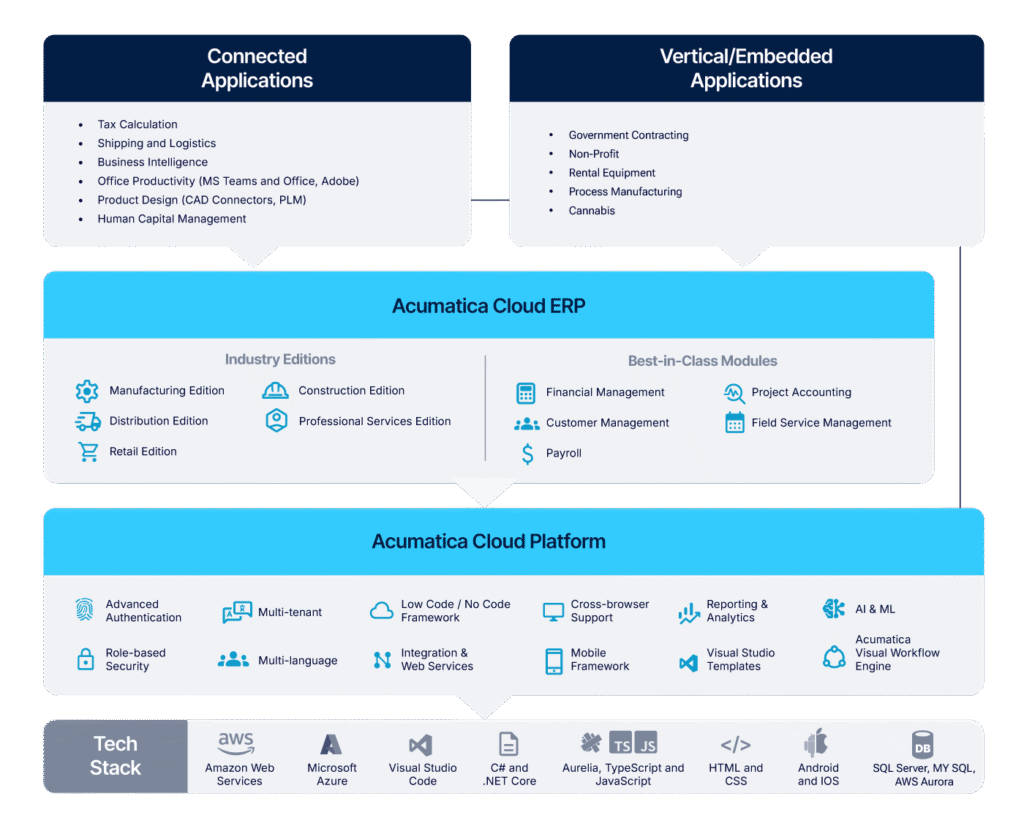
In practical terms, Acumatica helps businesses track operational and financial details, answering questions such as:
- What has been ordered and shipped?
- What has been invoiced and what remains open?
- What products are in stock and where?
- How projects and jobs are progressing?
- What financial results has the business generated?
At the same time, Salesforce focuses on the customer side of the business, managing relationships and sales processes, and providing insights into:
- Who the customer is?
- Which deals are open or closed?
- What the sales pipeline looks like?
- Who owns the customer relationship?
Together, these systems cover both operational and customer-facing perspectives, but keeping them separate often leads to gaps in visibility and alignment.
Why Connecting Salesforce and Acumatica Matters
As we saw, Salesforce handles customer relationships and sales pipelines, while Acumatica manages orders, billing, and financials. Keeping them separate creates gaps that slow teams down and introduce errors. Sales may pursue a customer who is overdue on payments, finance may invoice outdated deals, and operations may ship based on incomplete information.
Integration ensures that Salesforce reflects an accurate financial context and that Acumatica receives clean, approved sales data. This alignment not only reduces mistakes but also supports growth. Manual processes may work for a few deals, but as the number of transactions grows, integration becomes essential for keeping teams coordinated and efficient.
In the next section, we’ll look at how to integrate Acumatica with Salesforce in practice and the steps companies typically follow to set up this integration.
How Salesforce and Acumatica Integration Can Be Built
Integrating Salesforce and Acumatica is possible using their APIs, but it requires configuration on both systems. On the Salesforce side, you need to enable secure API access. On the Acumatica side, you set up the Salesforce Sync provider and define import and export scenarios to control how data moves between the platforms. This approach gives full control over which records transfer and how business rules are applied. More details on configuring both systems can be found in the official Acumatica documentation.
Here’s a practical step‑by‑step approach:
Step 1: Enable APIs and Authenticate
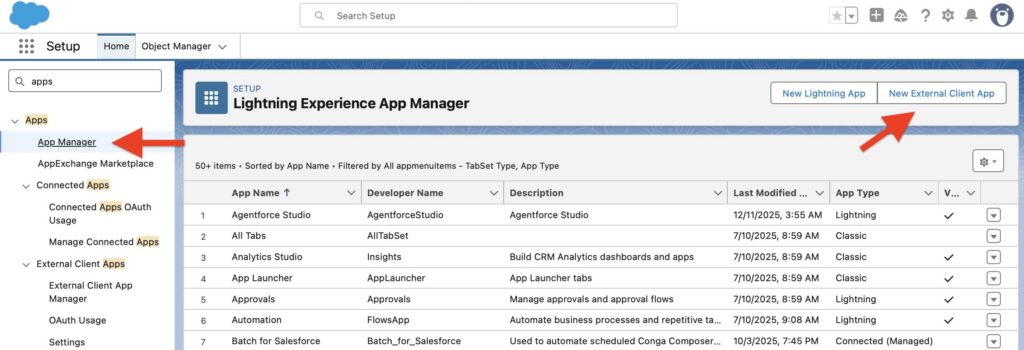
In Salesforce, create a Connected App and configure OAuth to allow secure API access.
Acumatica includes a built-in Salesforce Sync data provider to handle authentication and basic synchronization.
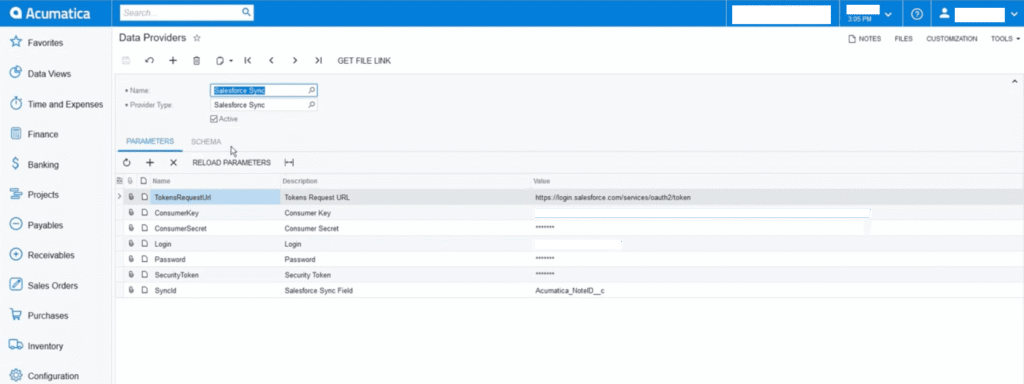
To set it up:
- Open the Data Providers form and select Salesforce Sync.
- Activate the provider by checking Active.
- On the Parameters tab, enter:
- TokenRequestUrl: Salesforce OAuth URL (login.salesforce.com or test.salesforce.com for Sandbox)
- ConsumerKey and ConsumerSecret from your Salesforce connected app
- Login, Password, and SecurityToken of the Salesforce user
- SyncID: a custom field like Acumatica_NoteID__c
- MaxLongOperations: maximum concurrent threads for real-time sync
- Click Save.
Step 2: Map Data Between Systems
Decide how objects correspond between systems: Salesforce Accounts → Acumatica Customers, Opportunities → Sales Orders, Products → Items. Map fields carefully, including custom fields, and ensure data formats match (dates, currencies, IDs). This step avoids errors and ensures that synced data is reliable.
Step 3: Configure Sync
After connecting Salesforce and Acumatica, define how data moves between them using Acumatica’s import and export scenarios.
- Import scenarios bring Salesforce data into Acumatica, mapping accounts → customers, opportunities → sales orders, products → inventory items, and including custom fields.
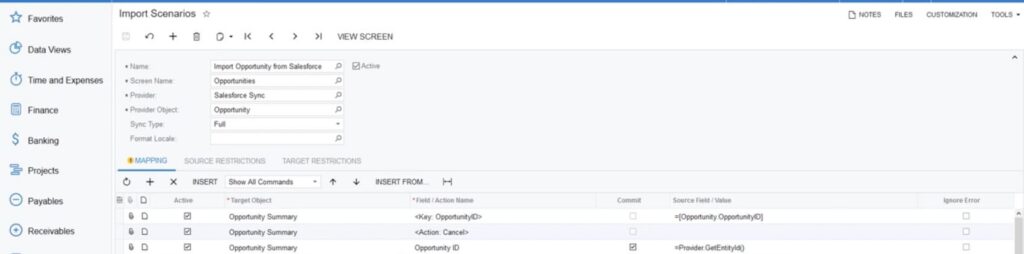
- Export scenarios send Acumatica data back to Salesforce, such as invoices, payments, or order status, so Salesforce shows accurate financial information.
The Salesforce Sync setup controls which records transfer, in which direction, how often (real-time or scheduled), and how errors are handled. Using these scenarios ensures both systems stay aligned, reduces duplicates, and keeps financial and sales data consistent.
Step 4: Test with Real Scenarios
Validate with actual records: create a customer, update a product, post an order, and sync invoices. Ensure data flows as expected, and rules are applied correctly.
Step 5: Automate and Monitor
Schedule syncs at intervals that match business needs. Add logs and alerts for failures. Automation ensures regular updates, while monitoring prevents silent issues that can reduce trust in the integration.
Looking to connect Acumatica to Salesforce?
Request help from our experts today!

AppExchange Solutions That Can Help
Building a Salesforce-to-Acumatica integration on your own is possible, but it requires significant time, technical knowledge, and careful handling of APIs, data mapping, and business logic. In many cases, using an AppExchange solution makes the process faster and more predictable.
Some tools focus on syncing data between Salesforce and ERP systems. Others focus on exposing financial data directly inside Salesforce. There are also platforms that act as a middle layer, handling business logic, error management, and monitoring automatically.
When evaluating AppExchange apps, the most common criteria include:
- How well the app supports Acumatica and its specific objects
- Flexibility of field mapping between Salesforce and Acumatica
- Error handling and monitoring capabilities
- How clearly does financial data appear in Salesforce
Choosing the right tool depends on your priorities, whether it’s speed, control, or better visibility, and having a clear understanding of your business use cases makes the decision much easier.
Let’s look at some of the solutions available on AppExchange:
1. Acumatica SYNC
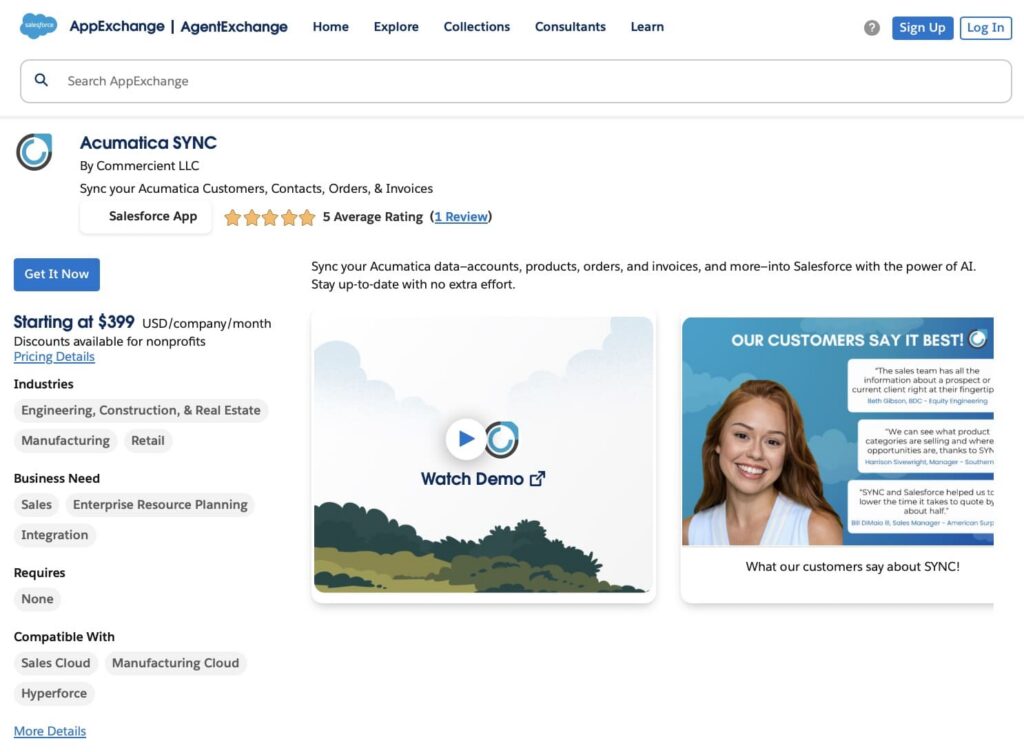
Acumatica SYNC by Commercient lets you sync Customers, Contacts, Orders, and Invoices from Acumatica into Salesforce. Keep your account executives up-to-date with accurate data, improve customer satisfaction, and reduce manual work. The app works with Salesforce products like Marketing Cloud, B2B Commerce Cloud, Health Cloud, Experience Cloud, Customer Data Platform, Tableau, Service Cloud, Nonprofit Cloud, and Hyperforce. Consolidate ERP data in Salesforce to create a single source of truth for sales and marketing.
Price: Starts at $399 USD/company/month. Discounts are available for nonprofits.
Rating: ⭐⭐⭐⭐⭐ 5 (1+ review)
Link: Acumatica SYNC
2. AppShark Connect – Salesforce ERP Connectors
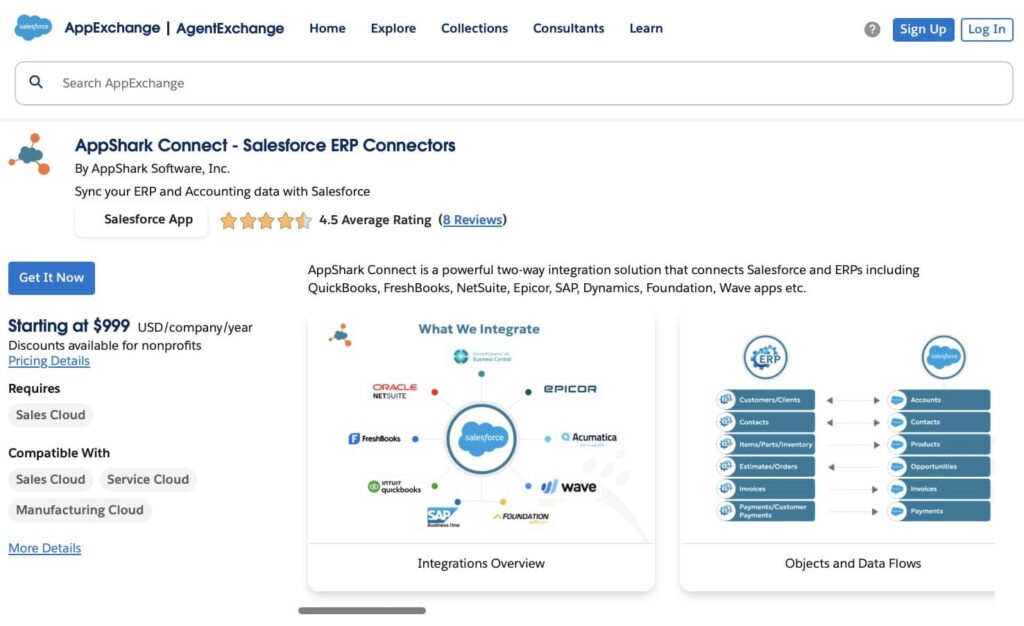
AppShark Connect provides two-way integration between Salesforce and ERP systems, including QuickBooks, FreshBooks, NetSuite, Epicor, SAP, Dynamics, Foundation, and Wave apps. It comes with pre-defined objects and field mappings for Customers, Contacts, Orders, Inventory, Work Orders, Invoices, and Payments, and can be customized to fit your specific needs, including sync direction and frequency.
Price: Starts at $999 USD/company/year. Discounts are available for nonprofits.
Rating: ⭐⭐⭐⭐⭐ 4.5 (8+ reviews)
Link: AppShark Connect
3. Celigo integrator.io Integration Platform for Salesforce and Other Applications
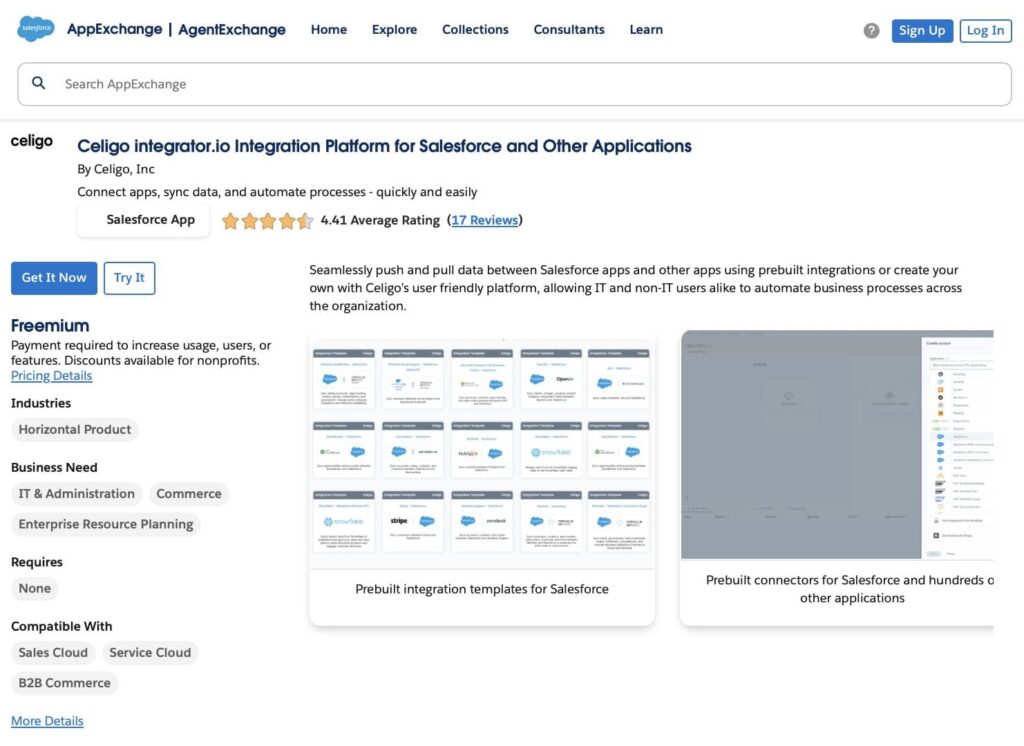
Celigo integrator.io lets you connect apps, sync data, and automate processes across systems. While it supports a wide range of applications, this platform also provides a connector for Acumatica and Salesforce integration, allowing real-time or scheduled syncing of customers, orders, invoices, and other ERP data. Prebuilt templates help you get started quickly, and the platform includes tools for advanced integrations, flow orchestration, and monitoring with email alerts.
Price: Starts at $18,900 USD/company/year (Standard Edition, 30-day free trial available). Discounts available for nonprofits.
Rating: ⭐⭐⭐⭐⭐ 4.41 (17+ reviews)
Link: Celigo integrator.io
4. GUMU™ for Salesforce – SAGE ERP Integration
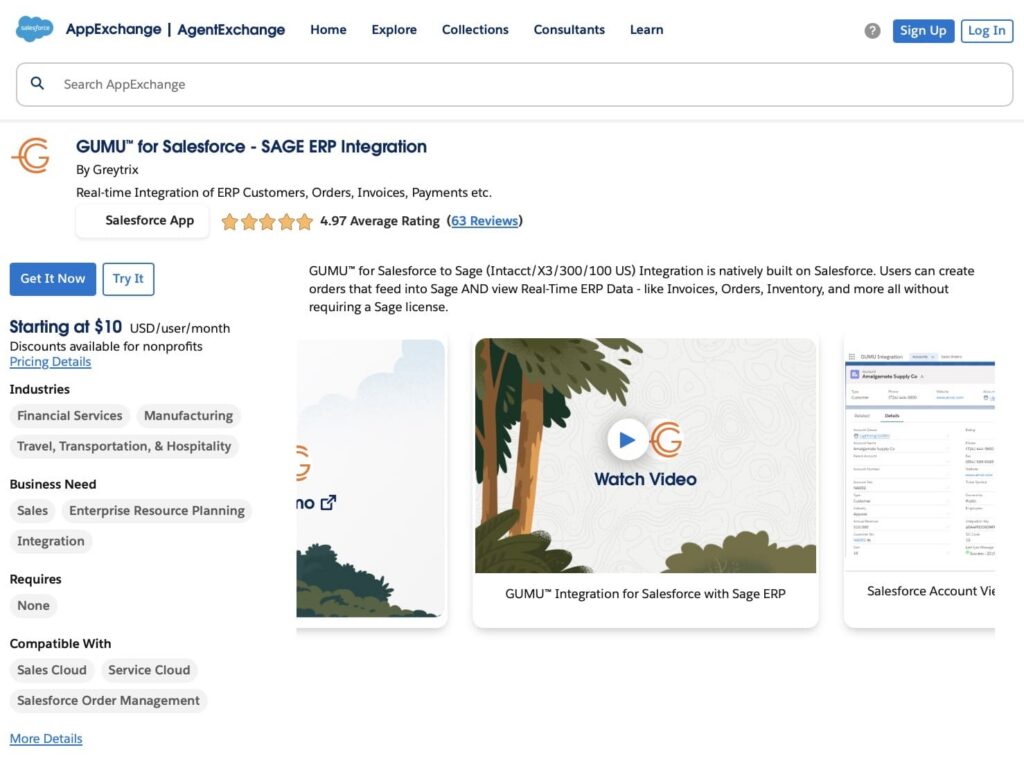
GUMU for Salesforce by Greytrix is an AppExchange app that connects Salesforce with ERP systems. While the listing highlights Sage ERP, the provider also offers the app for Acumatica and Salesforce integration. It provides real-time, bi-directional access to ERP data such as customers, orders, invoices, and pricing directly inside Salesforce. For Acumatica setups, it is recommended to contact Greytrix to get full details on compatibility and configuration.
Price: Starts at $10 USD/user/month. Contact the vendor for personalized pricing. Discounts are available for nonprofits.
Rating: ⭐⭐⭐⭐⭐ 4.97 (63+ Reviews)
Link: GUMU for Salesforce
5. BidBook for Construction
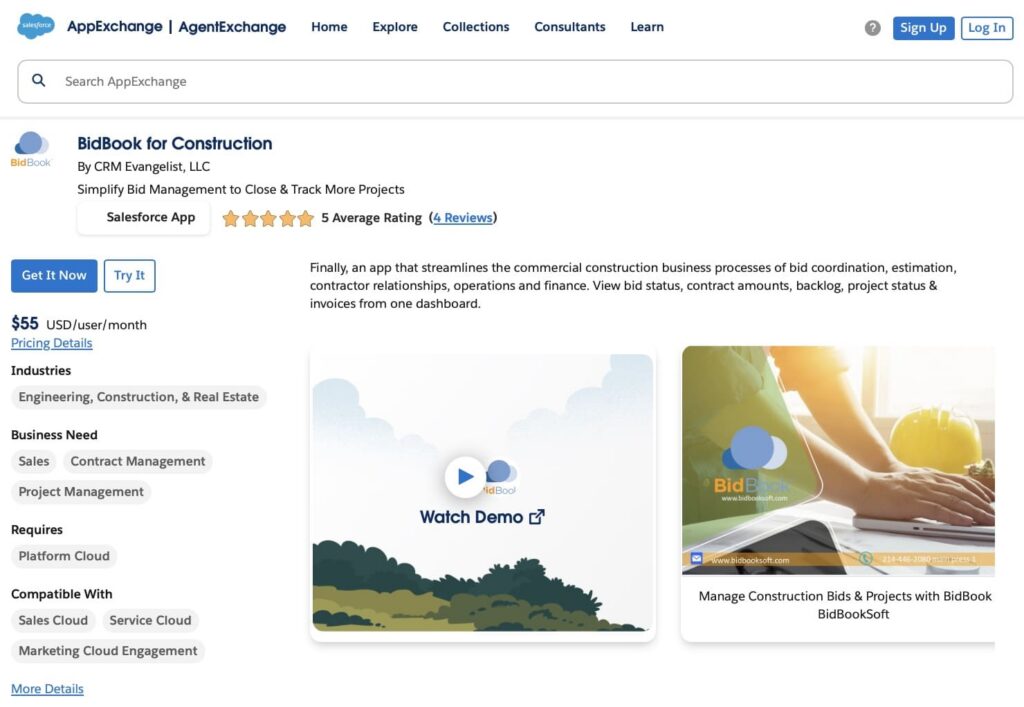
BidBook by CRM Evangelist simplifies bid management and project tracking for construction companies. It provides a unified dashboard to view bid status, contract amounts, backlog, project progress, and invoices. The app covers pre-sales processes like managing bids and estimates, auto-capturing customer and contractor invitations, building proposals, and tracking projects. Operations features include assigning crew resources, collecting site reports, coordinating calendars, and managing job assignments. BidBook also supports materials management and cost estimation. Popular add-ons include SMS, accounting connectors like Acumatica, QuickBooks, Sage, and integrations with Google and Salesforce Maps.
Price: $65 USD/user/month or $780 USD/user/year. Discounts available for 10+ users and multi-year subscriptions. One-time onboarding fees may apply.
Rating: ⭐⭐⭐⭐⭐ 5 (4+ reviews)
Link: BidBook for Construction
6. Pipe17 – Order Operations Automation for B2C Commerce (Headless/API based)
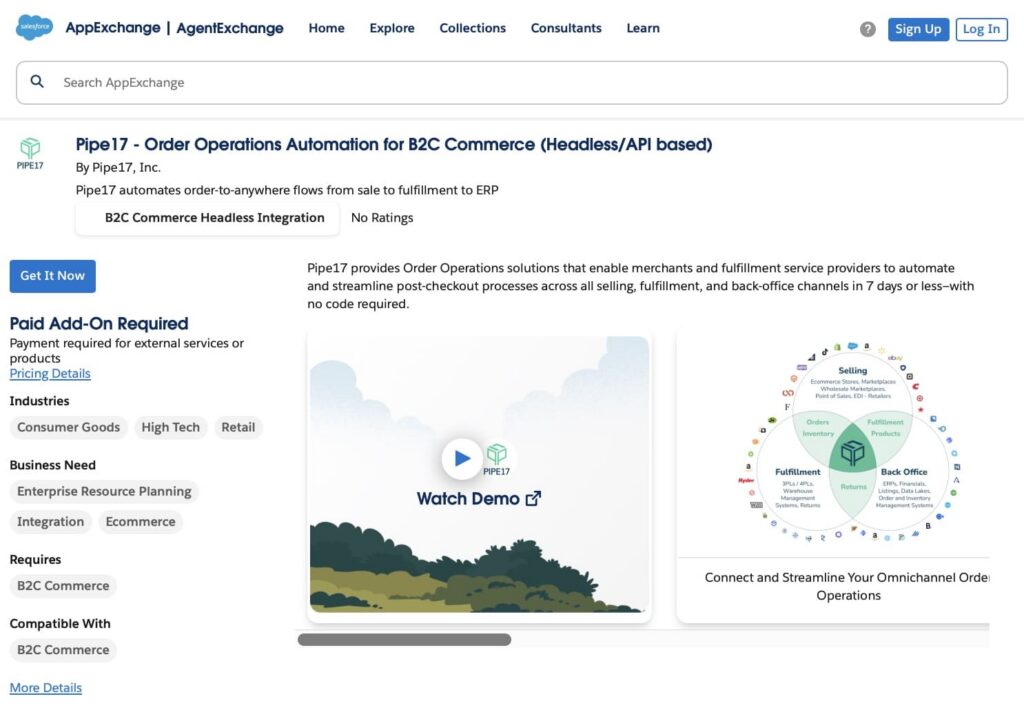
Pipe17 automates order-to-fulfillment processes from sale to ERP, including Acumatica Salesforce integration. It enables merchants and fulfillment providers to connect all commerce channels: storefronts, marketplaces, POS, B2B/Wholesale, EDI, 3PLs, 4PLs, warehouses, ERPs, accounting systems, and returns, using no-code connectors. Advanced features like SKU mapping, bundle decomposition, and order holds are ready to use out of the box. Salesforce B2C Commerce can be integrated with ERP systems like Acumatica, NetSuite, or ApparelMagic with bidirectional syncing of dozens of data types.
Price: Starts at $5,000 USD/company/year.
Rating: No ratings yet.
Link: Pipe17
Typical Integration Challenges Between Salesforce and Acumatica
Even well‑planned Salesforce Acumatica integrations face predictable hurdles once real business use begins. Below are five frequent challenges, each with a brief explanation and a practical way to address it.
Challenge #1: Data Model Mismatch
What it is: Salesforce and ERP systems organize data differently. Fields, formats, and required values rarely align cleanly, leading to errors during syncs.
Why it matters: Customer records, products, or orders may appear correctly in one system but fail validation or break relationships in the other.
Solution: Define a clear mapping strategy before development and create transformation logic to convert data formats between systems. Use canonical naming and document mapping rules so records line up consistently.
Challenge #2: Data Quality and Consistency
What it is: Duplicate, incomplete, or inconsistent records in either system get amplified by integration.
Why it matters: Bad data in one system causes failures or creates bad records in the other, leading to mistrust and manual cleanup.
Solution: Perform a data audit and cleanup before integration. Implement validation and standardization rules so data is consistent before and after sync.
Challenge #3: Handling Real‑Time vs Batch Processes
What it is: Deciding when to sync immediately and when to sync on a schedule often causes problems.
Why it matters: Real‑time syncs can hit limits or overload systems, while batch syncs can leave users working with outdated data.
Solution: Analyze business needs and split syncs by urgency, event‑based for critical updates, and scheduled batches for large records. Use Salesforce platform events or change data capture for rapid updates.
Challenge #4: API Limits and Performance Constraints
What it is: Salesforce enforces daily API limits and other constraints to protect performance, and ERP systems have their own quotas and throughput limits.
Why it matters: Sync jobs may fail or be throttled if too many API requests are made at once, especially with large datasets.
Solution: Use bulk APIs for large record sets, plan syncs during off‑peak hours, and implement pagination to break jobs into manageable chunks.
Challenge #5: Ongoing Maintenance and Monitoring
What it is: Integration is not a one‑time project; APIs evolve, data models change, and errors occur over time.
Why it matters: Without monitoring, failed syncs can go unnoticed, and teams may work with stale or incorrect data for days.
Solution: Set up logging, alerts, and dashboards to track sync health. Plan for regular maintenance, including checks for API changes, new fields, and business rule updates.
What Integration Usually Costs
The cost of a Salesforce Acumatica integration is rarely a single expense. It is a combination of licenses, setup work, and ongoing effort. The total depends on how complex your processes are, how much data you sync, and whether you build the integration yourself or use an AppExchange tool.
Below is a realistic breakdown of the main cost components:
| Possible Costs of Acumatica Salesforce Integration | ||
|---|---|---|
| Cost Component | Estimated Cost (USD) | Notes |
| Integration Tool Subscription (AppExchange / iPaaS) | $3,000–$20,000 / year | Depends on vendor, number of objects, sync frequency, data volume, and environments. License only, no setup included. |
| Basic Integration Project | ~$2,550–$3,400 (one-time) | Standard object sync (Accounts/Customers, Products, basic Orders). ~45–60 total hours: Salesforce Admin (20–25 hrs × $49.74/hr) + Integration Developer (25–35 hrs × $62.05/hr). |
| Mid-Level Integration (Custom Logic) | ~$5,100–$7,800 (one-time) | Includes custom business rules, bi-directional sync, error handling, and logging. ~85–130 hours: Admin (25–35 hrs × $49.74/hr), Developer (50–80 hrs × $62.05/hr), Architect (10–15 hrs × $73.83/hr). |
| Advanced / Enterprise Integration | ~$10,000–$16,000+ (one-time) | Multi-entity flows, high data volume, complex financial logic, performance optimization, governance, security reviews. 150–250+ hours across Admin ($49.74/hr), Developer ($62.05/hr), and Architect ($73.83/hr) roles. |
| Salesforce Admin Configuration | ~$400–$1,000 (one-time) | Salesforce-side setup only: fields, permissions, validation rules, testing support. ~8–20 hrs × $49.74/hr (Salesforce Admin). This is not full integration work. |
| Ongoing Support & Maintenance | ~$300–$900 / month | Monitoring, fixing sync failures, and adapting to field or process changes. ~5–15 hrs/month × $49.74–62.05/hr (Admin/Developer mix). |
Note: These figures reflect common US market rates and publicly discussed pricing patterns. Actual costs vary by data volume, complexity, and internal readiness.
Why Integration Services Are Often Used
Building an integration internally is possible, but real-world complexity shows up fast. Issues usually don’t come from the tools themselves, but from business edge cases and system behavior that only appear after data starts moving. Acumatica ERP Salesforce integration services help by:
1. Bringing system-level experience: Providers understand how Salesforce and Acumatica behave in practice, including which fields, objects, and processes commonly cause failures.
2. Aligning sales and finance logic: They account for how pricing, invoicing, credit status, and order changes impact both systems, not just how records sync.
3. Defining ownership and control rules: Clear decisions on where data is created, updated, and locked prevent conflicts once both systems are live.
4. Designing proper testing and rollback plans: Realistic test scenarios and recovery strategies reduce risk when something breaks in production.
5. Reducing risk in complex setups: Multi-currency, custom pricing, regional tax rules, or heavy customization significantly increase integration risk without prior experience.
For environments with advanced financial logic or customized sales processes, external integration services often shorten delivery time and help avoid costly rework later.
FAQs on Salesforce and Acumatica Integration
Below are common questions that come up when evaluating or planning a Salesforce Acumatica integration, especially for teams aligning sales and financial operations.
1. Can Salesforce and Acumatica be integrated without using an AppExchange app?
Yes. A custom integration can be built using the APIs provided by both Salesforce and Acumatica. This approach offers full control but requires development skills, thorough testing, and ongoing maintenance to handle changes, errors, and platform updates.
2. Is real-time data synchronization always required?
No. Real-time sync is usually applied to sales orders or critical status updates. Financial data such as invoices, payments, or balances is often synced on a schedule, which reduces system load and avoids unnecessary API usage.
3. Can invoice and payment information be visible inside Salesforce?
Yes. Invoice and payment data from Acumatica can be brought into Salesforce as custom objects, related lists, or read-only financial views, giving sales users visibility without turning Salesforce into an accounting system.
4. What happens when data fails to sync between systems?
Well-designed integrations log errors, retry failed transactions when possible, and notify administrators. Without proper monitoring and alerts, sync issues can go unnoticed and lead to data inconsistencies.
5. Does integrating Salesforce and Acumatica replace accounting or finance workflows?
No. Salesforce continues to manage customer relationships and sales processes, while Acumatica remains the system of record for financials. Integration connects the systems so they share context, not responsibilities.
6. How long does a Salesforce Acumatica integration typically take to implement?
Timelines vary by complexity. A basic integration with standard objects may take a few weeks, while implementations with custom logic, multi-currency, or complex approval flows can take several months.
Closing the Gap Between Salesforce and Acumatica
Salesforce Acumatica integration is not about adding complexity. It is about connecting what is sold with what is delivered, billed, and reported, similar to Salesforce SAP integration.
Salesforce shows intent through pipeline and forecasts. Acumatica shows reality through orders, invoices, inventory, and financial results. When these systems are disconnected, numbers drift apart, and confidence in reports drops. Integration brings those views together and removes guesswork.
If the same questions keep coming up: which number is correct, why data changed, or where an update came from, it is usually a sign that CRM and ERP data are no longer aligned.
Integration does not fix every issue, but it removes one of the most common ones: systems working in isolation when they should be informing each other.

Antonina is a Salesforce Admin with six certifications: Salesforce Certified Platform Foundations, Platform Administrator, Platform Administrator II, CPQ Administrator, AI Associate, and Agentforce Specialist. She started working with Salesforce in 2021 as Intern Salesforce Developer. Now, a 2-Star Ranger on Trailhead, she continues to expand her skills and knowledge. She helps manage Salesforce systems, automate tasks, and improve processes. Antonina loves learning new things and exploring better ways to use technology. In her free time, she enjoys reading, playing sports, and exploring new tech ideas.
 Previous Post
 Next Post