




Introduction: The Problem of Disconnected Salesforce and NetSuite Records
Have you ever updated an Opportunity in Salesforce, only to later discover that the related Sales Order was created differently in NetSuite? The information exists in both systems, but it does not always represent the same outcome. Sales users move forward based on Salesforce data, while operations teams rely on NetSuite to understand what was actually created and processed.
Insight:
This issue becomes more visible as system complexity grows.
According to the latest connectivity report, enterprises use an average of 897 applications, yet only 29% of applications are actually integrated or connected.
As a result, most operational data still moves across disconnected systems, increasing the risk that Salesforce and NetSuite reflect different versions of the same transaction.
The goal of Salesforce and NetSuite integration is to reduce daily checks and give teams consistent visibility across systems. In this article, we compare a native Salesforce connector and an iPaaS-based integration to see how each approach handles Salesforce and NetSuite working together in daily processes, including setup, data visibility, and long-term maintenance.
- How Salesforce Teams Approach NetSuite and Salesforce Integration
- Selecting Tools for Salesforce and NetSuite integration
- Overview of Breadwinner for NetSuite
- Overview of Celigo Salesforce NetSuite Integration
- Integration Architecture Comparison
- Feature Comparison: Data Sync and Transaction Handling
- Setup, Administration, and Daily Salesforce User Experience
- Preparing Salesforce and NetSuite for Agentforce
- Final Comparison Results
How Salesforce Teams Approach NetSuite and Salesforce Integration
When Salesforce teams plan to connect Salesforce with NetSuite, the discussion usually starts with a review of the main integration paths available. Each option comes with different expectations around setup effort, long-term ownership, and how users interact with data on a daily basis.
Common Approaches Salesforce Teams Evaluate
- Custom development inside Salesforce and NetSuite. Some teams choose to build integrations using custom Apex, APIs, or NetSuite scripts. This provides full control over data flow and logic, but it also creates a long-term responsibility. Changes to objects, fields, or processes often require developer involvement, testing, and coordinated releases, which can slow down everyday work.
- External integration platforms and iPaaS tools. Another option is to use an external platform designed to move data between systems. These types of Salesforce NetSuite connector are often reviewed when organizations expect to manage complex integrations or connect several systems. While flexible, this approach usually adds an extra layer outside Salesforce, where configuration, monitoring, and troubleshooting take place.
- Native AppExchange connectors built for Salesforce. Native connectors install directly into Salesforce and are designed around Salesforce objects, security, and automation. Users work with NetSuite data inside Salesforce, and many configuration tasks stay within the Salesforce environment. For teams that want faster setup and less external tooling, this approach often feels more natural in day-to-day use.
Selecting Tools for Salesforce and NetSuite integration
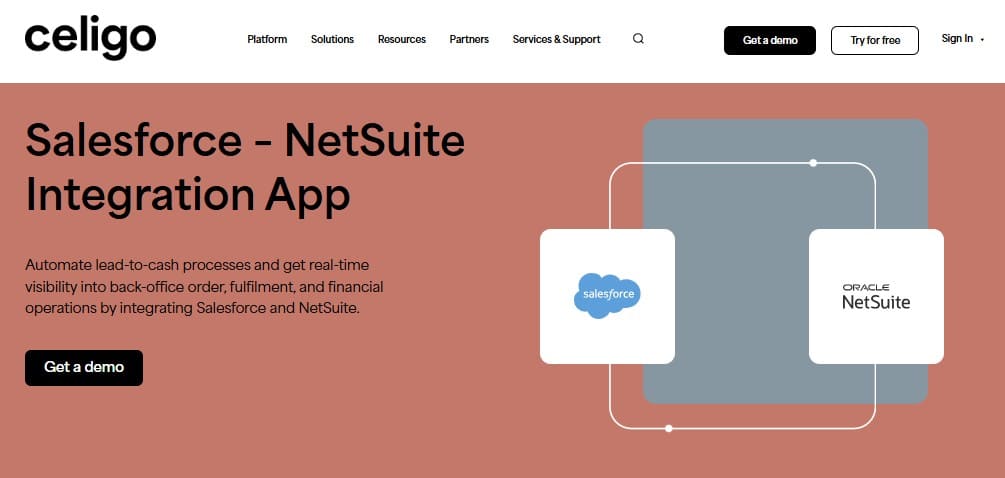
For this comparison, we will start with Celigo as a well-known iPaaS option used for Salesforce and NetSuite integration. Celigo represents the external integration platform approach, where data exchange is managed outside Salesforce.
To evaluate Celigo Salesforce NetSuite integration capabilities, we also look at native Celigo competitors available on the Salesforce AppExchange. These apps are installed directly in Salesforce and are designed to support Salesforce and NetSuite workflows without relying on an external integration layer.
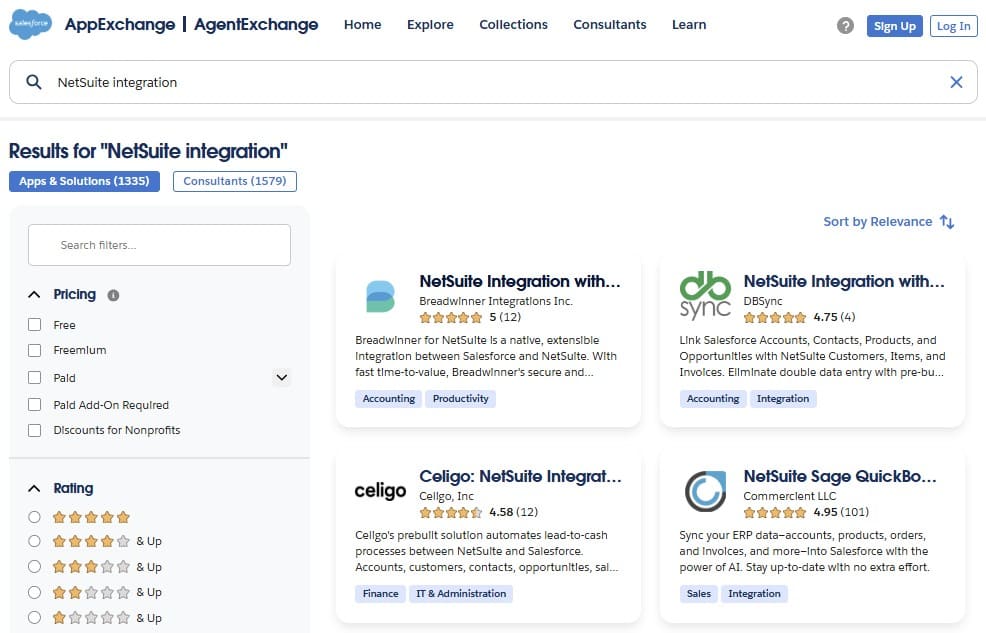
For this comparison, we chose the first of the proposed native solutions – Breadwinner for NetSuite. Comparing NetSuite Celigo Salesforce connector and a native AppExchange connector side by side makes it easier to see how an external platform and a Salesforce-native Celigo alternatives differ in setup, data visibility, and daily Salesforce use.
Overview of Breadwinner for NetSuite
Breadwinner for NetSuite is a Salesforce native application available on the Salesforce AppExchange. This is one of the alternatives to Celigo designed to connect Salesforce with NetSuite and let users work with NetSuite data directly inside Salesforce. From a Salesforce user perspective, financial and operational data becomes part of the same records they already use every day, such as Accounts, Opportunities, and related objects.
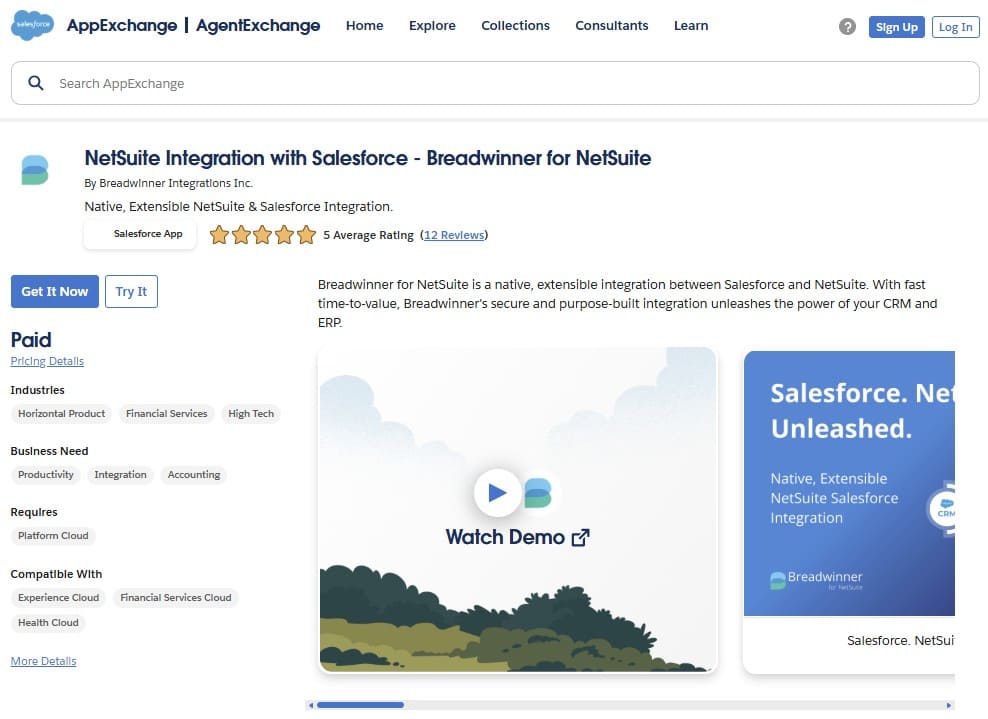
This Salesforce NetSuite integrator allows teams manage it using familiar Salesforce tools: permissions, page layouts, automation, and reporting stay in one place, instead of being split across Salesforce and an external platform. This approach is different from middleware-based integrations and is often reviewed as a Celigo alternative when teams compare native options to NetSuite Salesforce integration Celigo.
Key Capabilities
Breadwinner focuses on day-to-day Salesforce usage rather than background data movement only. Core capabilities include:
- Bi-directional syncing between Salesforce and NetSuite.
- Access to NetSuite records, such as customers, sales orders, invoices, and related financial data, directly inside Salesforce.
- Guided wizards for creating NetSuite transactions from Salesforce records.
- Support for custom fields, custom objects, and advanced pricing or inventory logic.
- Compatibility with Salesforce automation, including Flows and Apex, applied to synced NetSuite data.
- Security and compliance are aligned with Salesforce AppExchange requirements.
Overview of Celigo Salesforce NetSuite Integration
Celigo takes the external platform approach. Instead of installing an application that runs inside Salesforce, Celigo uses its iPaaS platform, integrator.io, to manage data flows between systems, including Salesforce and NetSuite.
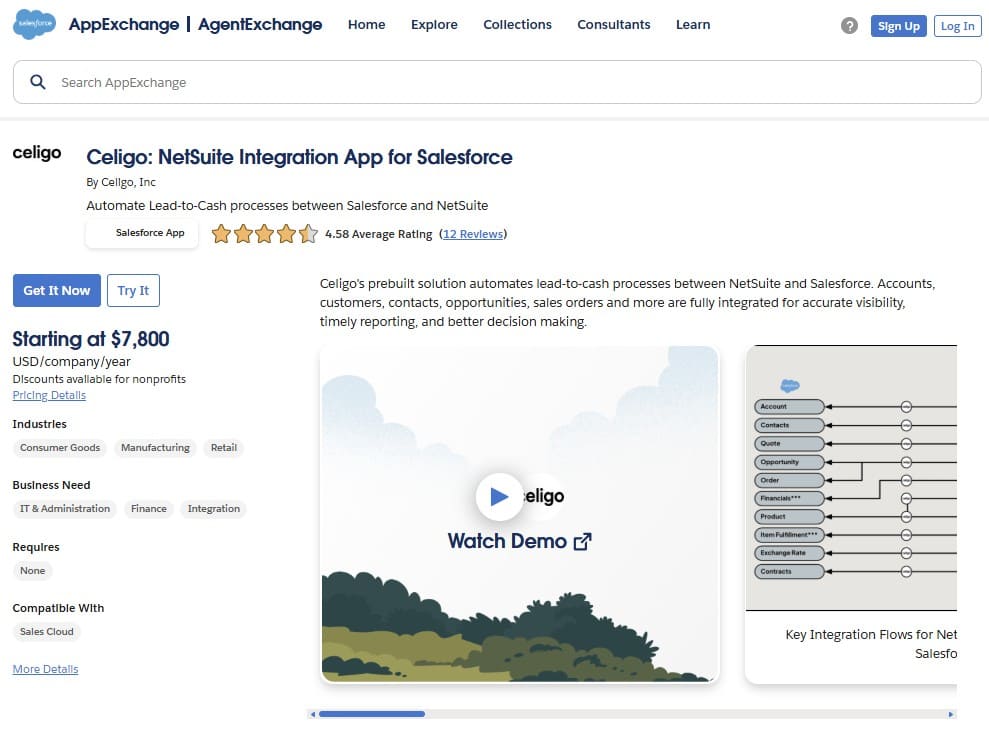
In a typical setup, admins configure integrations in the Celigo interface, define what objects and fields should sync, and set rules for when records are created or updated. Integrator.io then runs the scheduled or event-based flows and handles the data movement between systems. This is why Celigo Salesforce is usually evaluated as an integration platform choice.
For Salesforce admins, a practical consideration with the Celigo Salesforce connector is where day-to-day work happens. With an external platform, you usually monitor jobs, review errors, and adjust mappings outside Salesforce.
Key Capabilities
From the perspective of a Salesforce and NetSuite integration project, Celigo Salesforce NetSuite connector commonly provides the following capabilities:
- Configuration of integration flows in integrator.io, including mappings and sync rules.
- Scheduled and near-real-time data movement between Salesforce and NetSuite, depending on how flows are configured.
- Centralized monitoring, run history, and error handling in the external platform.
- Support for multi-step processes where several objects must be updated in a defined order.
Integration Architecture Comparison
When an integration issue appears, where does the admin go first: Salesforce Setup or an external console? This question highlights the main architectural difference between a Salesforce native app and an iPaaS platform, and it directly affects setup, monitoring, and long-term ownership.
| Integration Architecture Overview | ||
|---|---|---|
| Architecture Point | Breadwinner for NetSuite | Celigo for Salesforce and NetSuite |
| Deployment Model | Salesforce native managed package installed from AppExchange. | External iPaaS platform with packaged Salesforce–NetSuite integration flows. |
| Core Purpose | Working with NetSuite financial and operational data directly inside Salesforce records and workflows. | Moving and synchronizing data between Salesforce, NetSuite, and other systems through a central integration layer. |
| Time to Value | Often deployed quickly (in hours) once Salesforce and NetSuite access is in place, with configuration handled in Salesforce. | Deployment time depends on flow setup, mappings, testing, and external platform configuration. |
| Setup Location | Performed in Salesforce using standard admin tools, objects, and automation. | Performed in the integrator.io interface, outside Salesforce, using flow configuration and mappings. |
| Data Processing Model | NetSuite data is replicated inside the Salesforce Org, so users work with it as with internal Salesforce Org data. | Data is processed and transformed in the integration layer before being written to Salesforce or NetSuite. |
| Operational Ownership | Day-to-day management stays close to Salesforce admin workflows and monitoring. | Monitoring, error handling, and retries are managed in the external platform. |
| Security Scope | Uses Salesforce security model, profiles, and permission sets. | Security spans Salesforce, NetSuite, and the external integration platform. |
| Typical Use Case | Salesforce-centric teams that want NetSuite data visible and usable inside Salesforce. | Organizations that manage integrations centrally across multiple systems using an iPaaS. |
| Stars Achieved: | ⭐⭐⭐⭐⭐ | ⭐⭐⭐⭐ |
From an admin perspective, the difference is mostly about operational focus:
- A Salesforce native app keeps configuration, access control, and automation close to Salesforce.
- An iPaaS approach moves a large part of that work to the integration layer, including monitoring and error handling.
This distinction is often central when teams evaluate a Celigo Salesforce-NetSuite connector and compare it with native AppExchange options.
Feature Comparison: Data Sync and Transaction Handling
This section focuses on the day-to-day pieces that usually decide whether users stay in Salesforce or keep switching systems during core Celigo NetSuite Salesforce integration work.
| Data Sync and Transaction Features: Breadwinner vs Celigo | ||
|---|---|---|
| Features | Breadwinner for NetSuite | Celigo for Salesforce and NetSuite |
| Data Synchronization Model | Bi-directional sync for Salesforce and NetSuite records used in sales and finance workflows. | Bi-directional sync through configured integration flows. |
| Support for Custom Data Structures | Handles NetSuite custom data structures through admin-level configuration. | NetSuite custom data structures are handled through mapping rules defined in integration flows. |
| How Transactions Are Created | Salesforce-based wizards guide users through creating NetSuite transactions from standard Salesforce records. | Transaction creation driven by integration flows and triggers. |
| Where Business Logic Is Applied | Business logic is handled inside Salesforce using tools like Flows and Apex on synced NetSuite data. | Uses iPaaS-level logic, transformations, and flow orchestration. |
| Scope of Preconfigured Functionality | Designed specifically for Salesforce and NetSuite, with predefined patterns for common transactions. | Includes predefined Salesforce–NetSuite flows as part of a wider integration catalog. |
| Timing of Data Updates | Updates are triggered by Salesforce activity and reflected in NetSuite shortly after. | Updates run either on a schedule or in near real time, based on how flows are configured. |
| Where Data Is Visible After Sync | Synced NetSuite data can be used directly in Salesforce reporting and dashboards. | Sync runs and errors are tracked in the external integration interface. |
| Stars Achieved: | ⭐⭐⭐⭐⭐ | ⭐⭐⭐⭐ |
What this means in real Salesforce work:
- If your main goal is to make NetSuite data feel like part of Salesforce records, Breadwinner leans into that user experience, with transaction wizards and Salesforce-side automation options.
- If your team expects to manage sync logic as integration flows with configurable mappings, monitoring, and optional packaged flows for areas like fulfillments, that is where the Celigo Salesforce NetSuite connector approach fits best, but it also means more of the work lives outside Salesforce.
Setup, Administration, and Daily Salesforce User Experience
After go-live, integration success is defined by routine admin work rather than initial setup. Salesforce teams care about where monitoring happens, how changes are handled, and whether users can rely on Salesforce reports without checking another system. This section looks at those practical differences.
| Setup, Administration, and User Experience: Breadwinner vs Celigo | ||
|---|---|---|
| Area | Breadwinner for NetSuite | Celigo for Salesforce and NetSuite |
| How the Integration Connects to Salesforce | Runs natively inside Salesforce as a managed package, aligned with Salesforce objects and security. | Connects to Salesforce as an external system managed through an integration platform. |
| Admin Experience in Daily Work | Uses familiar Salesforce UI patterns, records, and automation tools. | Requires working with a separate interface for setup and monitoring. |
| Learning Curve | Lower for Salesforce admins due to the standard Salesforce configuration model. | The learning curve is higher because setup and maintenance are handled through Celigo’s own integration interface rather than standard Salesforce tools. |
| Where Errors Are Reviewed and Resolved | Issues are reviewed and resolved within Salesforce admin workflows. | Errors are handled in the external integration console. |
| Customization Approach | Customization is handled using Salesforce tools such as fields, objects, Flows, and Apex. | Customization is handled through integration logic and transformations in the platform. |
| Effect on Daily Salesforce Work | Sales and operations users typically remain in Salesforce for daily work. | Admins and support users often switch systems to investigate integration behavior. |
| Stars Achieved: | ⭐⭐⭐⭐⭐ | ⭐⭐⭐⭐ |
From a long-term ownership perspective, the difference is where responsibility lives:
- A Salesforce-native approach keeps most tasks aligned with normal admin cycles.
- With an external platform, ongoing work in a Celigo Salesforce to NetSuite setup is usually treated as integration maintenance rather than standard Salesforce administration.
Preparing Salesforce and NetSuite for Agentforce
As Salesforce teams adopt AI features and Agentforce automation, integrations are no longer evaluated only by whether records sync. What matters more is whether Salesforce has reliable, structured NetSuite data that AI tools can act on without manual validation.
What Agentforce needs from integrated NetSuite Data? Agentforce and Salesforce AI features rely on:
- Clean data that lives inside Salesforce.
- Stable relationships between Accounts, Opportunities, Orders, and Invoices.
- Updates that reflect current operational reality.
When NetSuite data is delayed or loosely connected, AI outputs can reflect incomplete context, pushing users back to manual checks.
| AI Readiness: Breadwinner vs Celigo | ||
|---|---|---|
| Area | Breadwinner for NetSuite | Celigo for Salesforce and NetSuite |
| Data Placement | NetSuite data is saved as Salesforce records and stored inside Salesforce. | NetSuite data is processed in an external platform and can be written to Salesforce through integration flows. |
| AI Readiness | Salesforce automation and AI tools can use NetSuite data directly inside Salesforce, just like other data within the Salesforce Org. | AI usage depends on how data is mapped, stored, and kept up to date in Salesforce. |
| Ongoing Management | Data structure, access, and visibility are managed by Salesforce admins using standard tools. | Maintenance is tied to integration flows and Celigo platform-level configuration. |
| Stars Achieved: | ⭐⭐⭐⭐⭐ | ⭐⭐⭐⭐ |
This table shows how data placement and maintenance directly affect Agentforce readiness and AI reliability.
Final Comparison Results
After reviewing architecture, features, day-to-day user experience, and Agentforce readiness, the difference between Breadwinner and Celigo becomes clear. Both tools can connect Salesforce and NetSuite, but they are designed for very different ownership models and priorities.
- Breadwinner stands out as a Salesforce-native solution. NetSuite data is replicated into Salesforce objects, making it immediately usable in reports, dashboards, automation, and AI-driven workflows. Setup is typically faster, ongoing administration stays within Salesforce, and Salesforce teams can work with financial and operational data without switching systems or relying on a separate integration platform.
- Celigo, by contrast, follows an iPaaS approach. It is well-suited for organizations that already manage multiple integrations through a centralized platform and have dedicated integration specialists. While powerful and flexible, this model introduces additional layers for configuration, monitoring, and long-term maintenance, and requires more effort to make NetSuite data fully usable inside Salesforce for reporting and Agentforce scenarios.
| Final Results: Breadwinner vs Celigo | ||
|---|---|---|
| Section | Breadwinner for NetSuite | Celigo for Salesforce and NetSuite |
| Native Salesforce App vs iPaaS Platform | ⭐⭐⭐⭐⭐ | ⭐⭐⭐⭐ |
| Data Sync and Transaction Features | ⭐⭐⭐⭐⭐ | ⭐⭐⭐⭐ |
| Setup, Administration, and Daily User Experience | ⭐⭐⭐⭐⭐ | ⭐⭐⭐⭐ |
| AI Readiness | ⭐⭐⭐⭐⭐ | ⭐⭐⭐⭐ |
| Total Stars: | 20 ⭐ | 16 ⭐ |
Based on the comparison results, Breadwinner wins as the dedicated connector for Salesforce and NetSuite!
In Summary
Both solutions are capable, but Breadwinner performs better for Salesforce-centric organizations that want clear data ownership, simpler administration, and direct access to NetSuite data inside Salesforce. Its native design, faster time to value, and stronger alignment with Salesforce reporting and AI features make it the better fit for most Salesforce teams focused primarily on Salesforce–NetSuite integration.
If you want to see how NetSuite data works inside Salesforce in your own org, Breadwinner offers a free trial so teams can test the integration before committing long-term.

Mykhailo is a Salesforce Certified Platform Administrator with development experience in the fintech field. Since 2021, he has gained the Double Star Ranger rank on the Salesforce Trailhead education platform, where he acquired 26 Superbadges in Business Administration, Process Automation, Security, and more. With a decade of expertise in consulting and compliance, he aspires to translate complex technical concepts into accessible content, helping organizations make the most of Salesforce. Mykhailo is passionate about using technology for everyday needs, enjoys reading sci-fi and non-fiction books, and playing video games. He also has an interest in history and outdoor activities such as hiking, camping, and kayaking.
 Previous Post
 Next Post