





Introduction: What Agentforce for Sales Is and Why It Matters
Sales teams spend a large part of their day on work that is not selling. Leads sit without follow-ups, opportunity stages are outdated, notes from calls are missing, and pipeline reports depend on manual updates. Even when teams use Salesforce correctly, keeping data accurate and actions consistent requires constant attention.
Consider a common situation. A new lead comes in through a website form. It is assigned to a queue, but no one contacts it for two days. When a rep finally opens the record, key information is missing. Later, a call happens, but notes are added days after, if at all. The opportunity is created, but the next step is unclear, and the deal quietly stalls. None of this happens because reps do not care. It happens because routine tasks compete with live conversations and active deals.
Insight:
According to Salesforce research, salespeople spend only around 30 % of their time on selling activities; the rest of their workweek goes to administrative tasks, updating records, managing data, and internal coordination.
Agentforce for Sales addresses this gap. It introduces digital sales agents that work inside Salesforce and handle routine actions such as checking conditions, updating records, preparing summaries, and prompting next steps. The Agentforce use cases show how teams can leverage CRM data and rules to support SDRs, Account Executives, and Sales Operations teams as work happens, not after the fact.
In this article, we look at what AI Sales Agents can do today, how teams build them, and how they are used in real workflows to reduce missed actions, keep data accurate, and support consistent follow-up across the pipeline.
What Sales Agents Can Do Today
Sales Agents in Agentforce are used to handle specific, repeatable parts of the sales process. The Agentforce for sales use cases below show how teams apply them in everyday work. The exact setup depends on the company’s model, data structure, and rules, but the patterns are similar across most sales organizations.
1. Lead engagement automation: AI Sales Agents use lead activity data and predefined rules in Salesforce to trigger follow-up actions when no contact has been recorded within a set timeframe. For example, if a new lead remains untouched for one or two days, the agent can prompt the assigned rep or prepare a follow-up task. Agents can also support lead qualification by reviewing existing CRM data and grouping leads based on agreed criteria.
2. Intelligent Lead routing: Inbound leads can be evaluated as soon as they enter Salesforce. Based on predefined fields such as region, product interest, or expected deal size, a Sales Agent can route the lead to the appropriate rep or queue. This reduces the need for manual checks and helps ensure leads are assigned without delays.
3. Agentforce for sales pipeline management: Sales Agents can help keep opportunity records aligned with activity recorded in Salesforce. When defined conditions are met, they can update stages, identify missing next steps, or flag deals that have been inactive for a set period. This allows teams to review the pipeline using more consistent and up-to-date data.
4. Sales Admin assistance: Sales Agents can assist with routine administrative tasks. Common examples include generating summaries of recorded calls or meetings, drafting follow-up emails, and checking records for missing or outdated information. When gaps are identified, the agent can prompt the rep to review and update the record.
5. Task support and next actions: Based on recorded activity, Agents can create or suggest tasks such as follow-up calls, emails, or internal reminders. This helps reps keep track of next steps without reviewing multiple records or reports.
How to Build a Salesforce Agentforce for Sales
Building Agentforce for sales is easy and doesn’t require strong coding skills. Teams can set up agents to handle everyday tasks inside Salesforce.
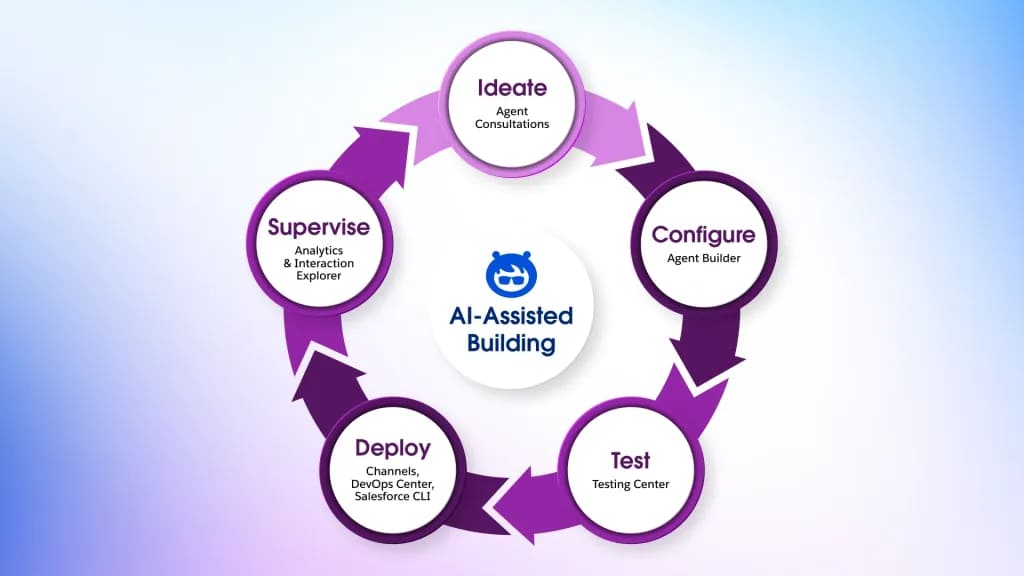
The process typically includes:
Step 1: Plan Your Agent
Start by defining the purpose of your agent. Decide what tasks it will handle, such as lead follow-ups, task creation, or pipeline checks. Map out the workflow it will support and consider which Salesforce objects it needs access to. Planning helps ensure the agent acts correctly and aligns with your sales processes.
Step 2: Build the Agent
Use Agentforce Studio to create the agent. Begin by:
- Choosing the agent type and assigning relevant topics (e.g., leads, opportunities, tasks).
- Configuring the agent’s settings, including name, description, and the Salesforce user whose permissions it will use.
- Adding actions for each topic, such as updating fields, creating tasks, generating summaries, or triggering Flows.
For teams comfortable with development, actions can also be configured through Salesforce CLI or VSCode, giving more control over metadata and automation.
Step 3: Test the Agent
Before activating the agent, ensure it behaves as expected using the Testing Center:
- Run test cases through the UI or API interface to simulate real interactions.
- Check that each topic triggers the correct actions and that workflows behave according to your plan.
- Review how guardrails (limits, approval requirements, or human review steps) are applied.
- Inspect potential responses and outputs to confirm accuracy and reliability.
Testing in the Testing Center allows you to catch errors, refine actions, and deploy the agent with confidence that it will perform correctly in real scenarios.
Step 4: Deploy the Agent
Once testing is complete, save and activate the agent in your org. The agent will now run automatically according to the topics, triggers, and actions you configured.
Step 5: Monitor and Optimize
After deployment, track agent performance to ensure it works as intended. Review:
- Which actions are triggered and how often
- Feedback from users on follow-ups or tasks
- Opportunities to refine triggers, actions, or topics
This allows you to continuously improve agent performance and maximize Agentforce for Sales core benefits.
Agentforce and AppExchange Tools: Working Better Together
Sales Agents become more effective when they work alongside tools from the Salesforce AppExchange. While the agent identifies what needs to happen next, such as follow-ups or task assignments, the team can use apps to carry out the supporting processes.
Examples of Agentforce use cases for sales with AppExchange tools:
- Updating records and sending notifications: When an agent flags a lead or opportunity, the team can use apps to automatically update Salesforce fields or send notifications to relevant users.
- Collecting additional information: If an agent identifies missing data, the team can provide forms or portals for users to enter information, which flows directly into Salesforce.
- Preparing documents or surveys: When an agent determines a document or survey is needed, the team can generate contracts, proposals, or questionnaires using the app, without manual preparation.
- Integrating external data: If an agent’s decision depends on external sources, the team can use apps to bring that information into Salesforce or trigger related workflows.
One example of a tool that supports sales processes is Salesforce First Web Studio by Titan. It provides features that teams can use to collect data, prepare documents, and interact with customers or internal users without leaving Salesforce.
Overview of Salesforce First Web Studio
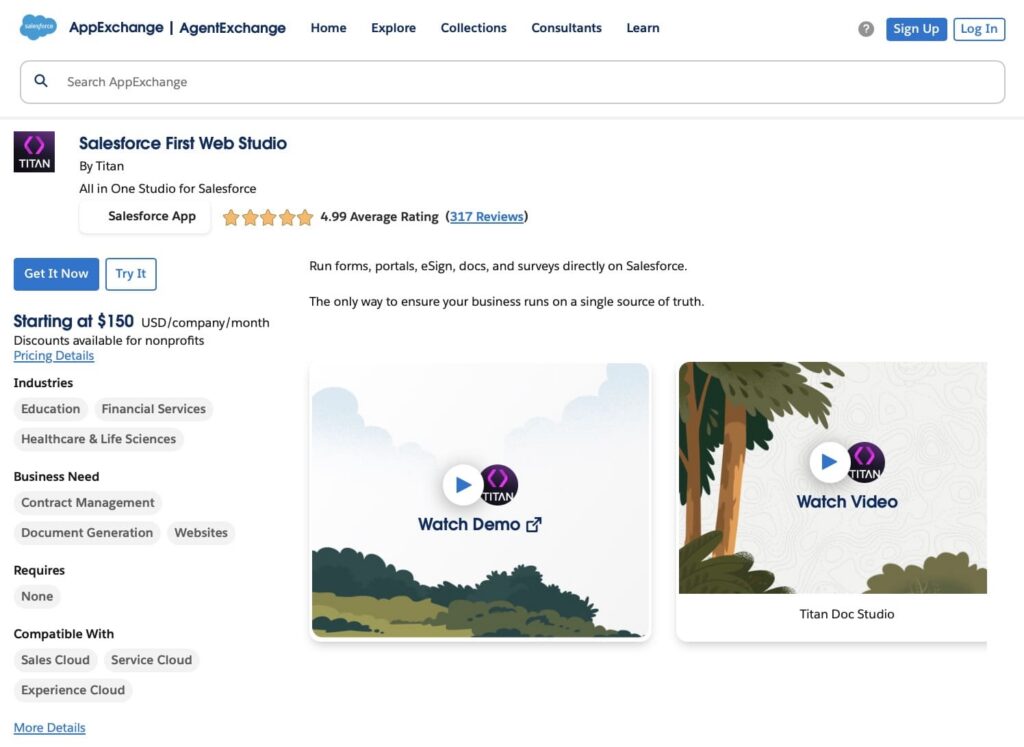
Salesforce First Web Studio is a tool that enables organizations to build, manage, and automate common business experiences directly within Salesforce. Its features are designed to work seamlessly with Salesforce data, helping teams reduce manual effort and keep records accurate. By integrating these capabilities into existing workflows, organizations can ensure that important processes, from document creation to data collection, are completed consistently and efficiently.
Main features include:
- Document generation: Create proposals, contracts, and other documents using Salesforce data and customizable templates that update in real time with CRM information.
- Portals: Build secure web portals that connect to Salesforce records and allow users (like customers, partners, or internal staff) to view or input data that flows back into Salesforce.
- Dynamic forms: Design and embed forms that capture input and update Salesforce data immediately, with support for complex logic and no code.
- Electronic signatures: Initiate, send, and track legally binding signatures tied to Salesforce records as part of document workflows.
- Surveys: Launch surveys with conditional logic and real‑time data sync to Salesforce, writing responses directly to specified objects.
- Workflow support: Use built‑in automation tools (such as Titan’s Flow builder) to define rules and processes that trigger based on Salesforce data without writing code.
By combining Sales Agents with tools like Salesforce First Web Studio, teams can handle both decision logic (what needs to happen next) and structured work execution (forms, documents, portals) in a way that keeps all data unified in Salesforce.
Integrated Workflows: Agentforce Sales and Titan in Action
Sales Agents make decisions and trigger actions, but many tasks involve structured steps that need to be completed accurately. The examples below show how the Agentforce for sales features can work with Salesforce First Web Studio by Titan to handle specific tasks in real scenarios.
1. Automated Opportunity Follow-Up with Document Generation
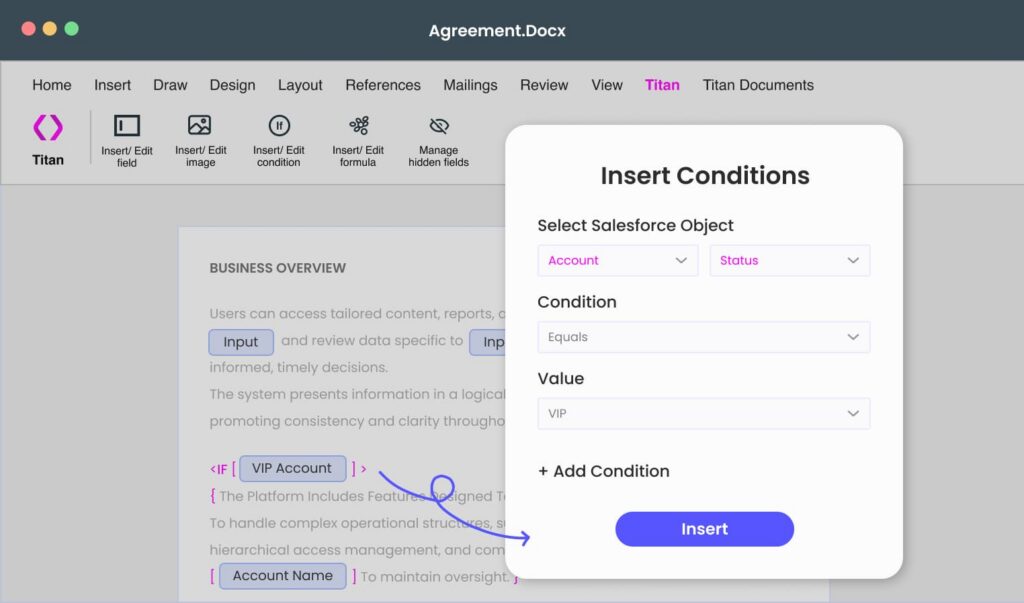
Sales Agents monitor open opportunities and identify when follow-up actions are needed. When certain conditions are met, the Sales Agent can update records or assign tasks that trigger Salesforce automation, which in turn runs Titan Document Generation to create proposals or contracts. The resulting documents are attached directly to the relevant record for the sales rep to review. Sales reps then receive fully populated documents ready to review and send, which reduces manual work, prevents mistakes, and helps deals move forward more efficiently.
2. Lead Qualification with Portal-Based Data Capture
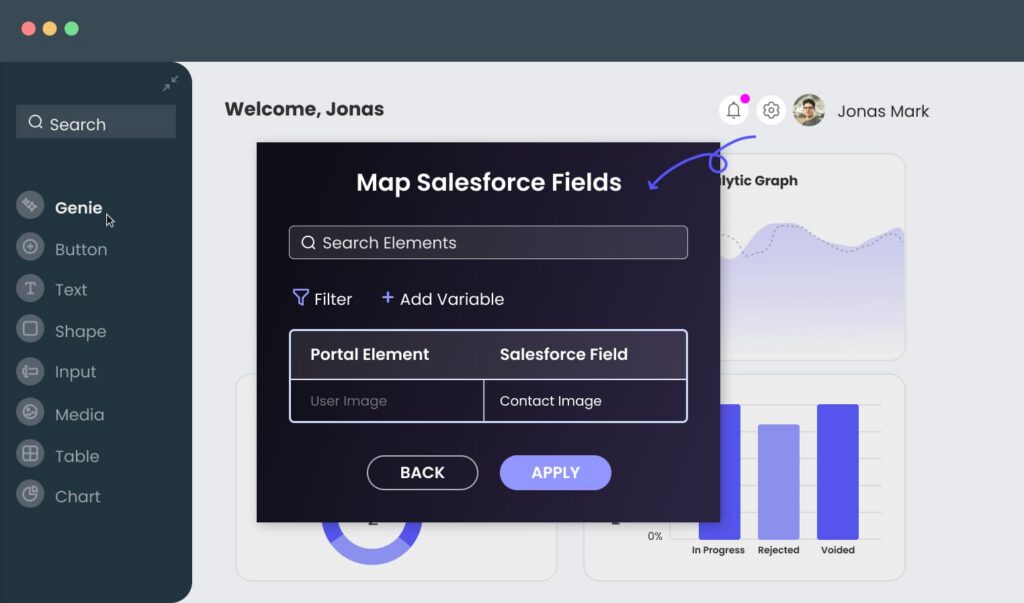
AI Agents assign new leads to the correct rep or queue, ensuring the right person engages each lead quickly. If additional details are needed to fully qualify the lead, reps can provide a link to a portal built with Salesforce First Web Studio. The lead enters the requested information directly in the portal, and the data is automatically written back into Salesforce. This keeps records complete, improves data accuracy, and allows the sales team to prioritize leads effectively while reducing back-and-forth communication.
3. Collecting Missing Pipeline Data with Forms
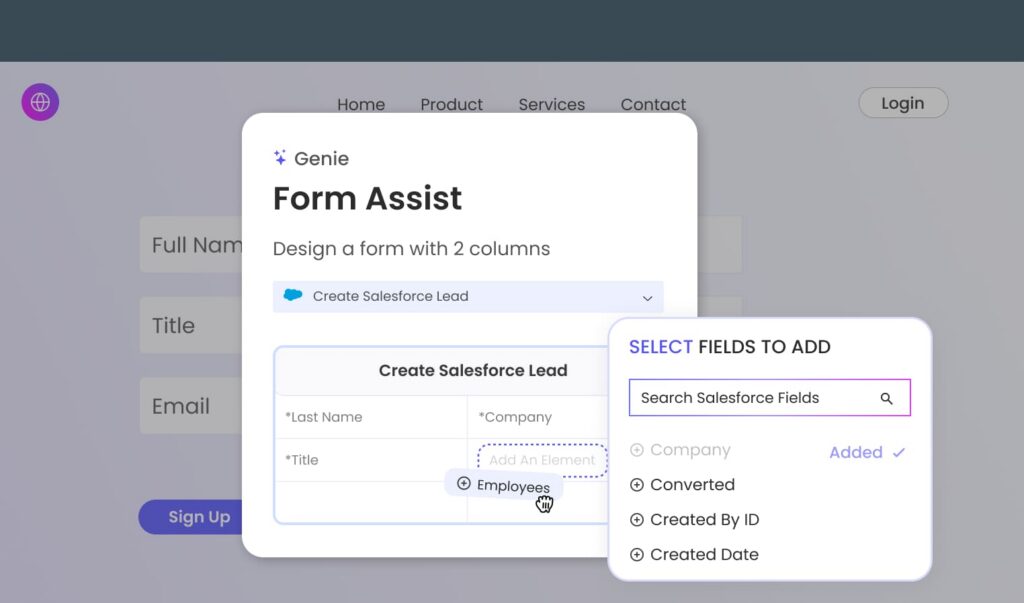
AI Sales Agents monitor Lead records and notify reps when deals need attention, such as missing information or incomplete fields. Reps can use forms built in Salesforce First Web Studio to collect the missing data directly from internal teams or customers. All information entered in the forms updates Salesforce records automatically, helping keep the pipeline data complete and accurate.
Conclusion: How Sales Agents Simplify Automation
Sales Agents help handle repetitive tasks, monitor pipelines, and make data-driven decisions directly inside Salesforce. They reduce the time spent on manual work, ensure records are complete, and alert reps to important next steps.
Our Agentforce Sales use cases show that, when combined with supporting tools like Salesforce First Web Studio, for example: generating documents or collecting missing information via forms, Sales Agents become part of end-to-end sales workflows that keep data accurate and tasks organized.
By taking care of routine actions, Agentforce lets sales teams focus on conversations, relationships, and closing deals, while automation handles the everyday steps that can slow teams down.
If you’re thinking about adding automation to your Agentforce Sales Agent, you can try a free trial of Salesforce First Web Studio to see how it fits with your processes.

Antonina is a Salesforce Admin with six certifications: Salesforce Certified Platform Foundations, Platform Administrator, Platform Administrator II, CPQ Administrator, AI Associate, and Agentforce Specialist. She started working with Salesforce in 2021 as Intern Salesforce Developer. Now, a 2-Star Ranger on Trailhead, she continues to expand her skills and knowledge. She helps manage Salesforce systems, automate tasks, and improve processes. Antonina loves learning new things and exploring better ways to use technology. In her free time, she enjoys reading, playing sports, and exploring new tech ideas.
 Previous Post
 Next Post