





Why Teams Start Looking for a Salesforce Billing Solution
Have you ever had a billing question in Salesforce that looked simple at first? For example, “Can we see what should be billed next month?” or “Can finance check unpaid invoices from the account page?”
At first, this sounds like a report or dashboard request. But putting this into practice is complicated. Sales has the customer, Opportunity, products, and contract details in Salesforce. Finance has invoices, payment dates, tax data, reminders, and accounting exports.
Both teams work with the same customer process, but not always in the same system.
Insight:
Salesforce frames billing as the final step between closed revenue and collected revenue.
In its 2025 Billing and Revenue Management article, Salesforce notes that 79% of sales leaders say revenue increased over the past year, but also warns that outdated billing systems, poor invoice design, and manual processes can slow down payments.
This is exactly where Salesforce billing apps become relevant. If billing cannot keep pace with sales, the company may close more deals but still struggle to see predictable cash flow.
Companies solve these challenges in different ways.
- Some keep billing in an external accounting tool and send data from Salesforce through an integration.
- Some create PDFs from Salesforce data and leave the rest of the billing work outside CRM.
- And some use AppExchange (AgentExchange) apps that manage invoices, payment status, reminders, e-invoicing, and accounting export closer to Salesforce records.
When people search for Salesforce billing AppExchange options, they often see tools that solve different levels of problems. One app may be enough for invoice documents. Another may be better when billing rules are complex. A third may be useful when the company wants finance users and sales users to work from the same Salesforce data, while accounting export still goes to external systems.
To help users navigate the wide range of apps promising accounting solutions in Salesforce, we have selected two of the first apps available on AppExchange and will provide a detailed comparison of them.
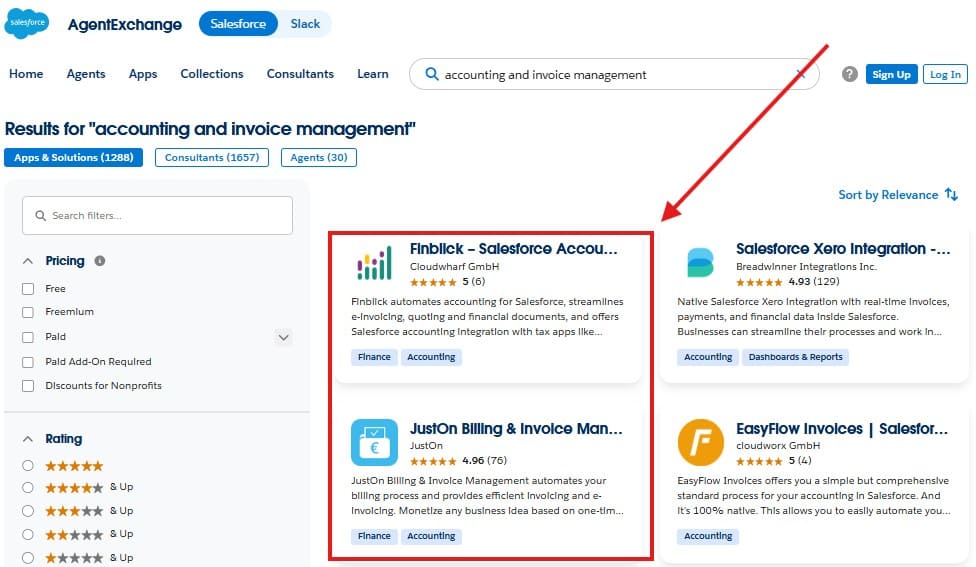
Finblick and JustOn both belong to the Salesforce billing and invoicing category, but they approach it from different angles.
We will compare Finblick and JustOn from four practical angles: features, security and architecture, usability, and user feedback. After that, we will summarize where each app fits better, especially for teams that want billing, invoicing, and finance document work closer to CRM data.
- Finblick Quick Overview: Salesforce Billing Software for Finance Documents Inside CRM
- JustOn Billing Quick Overview: Automation for Recurring and Usage-Based Models
- Feature Comparison: Which Billing Tools for Salesforce Cover Daily Work Better?
- Security and Architecture: What to Check in Salesforce AppExchange Billing Apps
- Usability Comparison: Finding the Best Billing Software for Salesforce Users
- Pricing and User Feedback: What Buyers Can Check Before a Demo
- Final Thoughts: Which Billing App Fits Better?
Finblick Quick Overview: Salesforce Billing Software for Finance Documents Inside CRM
Finblick is developed by Cloudwharf GmbH. On AppExchange, the app is listed as “Finblick – Salesforce Accounting, Quote and E-Invoice Management.” Finblick helps teams create and manage finance documents directly in Salesforce. This includes quotes, orders, invoices, credit notes, and e-invoices. It also covers payment-related work, DATEV export, bank integration, SEPA Direct Debit, self-billing, and support for multiple legal entities and currencies.
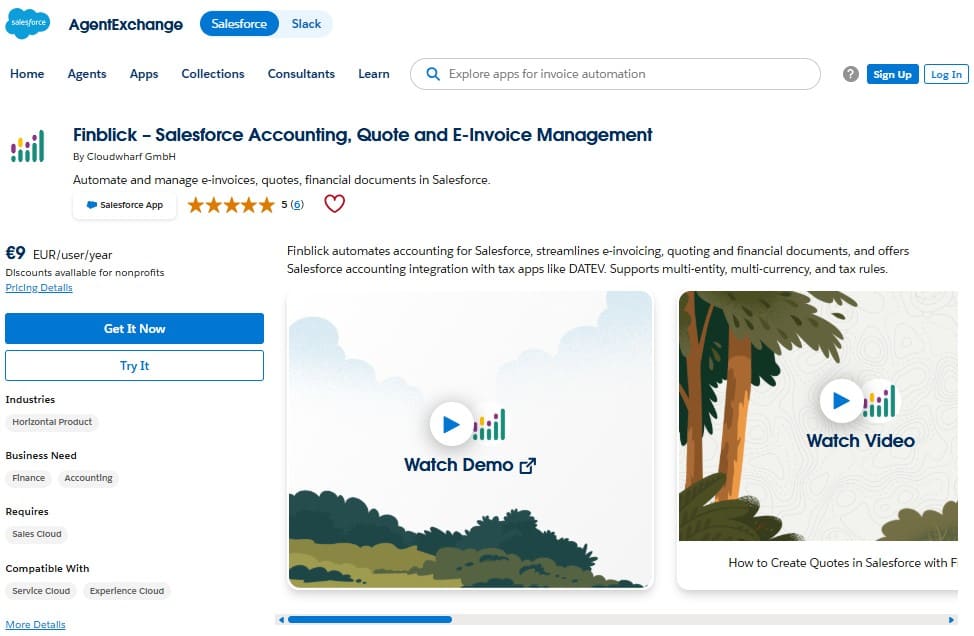
So, this Salesforce accounting app is not only about creating an invoice PDF from Salesforce data. It is closer to a finance document workflow that starts earlier, often from a quote or order, and then continues into invoices, credit notes, payment tracking, reminders, and accounting export.
For a Salesforce team, this is a useful difference. A sales user may need to prepare a quote. A finance user may need to create an invoice or credit note. A manager may only need to check what has already been sent or paid. Finblick separates these roles through different license types and permission sets, so not every user needs the same level of access.
Finblick Setup and Configuration
The Finblick setup process is quite close to normal Salesforce admin work. It is not only “install the package and start clicking.” There are several steps that should be prepared carefully.
Step 1. First, the Salesforce org needs the required features enabled before installing the package: State and Country or Territory Picklists, Quotes, Orders, and Custom Address Fields. If these are already enabled, this part is simple. If not, the admin should prepare them first.
Step 2. After that, the package is installed from AppExchange. For the first installation, installing for admins only is the safer option. This gives the admin time to check the app before opening it to business users.
Step 3. The next step is the connection setup. After installation, the admin opens the Finblick app, goes to Finblick Setup, and connects the app to the Finblick service. Once the connection is active, user access can be configured.
Step 4. Assignment of licences and permission sets. Finblick uses three main user license types:
- Read-only users can view Finblick data but cannot generate documents.
- Sales users can work with quotes and quote documents.
- Finance users can work with quotes, orders, invoices, credit notes, and related finance records.
There are also additional permission sets for admin work, DATEV, and banking features. This is important because financial data should not be opened to everyone in the org by default.
Step 5. The last setup area is the user interface. The admin may need to prepare Salesforce pages where users will work with quotes, orders, invoices, and credit notes. This can include related lists, fields, actions, tabs, and Finblick components.
Key Finblick Features
Finblick supports a wide range of finance document workflows inside Salesforce. Its main features include:
- Quote, order, invoice, and credit note management.
- PDF invoices and e-invoices, including XRechnung and ZUGFeRD.
- Customizable document templates.
- Attachments and supporting documents.
- Multilingual documents.
- Multi-currency support.
- Multiple legal entities.
- Tax handling and account determination.
- Partial invoices, down payment invoices, and final invoices.
- Cancellation invoices and credit notes.
- DATEV export.
- Bank integration and payment matching.
- SEPA Direct Debit.
- Self-billing for freelancers and partners.
- Invoice payment reminders.
One feature worth calling out is payment visibility. With bank integration, Finblick can connect bank transactions with invoices and credit notes. This helps finance users see whether an invoice is paid, partially paid, or still open. With invoice payment reminders, the team can also follow up on unpaid invoices from the same Salesforce-based process.
Why Use Finblick?
Finblick is a good fit when the company wants finance document work to stay close to Salesforce records. This is especially useful when sales and finance both need to see the status of the same customer process.
JustOn Billing Quick Overview: Automation for Recurring and Usage-Based Models
“JustOn Billing & Invoice Management – E-Invoicing, Billing & Accounts Receivable” is presented as a Salesforce app for billing, invoice management, e-invoicing, subscriptions, usage data, reminders, and accounts receivable.
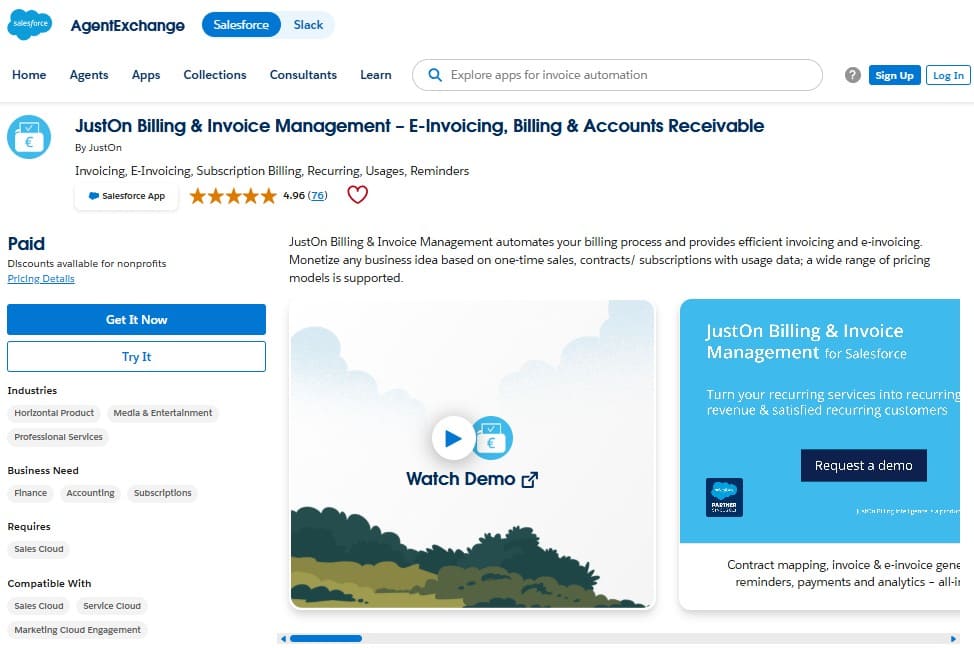
The main idea of JustOn is billing automation. It is not only about creating one invoice from a Salesforce record. The app is built to collect customer, contract, product, price, and usage data, prepare invoice data, create draft invoices, and generate invoices, pro forma invoices, and credits.
The central concept is the invoice run. In simple words, an invoice run is the process that creates invoices from the available billing data. It can be started manually or automatically. This matters when a company needs to bill many customers on a regular schedule, especially when the billing logic is not the same for every customer.
JustOn supports recurring services, one-time sales, usage-based billing, commissions, flat rates, tiered prices, quantity discounts, bundled pricing, and payment plans. This makes it relevant for companies with subscriptions, marketplaces, service packages, or usage data coming from systems such as project management or issue tracking tools.
JustOn Setup and Configuration
The JustOn setup should be treated as a billing implementation, not only as a package installation. The app covers many billing and receivables concepts, so admins should plan the setup before giving access to business users.
Step 1. Check Salesforce requirements first. The official documentation should be reviewed before installation, especially for supported editions and required Salesforce features. For example: My Domain, Content Deliveries, and CRM Content are required features.
Step 2. Install the package and prepare user access. After installation, admins need to assign the correct access to users who will work with billing, invoices, payments, dunning, or reporting.
Step 3. Configure the billing model. This is one of the most important setup areas. JustOn can work with subscriptions and billing plans, but it can also create invoices from configured Salesforce objects such as opportunities or orders. The right model depends on how the company sells and charges customers.
Step 4. Prepare invoice templates, tax logic, and distribution. Admins need to define how invoices should look, which tax rules apply, and how documents should be sent or stored. JustOn supports PDF distribution, e-invoice services, cloud storage upload, and archiving.
Step 5. Configure receivables and accounting export. If the company wants to track payments, send reminders, create balance records, or export booking data, these areas also need setup. This may include dunning levels, payment due dates, dunning fees, bookkeeping details, and export formats.
Key JustOn Features
JustOn covers a broad billing and accounts receivable workflow in Salesforce. Its main features include:
- Automated invoice runs, recurring billing, and subscriptions.
- Usage-based billing for time, clicks, quantities, orders, or other usage data.
- One-time sales, service billing, and commission-based billing.
- Flat rates, tiered prices, quantity discounts, bundled pricing, and payment plans.
- Invoice, pro forma invoice, deposit invoice, and credit generation.
- Invoice cancellations, partial credits, settlements, and refunds.
- PDF invoices and e-invoices.
- Invoice templates with layout, language, number, and data format options.
- Tax handling for different regions and tax classes.
- Multi-currency and multi-tax support.
- Billing for multiple subsidiaries or tenants.
- Payment registration from external systems.
- Balances for invoices, credits, payments, refunds, prepayments, and dunning fees.
- Dunning runs and reminders for overdue payments.
- Reports for revenue, cash flow, MRR, and CLV.
The strongest part of JustOn is the billing logic. It is useful when invoices are created from rules, schedules, contracts, and usage data, rather than from one simple manual action.
Why Use JustOn?
JustOn is a good fit when billing itself is complex. For example, a SaaS company may need monthly subscription invoices. A service company may need to charge based on tracked time. A marketplace may need commission-based billing. A business with several entities may need different invoice layouts, languages, currencies, or tax rules.
Insight:
The 2024 Atradius Payment Practices Barometer survey for the United States shows that half of B2B invoices were overdue, and overdue invoices were paid on average 20 days late.
The same report points to administrative inefficiencies in customer payment processes as the main reason for late payments.
This makes payment status, reminders, and open invoice visibility more than a small convenience. They directly affect how quickly finance can react.
Feature Comparison: Which Billing Tools for Salesforce Cover Daily Work Better?
After looking at both apps separately, the first real comparison is simple: what kind of billing work can each app support in daily use?
A basic Salesforce invoice generation tool may be enough if the team only needs to create invoice documents from CRM data. But in many Salesforce orgs, the invoice is only one part of the process. Teams also need quotes, orders, payments, reminders, accounting export, billing automation, and reporting.
Both Finblick and JustOn help teams manage billing and invoice-related work in Salesforce.
- Finblick is stronger around finance documents connected to the CRM process. It covers quotes, orders, invoices, credit notes, e-invoices, payment visibility, reminders, and accounting export.
- JustOn is stronger around billing automation itself, especially when invoices need to be created from contracts, subscriptions, usage data, commissions, or scheduled invoice runs.
| Feature Comparison: Finblick vs JustOn Billing & Invoice Management | ||
|---|---|---|
| Area | Finblick | JustOn Billing & Invoice Management |
| Main focus | Finance document workflow in Salesforce, from quotes and orders to invoices, credit notes, payments, reminders, and accounting export. | Billing automation, invoice runs, subscriptions, usage-based billing, accounts receivable, dunning, and reporting. |
| Quote management | Supports quote creation and quote documents directly in Salesforce. Useful when sales users need to prepare customer-facing documents before billing starts. | Not mainly positioned as a quote management app. It can create invoices from configured Salesforce objects, such as opportunities or orders. |
| Order management | Supports orders and order-related document flow, so the process can continue from quote to invoice inside Salesforce. | Can use orders as invoice source records when configured, but order document management is not the main product focus. |
| Invoice creation | Supports invoices directly in Salesforce, including partial invoices, down payment invoices, final invoices, cancellation invoices, and credit notes. | It can create draft invoices, final invoices, pro forma invoices, deposit invoices, and credits from billing data. |
| Credit notes and corrections | Supports credit notes and cancellation invoices, including correction scenarios linked to the original document flow. | Supports credits, invoice cancellations, partial credits, settlements, and refunds. |
| E-invoicing | Supports e-invoices, including XRechnung and ZUGFeRD. | Supports e-invoicing, including XRechnung. |
| Recurring billing | Supports automated invoice workflows and can automate invoice creation, sending, and processing. | Supports recurring services, subscriptions, renewals, and scheduled billing. |
| Usage-based billing | Supports invoicing from structured Salesforce document lines, including products, quantities, pricing, discounts, taxes. | Supports billing based on time, clicks, quantities, orders, revenue, or other usage data. |
| Payment tracking | Supports payment visibility through bank integration and payment matching. Also supports SEPA Direct Debit. | Supports payment registration, customer balances, receivables tracking, and assignment of incoming payments to invoices. |
| Reminders and dunning | Supports invoice payment reminders for unpaid invoices. | Supports dunning processes with reminder levels, overdue amounts, and dunning fees. |
| Accounting export | Supports DATEV export directly from Salesforce as part of the Finblick finance document workflow. | Supports accounting preparation through booking details, account statements, initial account assignment, and CSV invoice export. |
| Reporting | Provides reports and dashboards for finance document tracking, invoice status, payment visibility, open items, and multi-tenant reporting. | Provides billing and receivables reporting, including revenue, cash flow, MRR, CLV, and churn related views. |
| Stars achieved | ⭐⭐⭐⭐⭐ | ⭐⭐⭐ |
Key takeaways:
- Finblick covers more of the end-to-end Salesforce finance document workflow in one product scope, from quotes and orders to invoices, credit notes, payments, reminders, DATEV export, banking, and multi-entity work.
- JustOn also scores strongly, especially for automated billing logic, subscriptions, usage-based billing, and receivables, but its strongest value is more specialized around billing automation rather than the wider quote-to-payment document flow.
So, if the company asks, “How do we manage finance documents inside Salesforce?”, Finblick looks closer to that need. If the company asks, “How do we automate recurring or usage-based billing?”, JustOn looks stronger.
Security and Architecture: What to Check in Salesforce AppExchange Billing Apps
Security in billing apps is not only about whether the package passed AppExchange review. That matters, of course. But for admins, the question is more practical: who can see financial data, who can create documents, who can export data, and what parts of the process run inside Salesforce or connected services?
Finblick and JustOn both work inside the Salesforce ecosystem, but their product architecture is different. Finblick is easier to read as an all-in-one finance document workflow. JustOn Billing & Invoice Management is more specialized around billing automation.
| Security and Architecture: Finblick vs JustOn Billing & Invoice Management | ||
|---|---|---|
| Area | Finblick | JustOn Billing & Invoice Management |
| Product architecture scope | Finblick is positioned as an all-in-one Salesforce app for finance document work. Quotes, orders, invoices, credit notes, e-invoices, payment visibility, reminders, DATEV, banking, SEPA Direct Debit, self-billing, and multi-entity work are presented as one connected product scope, with some functionality enabled through license or add-on settings. | JustOn Billing & Invoice Management is a specialized billing and invoice management app. Its architecture is centered on invoice runs, subscriptions, usage data, receivables, dunning, and billing reports. Some surrounding functions may belong to other JustOn apps or connected services, so buyers should check the exact product boundary. |
| Access setup | Finblick uses role-based licenses and can auto-assign the needed permission sets for each selected user type. This makes access setup easier to follow during rollout. | JustOn relies on Salesforce permission sets, roles, sharing rules, object permissions, field permissions, and record access planning. This gives admins control, but also requires more setup planning. |
| Admin control | Finblick separates admin setup from daily user work through a dedicated Finblick Admin permission set. This helps keep configuration areas such as Legal Entities, Tax Rules, and Finblick Setup limited to admins or key users. | JustOn gives admins control over many billing configuration areas, including billing models, subscriptions, invoice runs, templates, taxes, dunning, receivables, and exports. This gives flexibility, but setup ownership should be planned carefully. |
| Data and service connection | Finblick includes a connection setup after package installation. The admin connects the Salesforce org to the Finblick service from Finblick Setup before users start working with document generation and finance workflows. | JustOn runs as an integrated application on Salesforce Platform and Heroku. User interaction and data management generally take place on Salesforce Platform, while some optional logic runs on Heroku. |
| Trust and transparency signals | Finblick gives buyers clear public information about package details, supported Salesforce features, pricing, trial access, documentation, role-based access, and the main finance modules included in the product scope. | JustOn gives buyers clear public information about package details, documentation, and formal certification references for billing and e-invoicing use cases. |
| Stars achieved | ⭐⭐⭐⭐⭐ | ⭐⭐⭐⭐ |
Key takeaways:
- Finblick is easier to map to daily Salesforce finance roles because its access model separates Sales, Finance, Read-only, and Admin work.
- JustOn has a more specialized billing architecture, so buyers should check the exact product boundary before implementation.
For this section, Finblick receives a higher score because its all-in-one architecture is easier to connect with daily Salesforce roles and finance workflows.
Insight:
E-invoicing is becoming harder to ignore, especially for companies working in Germany.
According to the German Federal Ministry of Finance, from 1 January 2025, domestic German businesses generally need to use electronic invoices for B2B transactions, with transition rules for issuing invoices.
The same guidance says companies must be able to receive e-invoices from 1 January 2025, and that the transition period for issuing other invoice types runs until the end of 2026, or until the end of 2027 for invoice issuers with prior-year revenue up to €800,000.
This makes support for structured e-invoice formats, such as XRechnung and ZUGFeRD, an important evaluation point for billing tools.
Usability Comparison: Finding the Best Billing Software for Salesforce Users
After security and architecture, the next question is practical: how easy is it to prepare the app and use it every day?
For Salesforce admins, this means setup steps, page configuration, permissions, and user guidance. For sales and finance users, it means whether quotes, invoices, payments, reminders, and billing records are easy to find and work with.
Finblick and JustOn both use Salesforce patterns, but the day-to-day experience is different. Finblick feels closer to a finance document flow. JustOn feels closer to a billing engine that needs more billing model design before users get the full value.
| Usability Comparison: Finblick vs JustOn Billing & Invoice Management | ||
|---|---|---|
| Area | Finblick | JustOn Billing & Invoice Management |
| Setup path | Starts with Salesforce prerequisites, package installation, Finblick service connection, user license assignment, app settings, and page setup for quotes, orders, invoices, and credit notes. The flow is close to normal Salesforce admin work. | Starts with package installation, then moves into billing model design, source data setup, subscriptions or invoice sources, invoice runs, templates, tax logic, receivables, dunning, and exports. The setup depends on the billing model. |
| Daily user flow | Sales users can work with quotes. Finance users can continue with orders, invoices, credit notes, payment status, reminders, and export steps in the same finance document process. | Users work around billing operations such as invoice runs, subscriptions, balances, payments, dunning, and reports. This is powerful, but it can feel more finance-focused than sales-focused. |
| Salesforce interface | Uses familiar Salesforce record pages, tabs, related lists, actions, status flows, and components. The finance document process feels connected to normal CRM work. | Uses a Salesforce tab and object-based structure with many billing and configuration areas. It fits advanced setup work, but new users need to know where the main billing process starts. |
| Document templates | Finblick uses document templates and text templates for quotes, orders, invoices, and credit notes. This fits teams that need branded documents and repeated finance document output. | JustOn supports invoice templates, email content, language options, number formats, data formats, and layouts for different tenants or subsidiaries. |
| Guidance for new users | Finblick setup guidance follows a familiar Salesforce admin flow: install, connect, assign access, configure settings, and prepare pages. | JustOn has extensive and technical documentation, including quickstart guides and setup examples. New users may still need time to find the right path because the product covers many billing areas, and the documentation structure is large. |
| Learning curve | Moderate. The app covers a wide range of finance document workflows, but the main user roles and document steps are easy to connect with normal Salesforce work. | Higher. The product is powerful for advanced billing, but users need to understand subscriptions, invoice runs, receivables, dunning, and the selected billing model before daily work becomes clear. |
| Stars achieved | ⭐⭐⭐⭐⭐ | ⭐⭐⭐⭐ |
Key takeaways:
- Finblick looks easier for Salesforce teams that want sales and finance to work around the same records. The setup still needs admin work, but the process is easy to explain: prepare the org, install the app, connect Finblick, assign roles, configure pages, and start working with finance documents.
- JustOn fits better when the billing process itself is advanced. It gives teams many billing configuration options, but that also means the first setup should be planned with care. The team needs to understand the billing model before the app feels clear in daily work.
For this section, Finblick receives the higher score because it is easier to map to daily Salesforce work. JustOn remains a strong option for advanced billing teams, but it asks for more preparation before users can work with confidence.
Pricing and User Feedback: What Buyers Can Check Before a Demo
Reviews are useful, but they are only one part of the buying picture. A Salesforce admin or finance lead also needs to know how easy it is to evaluate the product before a sales call.
This is where the difference between Finblick and JustOn becomes interesting. JustOn has a much larger AppExchange review base, which is a strong trust signal. Finblick has fewer reviews, but its public pricing is much easier to understand. For a buyer, both signals matter. One tells you what existing users think. The other tells you whether you can estimate the cost early.
| Pricing and User Feedback: Finblick vs JustOn Billing & Invoice Management | ||
|---|---|---|
| Area | Finblick | JustOn Billing & Invoice Management |
| AppExchange rating | 5-star rating on AppExchange, with 6 reviews. | 4.96 average rating on AppExchange, with 76 reviews. |
| What users focus on in reviews | Reviews mention DATEV integration, self-billing, e-invoicing, SEPA Direct Debit, Salesforce-based finance workflows, invoice creation, UI fit, and support from the Cloudwharf team. | Reviews point to implementation quality, support, billing automation, DATEV-related use cases, and reliability in billing and invoicing work. |
| Pricing clarity | Public pricing is available. Finblick shows View-Only, Sales, and Finance user pricing, plus visible add-ons for DATEV, Banking Integration, and Multi-Tenancy. | Pricing is opaque. No public price or related information is shown on AppExchange or on the JustOn website, so buyers need to contact the vendor to understand the cost. |
| Trial and Test Drive | Offers a 30-day free trial and an AppExchange Test Drive org. | Offers a 30-day free trial and an AppExchange Test Drive org. |
| Stars achieved | ⭐⭐⭐⭐⭐ | ⭐⭐⭐⭐ |
Key takeaways:
- JustOn has a stronger public review base. A 4.96 rating from 76 reviews is a strong signal, especially for buyers who want proof from other Salesforce customers. It shows that JustOn is not a new or untested billing product.
- Finblick is stronger on pricing clarity. A buyer can see the user tiers, monthly and yearly prices, and main add-ons before contacting the vendor. This makes early comparison and estimation easier, especially for smaller or mid-sized teams that need to estimate cost before committing time to a deeper evaluation.
For this section, Finblick receives the higher score because it gives buyers a clearer path from evaluation to budget planning. JustOn has a stronger review volume, but the lack of public pricing makes the early buying process less clear.
Final Thoughts: Which Billing App Fits Better?
We compared Finblick and JustOn Billing & Invoice Management from several practical angles: features, security and architecture, usability, pricing, and user feedback. Both apps can support billing work in Salesforce, but they solve different problems.
JustOn is strong when the billing logic itself is complex. Finblick is stronger when a team wants finance documents, payments, reminders, exports, and user access to stay in one connected Salesforce workflow.
| Finblick vs JustOn Billing & Invoice Management: Final Comparison | ||
|---|---|---|
| Section | Finblick | JustOn Billing & Invoice Management |
| Feature Comparison | ⭐⭐⭐⭐⭐ | ⭐⭐⭐ |
| Security and Architecture | ⭐⭐⭐⭐⭐ | ⭐⭐⭐⭐ |
| Usability Comparison | ⭐⭐⭐⭐⭐ | ⭐⭐⭐⭐ |
| Pricing and User Feedback | ⭐⭐⭐⭐⭐ | ⭐⭐⭐⭐ |
| Total Stars Achieved | 20 ⭐ | 15 ⭐ |
Based on this comparison, Finblick comes out as the more comprehensive, budget-friendly, admin-friendly, and user-friendly option. It covers a wider Salesforce finance workflow in one product scope, gives buyers public pricing, and is easier to connect with daily sales and finance work.
- Finblick is the better fit for teams that want an all-in-one billing and finance document workflow in Salesforce. This includes quotes, orders, invoices, credit notes, e-invoices, payment visibility, invoice payment reminders, DATEV export, banking, SEPA Direct Debit, and multi-entity work. It is especially useful when sales and finance need to work around the same customer records.
- JustOn Billing & Invoice Management is better suited for companies where billing automation is the main challenge. If the business depends on subscriptions, usage-based billing, invoice runs, commissions, receivables, and dunning, JustOn is worth reviewing carefully. It is a strong tool for advanced billing models, but buyers should check pricing, product boundaries, and setup needs before making a decision.
The right choice depends on what your Salesforce team needs most: a wider finance document workflow in one place, or a specialized billing engine for complex billing rules.

Mykhailo is a Salesforce Certified Platform Administrator with development experience in the fintech field. Since 2021, he has gained the Double Star Ranger rank on the Salesforce Trailhead education platform, where he acquired 26 Superbadges in Business Administration, Process Automation, Security, and more. With a decade of expertise in consulting and compliance, he aspires to translate complex technical concepts into accessible content, helping organizations make the most of Salesforce. Mykhailo is passionate about using technology for everyday needs, enjoys reading sci-fi and non-fiction books, and playing video games. He also has an interest in history and outdoor activities such as hiking, camping, and kayaking.
 Previous Post
 Next Post