



The Problem of Scheduling Meetings in Salesforce
Have you found a way to properly track and manage meeting bookings directly inside Salesforce?
There are multiple options available today from Salesforce-native tools and AppExchange apps to external platforms such as Calendly vs Chili Piper for sales teams that can be connected to Salesforce. Each one handles scheduling differently, and each one comes with a different level of control, setup effort, and data handling.
Insight:
Did you know that only around 40%-60% of booked meetings actually take place?
The rest are lost to no-shows, last-minute cancellations, or simple calendar misses.
This gap directly impacts how reliable pipeline activity looks inside Salesforce, where scheduled meetings don’t always translate into real sales interactions.
The challenge is not a lack of scheduling solutions. There are multiple approaches that work in very different ways.
Some approaches keep scheduling fully inside Salesforce. Others move the booking experience outside the CRM and sync the result back as an activity. Some are built for structured appointment models while others are designed for fast, user-driven booking flows.
Because of this, teams often end up asking the same question: which Salesforce appointment scheduling app actually fits our setup and working model?
This article compares Salesforce-native meeting scheduler Booking Engine, Chili Piper (sales scheduling and lead routing platform), and Calendly (external scheduling tool with Salesforce integration) from a practical point of view, focusing on how each one handles booking, how it connects to Salesforce data, and what trade-offs come with each approach.
- Why Scheduling and Routing Matter
- How Scheduling Options for Salesforce Were Selected
- Integration Architecture: Booking Engine vs Chili Piper vs Calendly
- Booking Engine vs Calendly vs Chili Piper Features Comparison
- Salesforce Data Structure Behavior: Booking Engine vs ChiliPiper vs Calendly
- Admin & Configuration Effort: Booking Engine vs Chili Piper vs Calendly Comparison
- Final Comparison
- FAQs on Salesforce Scheduling Tools
- Conclusion on Salesforce Scheduling Approaches
Why Scheduling and Routing Matter
Inbound leads come through forms, chat, email, ads, and partner channels. The speed of response directly affects conversion. Research published by the Harvard Business Review shows that companies contacting a lead within 5 minutes are about 21 times more likely to qualify it compared to those who wait 30 minutes.
Scheduling sits inside that response flow. When booking happens through external links or back-and-forth emails, time is lost before the meeting is even confirmed. That delay often reduces the chance of the lead turning into a real opportunity.
In Salesforce environments with SDR to AE handoffs, onboarding calls, and high volume inbound, scheduling is not just a calendar task. It affects routing, ownership, and data quality. Without automation, meetings are often created outside Salesforce and only synced later, which breaks real-time visibility.
This is why scheduling and routing are treated as part of the sales process, not a separate step. The way a meeting is booked defines how clean and reliable the data inside Salesforce will be.
At the same time, scheduling operates at different levels of maturity.
At the basic level, it works as a personal booking tool: a simple link used to schedule one-to-one meetings with a known individual. At a more advanced level, it becomes a team-based process, where meetings are qualified, booked on behalf of others, and routed based on rules such as ownership, territory, or availability.
These are different use cases. One removes friction from individual scheduling, while the other supports structured handoffs and inbound distribution at scale. Tools like Booking Engine and Chili Piper support both levels, while Calendly is typically used as a basic booking link.
How Scheduling Options for Salesforce Were Selected
The comparison is based on tools that are actually used in Salesforce environments, not theoretical setups.

There are three common approaches to meeting booking and routing inside Salesforce. Some organizations use native Salesforce apps designed to run directly inside the CRM. Others rely on external scheduling platforms that operate outside Salesforce and sync activity data back into it. A third group uses specialized routing and scheduling tools built for high-volume sales motion and automation.
To reflect these real-world patterns, one solution was selected from each category:
- A Salesforce AppExchange app, Booking Engine by NC Squared, represents the native approach where scheduling stays fully inside Salesforce and works directly with CRM data.
- Calendly represents a widely used external scheduling model where meetings are booked outside Salesforce and then synced back into the CRM as records.
- Chili Piper represents a routing and scheduling automation layer used in high-velocity sales teams. It distributes inbound leads in real time based on Salesforce data and automatically converts qualified submissions into booked meetings.
The purpose of this comparison is not based on popularity or market share. It focuses on how each tool behaves inside Salesforce in practice, especially in terms of data control, implementation effort, and alignment with sales processes.
Each solution will be reviewed using the same structure: setup approach, Salesforce integration behavior, key capabilities, and practical trade-offs. At the end of each table, we will include a clear star rating to compare the options and find the winner at the end of the article.
Overview of Booking Engine by NC Squared
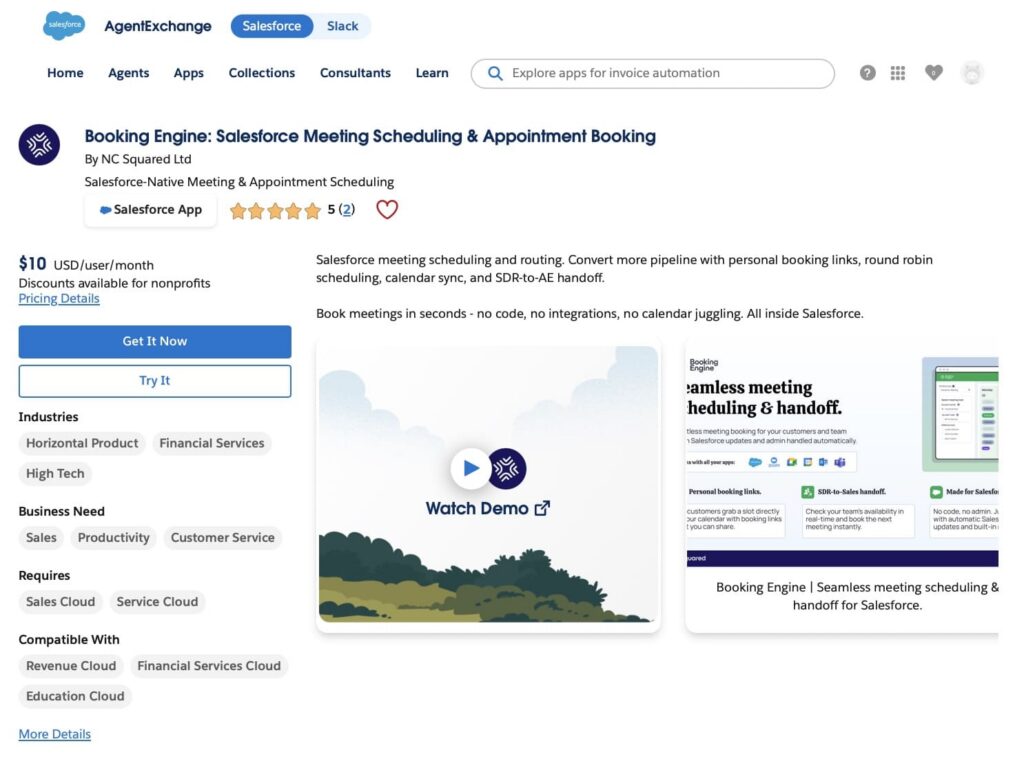
Booking Engine by NC Squared allows teams to book meetings directly from CRM records such as Leads, Contacts, Accounts, and Opportunities. It removes the need to switch between external scheduling tools by keeping booking, routing, and event creation inside Salesforce.
Why is this important? Because meeting data stays inside Salesforce as standard Event records linked to customer objects. This allows teams to report on meetings, trigger automation, and maintain full visibility of customer interactions without manual updates or external tracking. As a Salesforce-native scheduling tool, it ensures that all scheduling activity stays fully embedded in the CRM workflow.
Key features:
- Salesforce-native booking directly from record pages using Lightning components from the managed package.
- Google Calendar and Microsoft Outlook integration for availability checking and event synchronization.
- Meeting software integrations with Zoom, Microsoft Teams and Google Meet automatically creates meetings and invites guests.
- Automatic creation of Salesforce Event records for every scheduled meeting.
- Routing rules, including round-robin, ownership-based assignment, and availability-driven booking logic.
- Calendar sync that keeps Salesforce and external calendars aligned and helps prevent double booking.
- Embedded scheduling experience inside Salesforce without leaving the CRM.
Booking Engine helps sales and service teams manage both personal booking and structured handoff workflows inside Salesforce. It is particularly effective in scenarios where meetings need to be routed, assigned, or booked on behalf of others, improving consistency, visibility, and control over customer interactions.
Chili Piper Overview
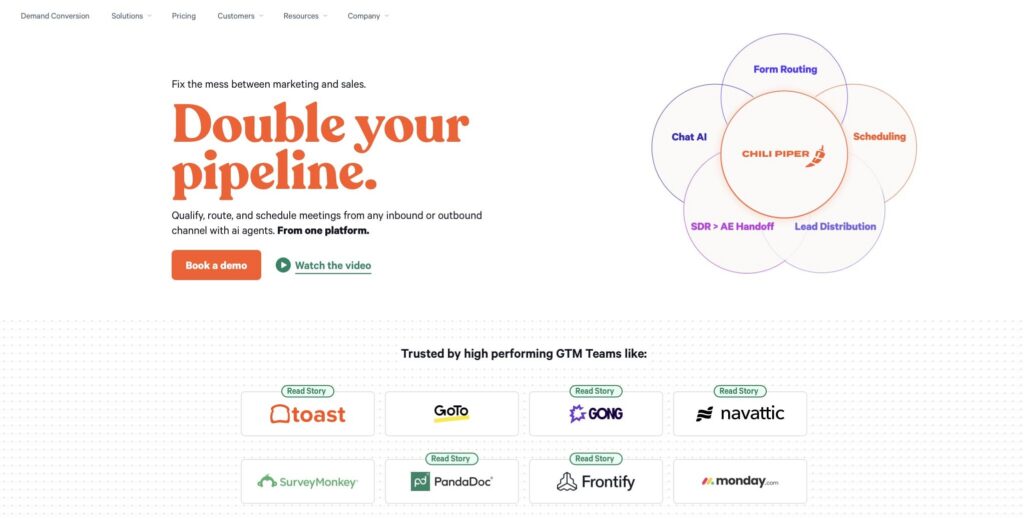
Chili Piper is an inbound scheduling and lead routing platform that helps teams automatically route leads and book meetings the moment a prospect shows interest. It can be integrated with Salesforce to sync leads, contacts, and meeting data, keeping CRM records up to date.
When a lead submits a form or triggers an inbound action, Chili Piper evaluates CRM data and predefined routing rules to assign the lead to the right rep and allow instant meeting booking. This removes delays between intent and first conversation and improves response speed.
Key features:
- Trigger-based lead routing using CRM data and form submissions
- Instant meeting booking based on Google Calendar or Outlook availability
- Meeting software integrations with Zoom, Microsoft Teams, and Google Meet
- Deep integration with Salesforce for syncing leads, contacts, and activity records
- Routing logic, including round-robin, ownership, territory, and custom rules
- Support for inbound forms, booking links, and embedded scheduling flows
- Automatic sync of meeting outcomes and CRM updates after booking
Chili Piper helps sales teams respond faster to inbound demand, reduce manual coordination, and increase conversion by combining routing and scheduling into a single automated flow.
Calendly Overview
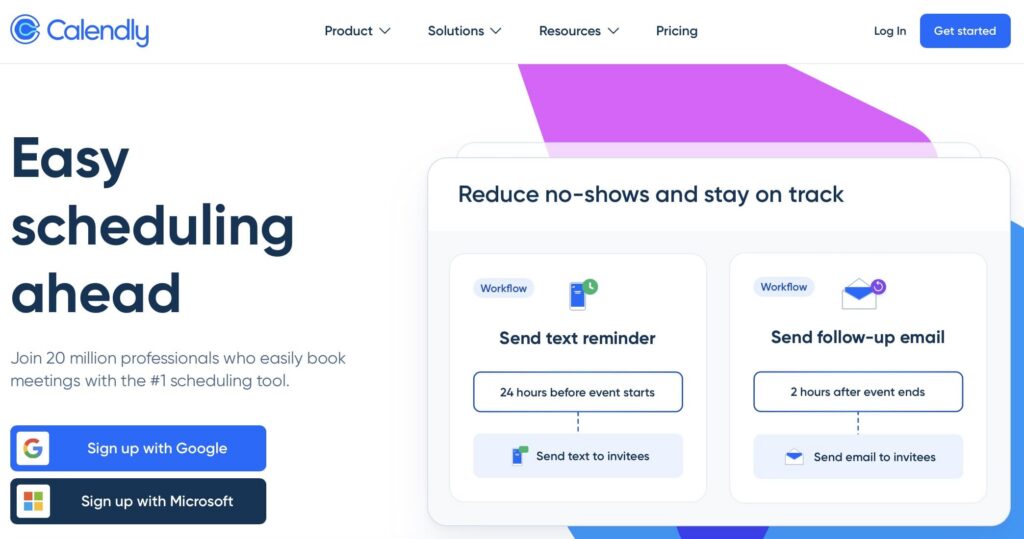
Calendly is an external scheduling platform that allows users to share booking links so others can choose available time slots without back-and-forth communication. It can be connected to Salesforce to sync meetings, contacts, and activity data.
When a meeting is scheduled, Calendly checks the connected calendar (such as Google Calendar or Outlook) to display availability and prevent conflicts. After a booking is confirmed, the meeting is created in the user’s calendar and can be synchronized into Salesforce through the integration package.
Key features:
- Shareable booking links that allow external users to schedule meetings without manual coordination
- Calendar synchronization with Google Calendar and Outlook to reflect real availability and avoid conflicts
- Meeting software integrations with Zoom, Microsoft Teams, and Google Meet automatically generate meeting links and send calendar invites
- Integration with Salesforce for syncing leads, contacts, and meeting activity
- Automatic creation of calendar events once a booking is confirmed
- Routing options such as round-robin and team assignment on advanced plans
- Customizable event types, durations, and availability rules
Calendly helps teams simplify scheduling by removing manual coordination and enabling direct booking based on calendar availability, while optionally syncing activity into Salesforce for tracking and reporting.
Integration Architecture: Booking Engine vs Chili Piper vs Calendly
In the first section, let’s focus on how each solution is architected around Salesforce scheduling: where the scheduling logic runs, how routing decisions are made, and how data is written back into Salesforce. The key difference is whether everything happens inside Salesforce or in an external system. This directly impacts control over booking flows, routing speed, and how reliably meeting data is stored and reused in Salesforce processes.
| Integration Architecture: Booking Engine vs Calendly vs Chili Piper | |||
|---|---|---|---|
| Aspect | Booking Engine | Calendly | Chili Piper |
| Execution Layer (where scheduling runs) | Inside Salesforce via managed package | External scheduling system | External routing + scheduling platform |
| Routing Logic Layer | Salesforce-based rules inside the package (ownership, availability, territory, handoff) | Routing forms + Salesforce lookup routing + ownership-based matching, but only in Enterprise setups | External routing engine powered by Salesforce CRM data and inbound signals |
| Primary Scheduling Trigger | User action inside Salesforce record | External user selects time via booking link | Inbound trigger (forms, chat, marketing handoff, booking links, CRM-driven routing signals) |
| Role of Salesforce in Architecture | Core execution and storage system for scheduling | Downstream system receiving synced meeting data | System of record for CRM data and target for meeting + routing updates |
| Data Persistence in Salesforce | Native Event creation inside Salesforce via managed package logic | Synced Salesforce Event records and activity data via integration | Synced Events + routing outcomes + CRM updates via integration |
| Calendar Dependency | External calendar sync for availability checks | External calendar for availability and conflict prevention | External calendar used for availability and routing decisions |
| Decision Logic Location | Inside Salesforce org | External scheduling system | External routing engine |
| Real-time Behavior Model | Salesforce-driven execution with external availability sync | Calendar-based availability at time of booking | Real-time routing + scheduling at the moment of inbound intent |
| Operational Focus | Scheduling fully inside Salesforce CRM context | Self-service scheduling via links | Fast inbound conversion through routing + instant booking |
| Stars Achieved | ⭐⭐⭐⭐⭐ | ⭐⭐⭐⭐ | ⭐⭐⭐⭐ |
Key Takeaways
- Booking Engine keeps scheduling execution inside Salesforce, giving the most control over CRM-native processes.
- Calendly works as an external scheduling layer. It’s effective for self-service booking via links, but relies on integration for syncing meetings into Salesforce, and lifecycle updates like cancellations or rescheduling can depend on external sync behaviour.
- Chili Piper adds an inbound routing layer on top of Salesforce, designed for fast lead conversion and real-time assignment. It can be more complex than needed for teams that only require basic scheduling.
Booking Engine vs Calendly vs Chili Piper Features Comparison
In the next section, let’s look at functional capabilities used in Salesforce scheduling workflows: how meetings are created, how leads are handled, what automation is available, and how scheduling behaves in real sales processes.
| Feature Comparison: Booking Engine vs Calendly vs Chili Piper | |||
|---|---|---|---|
| Feature Area | Booking Engine | Calendly | Chili Piper |
| Scheduling Entry Point | Salesforce record-based booking inside CRM | External scheduling links used by sales teams and prospects | Inbound triggers (forms, chat, ads, routing links, SDR handoff flows) |
| Lead Capture | Uses existing Salesforce records or can create new records (e.g. Leads) during booking | Can create or match Leads/Contacts in Salesforce, depending on configuration | Captures inbound lead + enriches + routes before booking |
| Meeting Creation in Salesforce | Automatically creates Salesforce Event records tied to CRM records | Syncs Events (and related activity data) into Salesforce via integration | Creates Salesforce Events plus routing outcomes and CRM updates |
| Lead Routing Capability | Salesforce-native routing rules (ownership, territory, availability, round-robin) | Rule-based routing using Salesforce lookup routing and field matching (Enterprise setup) | Advanced real-time routing engine using CRM + form + intent data |
| Booking Logic | Salesforce-driven availability + routing before booking | User-defined availability per scheduling link | Routing happens first, then meeting slot is assigned |
| Calendar Sync | Google / Outlook sync for availability and conflict prevention | Google / Outlook, etc., calendar sync for availability and scheduling | Real-time sync is used inside routing decisions |
| Automation Triggers | Salesforce Flow / record-based automation | Native integrations + workflows + API/Zapier | Event-based + routing-based + CRM-triggered automation |
| Rescheduling Handling | Managed via Salesforce event updates | Self-service reschedule via booking link | Instant reschedule within routing + booking system |
| Reporting in Salesforce | Native Salesforce reporting on Events | Reporting based on synced Events and activities (depends on integration setup) | Funnel reporting from routing → meeting → outcome |
| Assignment Control | Salesforce-based ownership rules | Limited control (depends on sync + rules) | Full pre-booking control via routing engine |
| Stars Achieved | ⭐⭐⭐⭐⭐ | ⭐⭐⭐⭐ | ⭐⭐⭐⭐⭐ |
Key Takeaways
- Booking Engine is strongest when scheduling must stay inside the Salesforce data model and follow CRM ownership logic.
- Calendly stays lightweight: external scheduling first, CRM sync second.
- Chili Piper is structurally different: it decides who should get the meeting before the meeting exists.
Salesforce Data Structure Behavior: Booking Engine vs ChiliPiper vs Calendly
This section focuses on how each solution creates, updates, and structures Salesforce records during scheduling flows. The key difference is where record structure is defined and how Salesforce objects are formed across creation and sync processes.
| Salesforce Data Structure Behavior: Booking Engine vs Calendly vs Chili Piper | |||
|---|---|---|---|
| Data Area | Booking Engine | Calendly | Chili Piper |
| Record Creation Timing | Created directly inside Salesforce during scheduling flow execution | Created in Salesforce when booking event is sent from external system via sync | Created as part of routing and booking flow execution |
| Core Salesforce Objects | Event with standard CRM relationships | Event plus optional Lead/Contact updates depending on configuration | Event plus routing-related fields and CRM updates |
| Relationship Formation | Native Salesforce relationships | Defined during sync based on mapping and matching rules | Set based on routing decision and CRM context before write-back |
| Data Structure Source | Salesforce defines structure at creation time | External system defines structure, and Salesforce applies mapping on sync | Routing logic + Salesforce mapping define structure together |
| Field Population Method | Populated directly via Salesforce Flow and booking inputs | Populated via integration field mapping during sync | Populated using routing outputs combined with Salesforce mapping |
| Data Enrichment Point | At creation inside Salesforce | During integration processing, before write-back mapping is applied | During routing execution, before records are written to Salesforce |
| Stars Achieved | ⭐⭐⭐⭐⭐ | ⭐⭐⭐⭐ | ⭐⭐⭐⭐ |
Key Takeaways
- Booking Engine creates Salesforce records directly inside the CRM execution flow, with a structure defined at creation time.
- Calendly relies on external scheduling with synchronization into Salesforce, where structure is defined through mapping rules.
- Chili Piper applies routing logic before and during booking execution, shaping data before it is written into Salesforce.
Admin & Configuration Effort: Booking Engine vs Chili Piper vs Calendly Comparison
And last, let’s look at how each solution is configured in practice, focusing on where the setup actually happens, how much of it depends on Salesforce administration, and how configuration changes are handled over time as processes evolve and teams adjust their scheduling and routing logic.
| Admin & Configuration Effort: Booking Engine vs Calendly vs Chili Piper | |||
|---|---|---|---|
| Configuration Area | Booking Engine | Calendly | Chili Piper |
| Setup Location | Fully inside Salesforce (managed package configuration in Salesforce UI) | Calendly platform + Salesforce integration setup (Flows, mapping, connection) | Chili Piper platform + Salesforce integration and field mapping |
| Initial Setup Effort | Low to moderate (guided Salesforce-native setup) | Moderate to high (external setup + Salesforce integration steps and Flow activation) | Moderate to high (routing logic + Salesforce alignment) |
| Salesforce Admin Dependency | Medium (standard setup, no heavy development required) | Medium (integration setup, Flow activation, mapping adjustments) | High (Salesforce alignment + external routing configuration) |
| Routing Configuration | Configured inside Salesforce using built-in rules and availability settings | Rule-based routing using Calendly routing forms and Salesforce lookup/data mapping (Enterprise setup) | Advanced real-time routing engine using Salesforce CRM data and inbound signals |
| Configuration Ownership | Centralized in Salesforce | Split between Calendly and Salesforce | Split between Chili Piper and Salesforce |
| Ongoing Maintenance | Managed inside Salesforce UI and configuration | Managed mostly in Calendly + occasional Salesforce updates | Managed across both Chili Piper and Salesforce |
| Change Management | Changes applied directly in Salesforce | Changes in Calendly + sync validation in Salesforce | Changes in routing engine + Salesforce validation |
| Stars Achieved | ⭐⭐⭐⭐⭐ | ⭐⭐⭐⭐ | ⭐⭐⭐⭐ |
Key Takeaways
- Booking Engine keeps setup and configuration inside Salesforce, which simplifies control and reduces context switching.
- Calendly requires both platform configuration and Salesforce integration steps, including Flow activation and field mapping.
- Chili Piper involves the most coordination, with routing logic configured externally and tightly connected to Salesforce data.
Final Comparison
After comparing Chili Piper vs competitors across the main areas such as architecture, features, data structure, and configuration, the next step is to understand which one performs better overall in a Salesforce setup. To do that, let’s look at the total stars and see how each solution scored across the different sections.
It is how closely they align with Salesforce as the system where scheduling is executed, controlled, and maintained when you integrate Salesforce into your core sales processes.
Which One Fits Best?
Looking across all sections, Booking Engine comes out as the most aligned option for Salesforce-driven processes.
It stands out because:
- Scheduling happens inside Salesforce, not around it
- Records are created in a clean, predictable way using standard objects
- Configuration stays in one place, without relying on external tools
- Data is immediately usable in Flow, reports, and automation without additional steps
- Free trial available for 30 days
Chili Piper is better suited for scenarios where routing is the priority, especially when speed-to-lead and inbound qualification matter more than keeping everything inside Salesforce. It adds a strong routing layer, but also introduces an extra system to manage.
Calendly fits companies where scheduling is owned by the sales team directly with prospects, and booking happens outside Salesforce. Salesforce is used mainly as a system to store meetings, track activity, and trigger follow-up automation, rather than controlling the scheduling process itself.
| Total Score: Booking Engine vs Calendly vs Chili Piper | |||
|---|---|---|---|
| Section | Booking Engine | Calendly | Chili Piper |
| Integration Architecture | ⭐⭐⭐⭐⭐ | ⭐⭐⭐⭐ | ⭐⭐⭐⭐ |
| Feature Comparison | ⭐⭐⭐⭐⭐ | ⭐⭐⭐⭐ | ⭐⭐⭐⭐⭐ |
| Data Structure Behavior | ⭐⭐⭐⭐⭐ | ⭐⭐⭐⭐ | ⭐⭐⭐⭐ |
| Admin & Configuration Effort | ⭐⭐⭐⭐⭐ | ⭐⭐⭐⭐ | ⭐⭐⭐⭐ |
| Total Stars | 20 ⭐ | 16 ⭐ | 17 ⭐ |
FAQs on Salesforce Scheduling Tools
Have questions about connecting meeting workflows to Salesforce? This section answers how tools like Booking Engine by NC Squared, Calendly, and Chili Piper handle scheduling, lead routing, and CRM sync, focusing on how data is created, assigned, and updated across systems.
What is the best appointment scheduling software for Salesforce?
It depends on how closely your team needs scheduling to stay inside the CRM. Booking Engine by NC Squared is Salesforce-native and creates Event records directly in the CRM. Calendly and Chili Piper connect to Salesforce as external tools and sync data back. In a Calendly vs Chili Piper context, both rely on external scheduling logic. For stronger CRM control and automation, Booking Engine offers deeper Salesforce integration.
What is Chili Piper and what is it used for?
Chili Piper is an inbound conversion platform used by B2B sales teams to route leads and schedule meetings in real time. It uses Salesforce CRM data and routing rules to assign incoming leads to the right rep, then immediately offers a scheduling option after form submission. It is often used for speed-to-lead, SDR to AE handoffs, and inbound qualification flows. Unlike a basic scheduling tool, it determines ownership before the meeting is booked.
How does the Calendly Salesforce integration work?
The integration syncs booked meetings from Calendly into Salesforce as Event records after scheduling is completed. Users select a time via a booking link, and the data is pushed into the CRM. It supports activity logging and follow-up automation, but Salesforce does not control the scheduling process. It is worth noting that Salesforce CRM syncing and routing capabilities in Calendly typically require a Teams or Enterprise plan on Calendly and Salesforce Enterprise edition or higher.
What is a good Chili Piper alternative for Salesforce teams?
A common alternative is Booking Engine by NC Squared, which runs natively in Salesforce and handles booking, routing, and Event creation inside the CRM. Calendly is also used, but it focuses more on self-service scheduling than inbound routing. Teams often move away from Chili Piper due to multi-system setup, while Salesforce-native tools keep scheduling and data in one place.
How does lead routing work in Salesforce scheduling tools?
Lead routing assigns inbound meetings to reps based on CRM rules. Booking Engine does this natively in Salesforce using ownership, territory, and field data. Chili Piper uses an external engine to assign reps before booking. Calendly routes via forms using Salesforce field lookups. Native routing usually improves accuracy and data consistency.
Conclusion on Salesforce Scheduling Approaches
Choosing between these tools comes down to how much control Salesforce should have in the scheduling process itself. Some setups benefit from keeping everything inside the CRM, others work better when scheduling sits outside and is synced back, and some rely on routing logic before meetings are even created.
There is no single best option for every team. The right choice depends on how the organization is built, how sales teams operate day to day, and how much structure is needed around meeting handling in Salesforce, especially in a native to Salesforce app like Booking Engine vs Calendly vs Chili Piper B2B sales comparison..

Antonina is a Salesforce Admin with six certifications: Salesforce Certified Platform Foundations, Platform Administrator, Platform Administrator II, CPQ Administrator, AI Associate, and Agentforce Specialist. She started working with Salesforce in 2021 as Intern Salesforce Developer. Now, a 2-Star Ranger on Trailhead, she continues to expand her skills and knowledge. She helps manage Salesforce systems, automate tasks, and improve processes. Antonina loves learning new things and exploring better ways to use technology. In her free time, she enjoys reading, playing sports, and exploring new tech ideas.
 Previous Post
 Next Post