

Why Multi-Brand Businesses Need More Than One Portal View
Consider a company that manages three brands in one Salesforce org. The brands share customer records and some service processes, but each needs its own visual identity, pages, navigation, users, and data visibility. One brand may serve customers in several languages, while another works mainly with regional partners.
The portal requirement therefore extends beyond changing a logo. The company must decide how to manage domains, localized content, customer and partner access, shared Salesforce records, publishing schedules, mobile use, and external-user costs. Each brand may also need different forms, support processes, knowledge content, or record permissions.
A single portal with role-based views may suit businesses whose audiences follow similar processes. Other organizations need separate branded experiences because their content, services, users, or regional requirements differ substantially. For a customer portal, Salesforce may remain the system of record even when another product supplies the external interface.
Insight:
Salesforce found that 79% of customers expect consistent interactions across departments.
However, 55% say it generally feels as though they are communicating with separate departments rather than one company.
For a multi-brand business, this gap can become even harder to close when pages, permissions, content, and customer records are managed differently across several portal experiences.
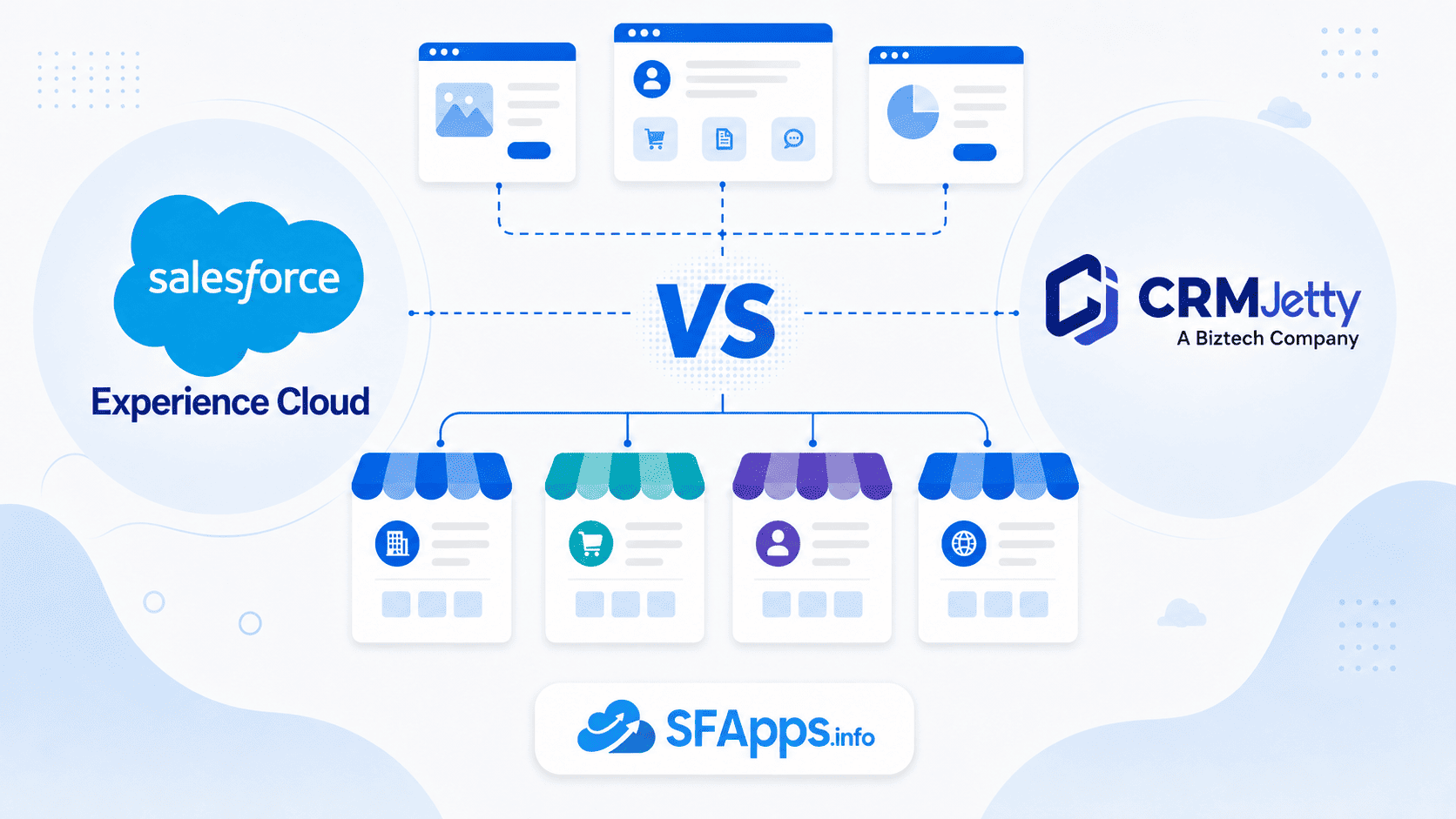
The practical decision is how to manage these experiences over time. Should the company build and administer several sites directly within Salesforce, or use a separate portal product connected to the same CRM data?
- Salesforce Experience Cloud Alternatives: Two Ways to Run Branded Portals
- CRMJetty as a Salesforce Customer Portal for Multi-Brand Access
- How Salesforce Experience Cloud Implementation Works Across Several Sites
- Key Feature Comparison: Managing Brands, Content, Access, and Mobile Users
- Usability Comparison: Who Owns Portal Changes After Launch?
- Expansion Flexibility Comparison: Mobile, Integrations, and Multi-CRM Support
- Final Comparison Table for Multi-Site and Multi-Brand Requirements
- Which Portal Approach Fits Your Multi-Brand Operating Model?
Salesforce Experience Cloud Alternatives: Two Ways to Run Branded Portals
Businesses can manage branded portals through two main product approaches.
The first is Salesforce Experience Cloud, which runs within the Salesforce platform. In an Experience Cloud Salesforce deployment, site building, content, user access, automation, and administration remain closely connected to the Salesforce org. Teams can use Experience Builder, Salesforce CMS, Experience Workspaces, and other platform tools to manage external experiences alongside CRM data and processes.
The second approach uses a separate portal product connected to Salesforce. Salesforce AppExchange (now AgentExchange) includes third-party portal solutions for this type of requirement. CRMJetty, for example, follows this model by supplying its own portal interface and administration tools while Salesforce remains the source of customer, partner, and operational data.
Both approaches can support customer self-service, partner collaboration, branded pages, record access, forms, workflows, and mobile use. The customer portal Salesforce provides natively is Experience Cloud, while CRMJetty represents a specific third-party alternative.
The practical differences appear in how each product manages multiple brands, routine changes, advanced customization, external-user licensing, and ongoing administration.
- Experience Cloud suits teams that want portal control inside Salesforce.
- CRMJetty suits teams that prefer a dedicated visual portal layer and transparent, user-tier pricing.
Insight:
Portal users rarely remain within one channel.
Salesforce reports that 74% of customers have used multiple channels and 66% have used multiple devices to start and complete a transaction.
A multi-brand portal strategy must therefore maintain continuity across websites and mobile experiences rather than treat each channel as an isolated destination.
CRMJetty as a Salesforce Customer Portal for Multi-Brand Access
“Portal for Customer, Partner & more – CRMJetty” is a Salesforce-connected third-party portal product for customer, partner, vendor, and other external-user use cases. It combines a visual administration interface with access to Salesforce records and processes. This tool supports branded web and native mobile experiences for different countries, languages, and user groups.
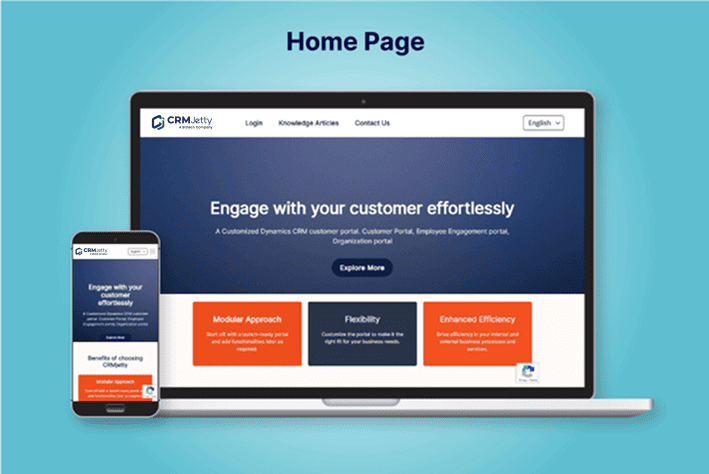
Key Features:
- No-code CMS and visual builders: Administrators can create pages, forms, lists, dashboards, and workflows through drag-and-drop tools.
- Role-based access: Different external users can receive different pages, records, fields, and available actions.
- Salesforce object access: The portal can present standard and custom objects through forms, tables, cards, lists, and dashboards.
- Connected data widgets: Portal components can display current Salesforce data and let users complete record-based tasks.
- Multi-brand and multilingual options: Teams can configure branded, regional, and language-specific portal experiences..
- Custom widget builder: Teams can create additional interface elements with HTML, CSS, and JavaScript.
- Agentforce integration: Administrators can enable Agentforce in selected portal widgets and workflows and control access by role.
- Native mobile app: The Android and iOS app supports white-label branding, forms, lists, files, record updates, and multiple portals associated with brands, regions, or user groups.
- Third-party integrations: CRMJetty lists connections with payment, document, communication, finance, and other business systems.
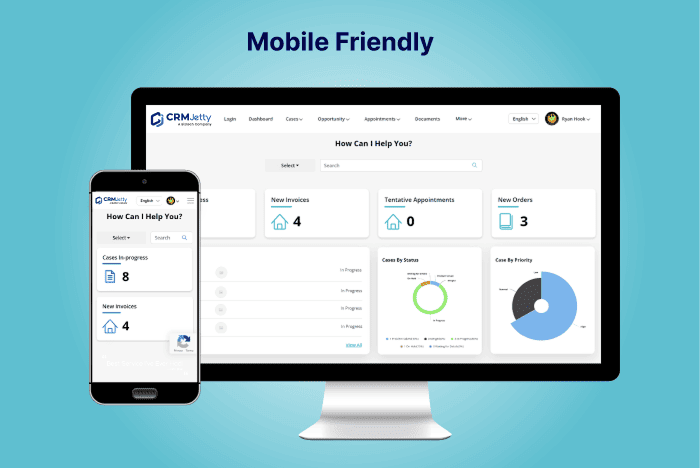
How CRMJetty Connects the Portal to Salesforce
The setup starts with installing the CRMJetty package in Salesforce and configuring authentication between the portal and the Salesforce org. Administrators then select the objects and fields that external users need, define access roles, and configure the portal interface.
Page, form, list, and dashboard builders handle much of the visible configuration. Teams can apply branding, test the portal, and publish it after the data connection and permissions are ready. The visual tools reduce coding for routine page and content changes, but the initial package, authentication, and access setup still requires Salesforce administration knowledge.
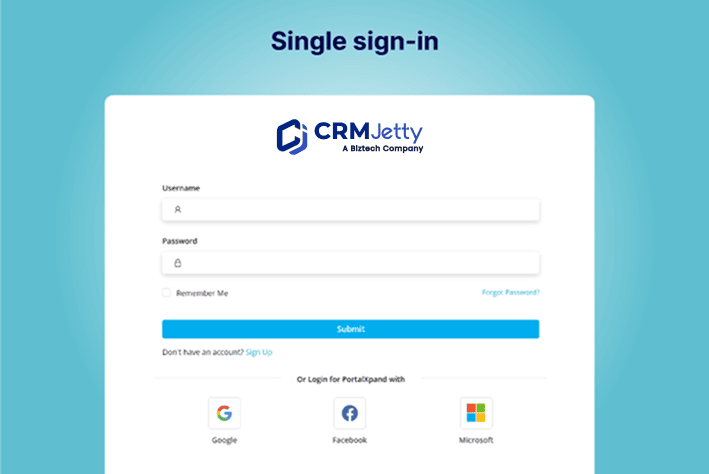
When CRMJetty Is Worth Evaluating
CRMJetty may suit organizations that want a dedicated visual portal interface, expect frequent external logins, need a branded mobile app, or prefer vendor assistance with setup and publication. It uses user-tier pricing with unlimited logins within the selected plan.
Teams should also account for the additional product layer beside Salesforce. Portal ownership, Salesforce configuration, testing, and release responsibilities still need clear internal owners.
How Salesforce Experience Cloud Implementation Works Across Several Sites
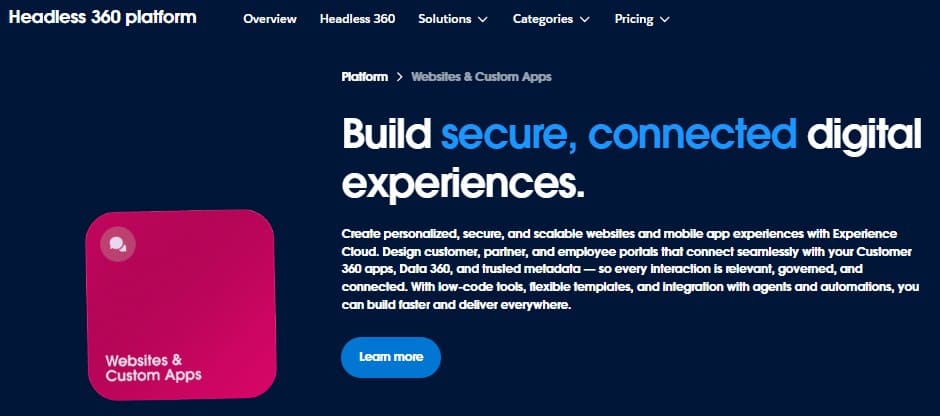
Experience Cloud is Salesforce’s native product for building branded sites, portals, forums, and other external experiences. In a Salesforce customer portal Experience Cloud project, site management, data access, automation, and customization remain within the Salesforce platform. Organizations can create multiple sites in one org and connect them with Salesforce data, content, automation, and user-access controls. The Salesforce Experience Cloud documentation describes visual configuration and programmatic development as complementary options rather than separate product paths.
Key Features:
- Multiple sites in one org: Teams can create separate external experiences for different brands, regions, customers, or partners.
- Experience Builder: Administrators can assemble pages visually with templates and standard or custom components.
- Salesforce CMS: Centrally managed content can be delivered to several sites and channels.
- Salesforce data and automation: Sites can use CRM records, Flow, Knowledge, cases, reports, and other platform services.
- Access management: Profiles, permission sets, sharing settings, external-user licenses, and audiences control what users can view and change.
- Custom domains and paths: Several sites can use branded domains or separate paths under the same domain.
- LWR and Aura templates: LWR sites use Lightning Web Components, while Aura sites can use both Aura and Lightning Web Components.
- Custom development: Lightning components, Apex, Flow, and CSS can address requirements that standard configuration does not cover.
- Experience Workspaces: Site managers can oversee users, content, moderation, reporting, and adoption.
- Mobile options: Responsive sites work on mobile devices, while Mobile Publisher addresses fully branded mobile applications.
How Teams Configure and Manage Experience Cloud Sites
The setup begins by enabling Digital Experiences and configuring the Experience Cloud domain. Administrators then choose a template, create the site, apply branding in Experience Builder, and define members and data access.
Teams add content, components, and Salesforce processes before testing. Best practice is to build and test in a sandbox, then move changes to production with tools such as change sets or Metadata API. Teams manage the finished site through three main areas: Salesforce Setup for org-level configuration, Experience Builder for page design, and Experience Workspaces for administration, monitoring, and moderation.
When Experience Cloud Is Worth Evaluating
Experience Cloud may suit organizations that want site management, Salesforce security, automation, content, and custom development handled within the same platform. Running Experience Cloud in Salesforce also fits teams that already have established Salesforce administration, testing, and release processes. The trade-off is that advanced branding, access models, or custom business logic may require specialist Salesforce skills.
Key Feature Comparison: Managing Brands, Content, Access, and Mobile Users
For a company managing several brands, the practical question is how each product combines shared Salesforce data with separate pages, content, permissions, languages, and mobile experiences.
The relevant Salesforce Experience Cloud features include multiple sites, Salesforce CMS, access controls, custom domains, custom components, and mobile publishing. CRMJetty addresses the same business requirements through visual portal builders, role-based access, connected Salesforce data, multisite tools, custom widgets, and a native mobile app.
| Key Feature Comparison: CRMJetty vs Experience Cloud | ||
|---|---|---|
| Comparison Area | CRMJetty | Experience Cloud |
| Multi-brand experiences | Supports branded, regional, and multilingual portal experiences through centralized portal tools | Supports multiple sites for different brands, audiences, and purposes within one Salesforce org |
| Branding and URLs | Custom layouts, branding controls, portal pages, and white-label mobile branding | Experience Builder themes, CSS, custom components, domains, and URL paths |
| Content management | Drag-and-drop CMS with page, form, list, and dashboard builders | Salesforce CMS, Experience Builder, and content configured for individual sites |
| Languages | Multilingual web portal and mobile app options | Multilingual site configuration and translation tools, with some template-specific differences |
| Salesforce data | Standard and custom objects displayed through forms, lists, cards, dashboards, and data widgets | Salesforce records and processes available directly through site components and platform services |
| Audience access | Role-based controls for portal data, pages, fields, and actions | Profiles, permission sets, sharing settings, audiences, and external-user licenses |
| Custom functionality | Custom widgets created with HTML, CSS, and JavaScript | Lightning Web Components, Aura components where supported, Flow, Apex, and CSS |
| Stars Achieved | ⭐⭐⭐⭐⭐ | ⭐⭐⭐⭐⭐ |
CRMJetty covers the main multi-brand portal requirements through a focused set of administration tools. Its strengths include visual content and data-view builders, role-based access, connected Salesforce objects, custom HTML/CSS/JavaScript widgets, multilingual options, and a native white-label app that can give users access to several portals. This combination may suit teams that want business administrators to manage more portal changes through a dedicated interface.
A Salesforce Experience Cloud customer portal can use multiple sites, Salesforce CMS, custom domains, platform access controls, Flow, and custom Lightning components. Its main strength is the close connection between the external experience and the organization’s existing Salesforce data, security, automation, development, testing, and release processes.
Usability Comparison: Who Owns Portal Changes After Launch?
Every Salesforce customer portal app needs a named owner for content, permissions, testing, and releases. For multi-brand businesses, usability depends on how many tools administrators must use and how often routine changes require specialist help.
| Usability Comparison: CRMJetty vs Experience Cloud | ||
|---|---|---|
| Comparison Area | CRMJetty | Experience Cloud |
| Routine page and content changes | Dedicated drag-and-drop CMS and builders for pages, forms, lists, menus, and dashboards | Experience Builder for page design and Salesforce CMS for managed content |
| Access administration | Portal roles and controls for pages, records, fields, and actions | External-user licenses, profiles, permission sets, sharing settings, and audiences |
| Administration interfaces | Portal-focused administration area for content, data views, users, and configuration | Work is divided among Salesforce Setup, Experience Builder, and Experience Workspaces |
| Testing and publishing | Administrators configure, test, and publish changes through the portal tools | Salesforce recommends sandbox testing, deployment to production, publishing, and activation |
| Ongoing ownership | Business administrators can handle many routine changes, with technical help for connections and custom work | Salesforce admins, site managers, content owners, and developers may share responsibility |
| Documentation and assistance | CRMJetty documentation and vendor assistance | Salesforce Help, developer guides, Experience Workspaces, and Trailhead |
| Stars Achieved | ⭐⭐⭐⭐⭐ | ⭐⭐⭐⭐ |
CRMJetty has a dedicated administration interface that concentrates common portal work in visual builders. Business teams can update pages, forms, lists, dashboards, and content without moving through several Salesforce administration areas. Technical knowledge is still needed for authentication, data access, and advanced custom behavior.
Experience Cloud provides visual configuration through Experience Builder, but ongoing administration can involve Salesforce Setup, Experience Workspaces, CMS, security settings, sandboxes, and deployment tools. Salesforce also separates responsibilities among admins, site managers, moderators, content owners, and developers. This structure offers extensive control, but it creates a steeper learning requirement than a dedicated portal interface.
Experience Cloud remains a strong option for organizations with established Salesforce administration and release processes. A Salesforce developer may become necessary when standard components cannot support a custom interface or business rule. CRMJetty is easier to operate when the priority is giving business administrators direct control over frequent portal changes.
Insight:
Salesforce found that 61% of customers prefer self-service for simple issues.
This creates a clear reason to invest in customer portals, but it also makes portal structure important.
Users must be able to find the correct information and complete the correct action for their brand, region, language, or role without contacting support.
Expansion Flexibility Comparison: Mobile, Integrations, and Multi-CRM Support
Portal requirements often expand after launch. A business may add a branded mobile app, connect payment or document services, support users across several portals, or introduce another CRM platform. These requirements show how easily each product can extend beyond its initial web portal.
| Expansion Flexibility Comparison: CRMJetty vs Experience Cloud | ||
|---|---|---|
| Comparison Area | CRMJetty | Experience Cloud |
| CRM platform options | CRMJetty provides portal products for Salesforce, Microsoft Dynamics 365, SugarCRM, and SuiteCRM | Experience Cloud operates within the Salesforce platform |
| Mobile delivery and branding | Provides a native Android and iOS app for existing CRMJetty portal users, with white-label options for the company name, logo, colors, theme, and login screen | Experience Cloud sites support mobile-browser access. Mobile Publisher, available with separate licensing, creates branded mobile apps from Aura or LWR sites |
| Multi-portal access and publication | One app can provide access to multiple portals associated with brands, regions, or user groups. CRMJetty also assists with setup and store submission | Mobile Publisher creates an app for an Experience Cloud site. Salesforce handles store publication, while later site updates can appear in the app without another store submission |
| Third-party connections | Supports categories such as payments, document storage, electronic signatures, communication, finance, and accounting | Supports external systems through Salesforce APIs, Flow, AppExchange products, and custom development |
| Expansion beyond Salesforce | Similar CRMJetty portal products are available for several CRM platforms | Best suited to organizations that plan to keep portal data and processes within Salesforce |
| Stars Achieved | ⭐⭐⭐⭐⭐ | ⭐⭐⭐⭐ |
CRMJetty provides several defined expansion options outside the browser-based portal. Its native app supports white-label branding and access to multiple portals, while the wider CRMJetty product range may suit organizations that use Salesforce alongside another CRM platform. Its integration options also cover common payment, document, communication, and finance requirements.
Experience Cloud offers extensive integration and customization through Salesforce APIs, Flow, Lightning components, and related platform tools. Mobile Publisher also provides a route to branded mobile applications. These options, however, remain closely tied to Salesforce products, skills, and release processes.
Salesforce Experience Cloud Pricing and CRMJetty’s Published Plan
CRMJetty’s pricing is transparent, it gives a starting price of USD 399 per month for up to 500 users. The listing includes unlimited logins, pages, and page views within that plan, while larger plans require a quotation.
A direct comparison with Experience Cloud pricing can depend on the external-user license, member or login model, required Salesforce products, expected activity, and mobile requirements. A realistic Salesforce Experience Cloud cost should also include implementation, access design, custom components, testing, deployment, and ongoing administration.
Final Comparison Table for Multi-Site and Multi-Brand Requirements
The scores show CRMJetty ahead overall for the multi-site and multi-brand use case. Both products cover the required portal features, but CRMJetty scores higher for day-to-day usability and expansion beyond a Salesforce-only setup.
| Final Comparison: CRMJetty vs Experience Cloud | ||
|---|---|---|
| Section | CRMJetty | Experience Cloud |
| Key Feature Comparison | ⭐⭐⭐⭐⭐ | ⭐⭐⭐⭐⭐ |
| Usability Comparison | ⭐⭐⭐⭐⭐ | ⭐⭐⭐⭐ |
| Expansion Flexibility Comparison | ⭐⭐⭐⭐⭐ | ⭐⭐⭐⭐ |
| Total Stars Achieved | 15 ⭐ | 13 ⭐ |
CRMJetty achieves the maximum score across all three sections. Its strongest advantages are the dedicated drag-and-drop administration interface, native white-label mobile app, access to multiple portals from one app, third-party integration options, and availability across several CRM platforms.
Experience Cloud matches CRMJetty in the feature comparison because it provides extensive tools for sites, content, access, automation, and custom development. Its lower total reflects a more complex administration model and expansion options that remain closely tied to Salesforce products, skills, and release processes.
Which Portal Approach Fits Your Multi-Brand Operating Model?
For the three-brand company used throughout this comparison, CRMJetty is the stronger overall fit when the priority is easier administration, frequent external access, mobile delivery, and flexibility beyond a Salesforce-only setup. Its visual builders let business teams manage many page, form, list, dashboard, and content changes through a dedicated portal interface. The native white-label app, access to multiple portals on mobile, third-party connections, and support for several CRM platforms also provide room for future expansion.
Experience Cloud remains the better option when the company wants portal operations governed directly through Salesforce. It suits teams that already manage Salesforce permissions, sharing, Flow, CMS, custom components, sandboxes, and release processes. Its close connection with Salesforce data and automation is particularly useful when the portal depends on complex CRM rules or custom platform development.
The decision therefore depends on how much portal complexity the organization wants to manage inside Salesforce.
Experience Cloud fits teams with established Salesforce specialists and mature platform processes. For multi-brand businesses that prioritize routine changes by business administrators, native mobile access, and support for more than one CRM platform, CRMJetty offers the more practical operating model.

Mykhailo is a Salesforce Certified Platform Administrator with development experience in the fintech field. Since 2021, he has gained the Double Star Ranger rank on the Salesforce Trailhead education platform, where he acquired 26 Superbadges in Business Administration, Process Automation, Security, and more. With a decade of expertise in consulting and compliance, he aspires to translate complex technical concepts into accessible content, helping organizations make the most of Salesforce. Mykhailo is passionate about using technology for everyday needs, enjoys reading sci-fi and non-fiction books, and playing video games. He also has an interest in history and outdoor activities such as hiking, camping, and kayaking.
 Previous Post
 Next Post