




Why Existing Workflows Matter Before You Connect Stripe to Salesforce
A subscription process may already work well in Salesforce. A sales rep updates an Opportunity, customer information stays on the Account or Contact, and automation handles the next internal steps. The problem appears when payment or subscription work still happens in Stripe. Someone has to leave Salesforce, find or create the customer in Stripe, enter or check the required details, and later make sure the payment status is associated with the correct Salesforce record.
Insight:
Salesforce’s 2026 State of Sales found that 42% of sales reps feel overwhelmed by having too many tools. Adding payment functionality should therefore avoid creating another disconnected work point when the existing Salesforce process already gives users a familiar place to manage the customer relationship.
When adding Stripe, the first question should therefore be which parts of the current process already work and should stay in place. A Salesforce org may have years of configuration behind what looks like a simple user action. The process can depend on specific objects, record relationships, approval points, permission sets, validation rules, Flows, Apex, and reports. Changing one point can affect several others.

For a Salesforce Stripe project, it helps to understand these dependencies before deciding where payment data or actions should appear. For example:
- If users already manage subscriptions from an Opportunity, adding a new process that requires them to work from a different object may create an unnecessary change.
- If Finance already controls payment actions, giving the same permissions to a wider group of Salesforce users may also alter an established responsibility without a clear need.

Preserving an existing workflow does not mean leaving Salesforce unchanged. Payment data still needs somewhere to live, Stripe customers need relationships with Salesforce records, and users may need new related lists, permissions, buttons, or automation. The goal is to make changes where they are truly needed.
A useful starting point is to identify four things:
- where users begin the process,
- which Salesforce records hold the relevant customer and commercial data,
- where human review is required,
- which automation already depends on those records.
Once those points are clear, the integration can be designed around them.
This approach keeps the focus on the business process users already understand. Stripe can then be added where it removes duplicate work or supplies missing payment information, without redesigning parts of Salesforce that already serve their purpose.
- What Disconnected Stripe and Salesforce Integration Means for Daily Work
- Choosing a Salesforce Stripe Integration That Fits the Existing Process
- How Breadwinner Payments Fits Stripe Into Existing Salesforce Workflows
- A Stripe Integration with Salesforce Example: What the LPI Membership Project Shows
- Best Practices for Preserving Existing Salesforce Workflows
- FAQ: Preserving Salesforce Workflows When Adding Stripe
- 1. Do Existing Salesforce Workflows Have to Be Replaced?
- 2. Can Some Payment Work Stay in Stripe?
- 3. Can Breadwinner Work with Processes Built Around Other Salesforce Objects?
- 4. What Should Admins Test Before Enabling Stripe Actions?
- 5. How Should Existing Salesforce Accounts and Contacts Be Matched to Stripe Customers?
- Preserve the Process That Works and Change the Payment Steps That Need It
What Disconnected Stripe and Salesforce Integration Means for Daily Work
The separation becomes most visible when the same customer, subscription, invoice, or payment information is needed in both systems. A Salesforce user may need to open Stripe to confirm a payment, check whether a subscription is active, and then return to Salesforce to update or verify the related record.
Where the Extra Work Appears
A disconnected process can create several recurring tasks:
- Manual re-entry: Customer, subscription, invoice, or payment details may need to be entered or checked in both systems.
- System switching: Salesforce users may need to open Stripe simply to confirm payment or subscription status.
- Reconciliation: Teams need to confirm that the customer or transaction in Stripe corresponds to the correct Salesforce record.
- Data-entry risk: Repeated manual updates create more opportunities for incorrect values, missing updates, or differences between the two systems.
- Delayed visibility: Users who do not normally work in Stripe may need to wait for someone else to provide payment information before continuing their work.
Different Teams Need Different Stripe Information
The impact also depends on the team.
- Sales may only need to know whether a payment was completed or a subscription is active.
- Finance may need direct control over payment actions and transaction details.
- Customer Success or membership teams may need payment and renewal information while managing an ongoing customer relationship.
Insight:
Payment visibility can also matter outside Sales and Finance.
Salesforce research found that 26% of service reps often lack context about a customer’s situation,
while 80% believe better access to data from other departments would improve their work.
For Customer Success or membership teams, bringing relevant payment and subscription information into Salesforce can help provide that context without requiring another system check.
A real-world membership project for the Learning and Performance Institute (LPI) illustrates the same issue. Salesforce held member relationship information while Stripe handled payments. The disconnected process involved manual data entry, payment reconciliation, membership status tracking, renewals, and the associated risk of errors.
The practical requirement is therefore to identify which payment information and actions need to reach Salesforce so each team can complete its work without unnecessary system checks or duplicate entry.
Choosing a Salesforce Stripe Integration That Fits the Existing Process
Before choosing an integration, decide how much Stripe information and functionality actually needs to be available in Salesforce. In practice, there are three useful levels.
| How Much Stripe Functionality Should Move Into Salesforce? | |||
|---|---|---|---|
| Integration Level | What Users Can Do in Salesforce | What Can Stay in Stripe | Best Fit When |
| 1. Visibility | View customer, payment, invoice, or subscription information | Payment and subscription management continues in Stripe | Users mainly need payment context while working with Salesforce records |
| 2. User-Initiated Actions | Create selected payments, invoices, or subscriptions from Salesforce with a user review step | Stripe continues to process the transaction | Teams in Sales, Finance, or Customer Success need to start payment-related actions without leaving Salesforce |
| 3. Automation | Trigger defined payment or subscription actions from Salesforce automation | Stripe remains the payment processor | The process contains repeatable steps that do not require manual review every time |
For a subscription process, start by identifying where subscription creation, payment collection, status checking, and renewal work happen today. A Stripe billing Salesforce integration should change only the steps that benefit from having Stripe data or actions available inside Salesforce. The appropriate Stripe integration with Salesforce therefore depends on how much of the existing process needs to change and how much should remain under user control.
Insight:
Building a connector internally carries an ongoing technical cost. MuleSoft’s 2026 Connectivity Benchmark found that IT teams spend an average of 36% of their time designing, building, and testing custom integrations between systems and data.
That workload is worth considering when comparing a custom connection with an existing Salesforce integration application.
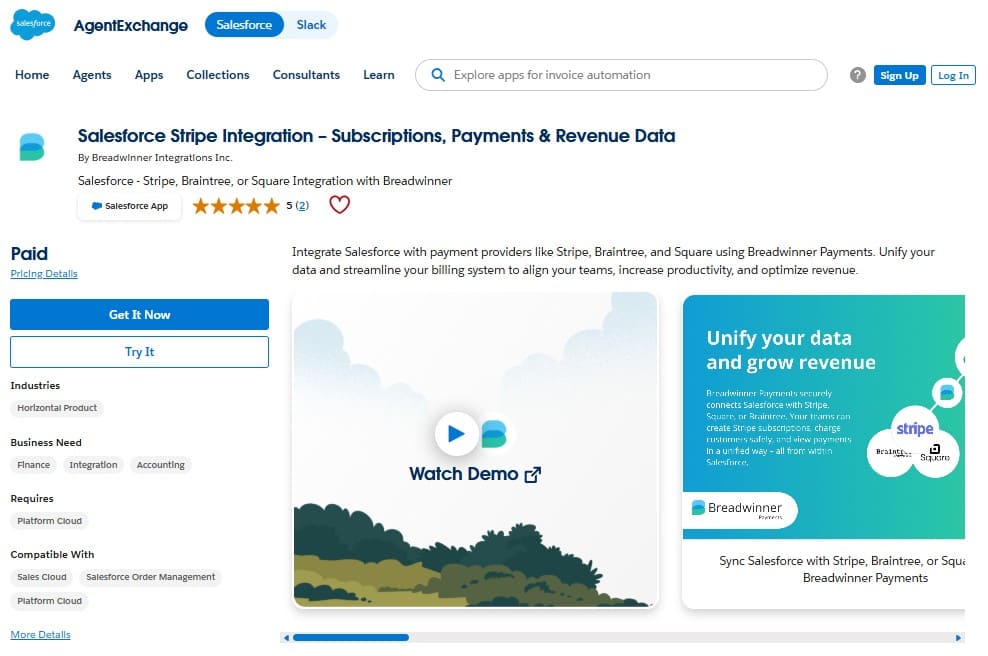
Building a custom connector is one option, but Salesforce users can also review purpose-built applications on AppExchange (now AgentExchange). One example is Breadwinner Payments, listed on AppExchange as “Salesforce Stripe Integration – Subscriptions, Payments & Revenue Data.” This application is a native Salesforce solution that brings Stripe payment data into Salesforce and supports payment processing, subscription management, and configurable payment workflows.
This makes it useful as a practical example for this article: how payment visibility, reviewed actions, and more advanced automation can be added around the Salesforce process users already follow.
How Breadwinner Payments Fits Stripe Into Existing Salesforce Workflows
When adding a Salesforce payments app such as Breadwinner, the important question is how it interacts with the Salesforce records, user responsibilities, and controls that already exist. Breadwinner can introduce Stripe data and actions at different points in the process, so teams can decide where visibility is enough, where a user should confirm an action, and where automation makes sense.
Keep Payment Data Connected to Existing Accounts and Contacts
Breadwinner represents customers from the connected payment system through BWP (Breadwinner Payments) Customer records. Each BWP Customer needs an association with a Salesforce Account or Contact so payment activity can appear against the correct CRM customer.
Customer Match helps establish that relationship. Suggested matches can use information such as company name, email, phone, or address. If the suggested record is not appropriate, an administrator or user can select the relationship manually. Breadwinner also supports situations where one Salesforce Account or Contact is associated with multiple BWP Customers.
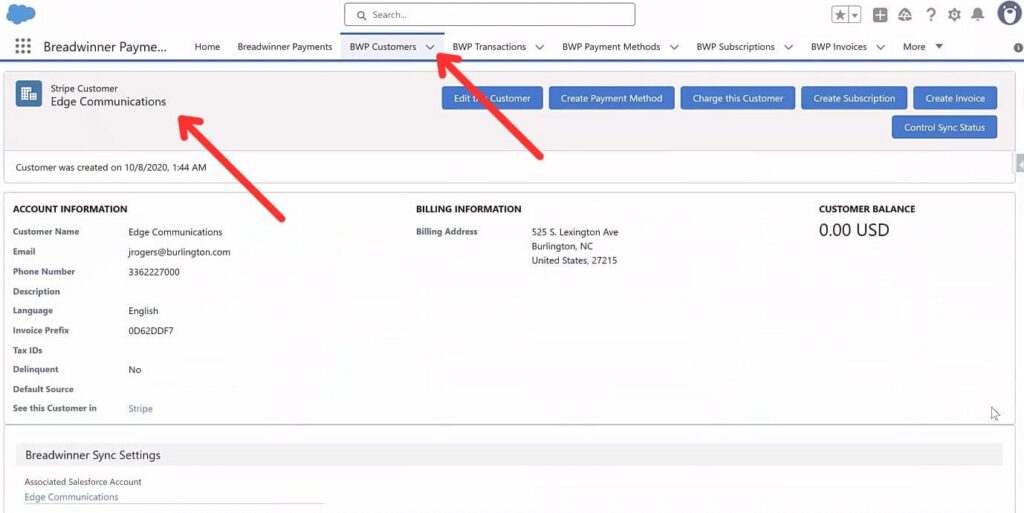
This step matters because downstream workflows and reporting can depend on the Account or Contact relationship. If a Stripe customer is associated with the wrong Salesforce record, payment information may appear in the wrong business context. If a newly discovered payment customer cannot be matched, Breadwinner can create a new Salesforce Account. If an appropriate Account already exists, this may create a duplicate that can affect downstream workflows and reporting.
Control Who Can View or Change Payment Information
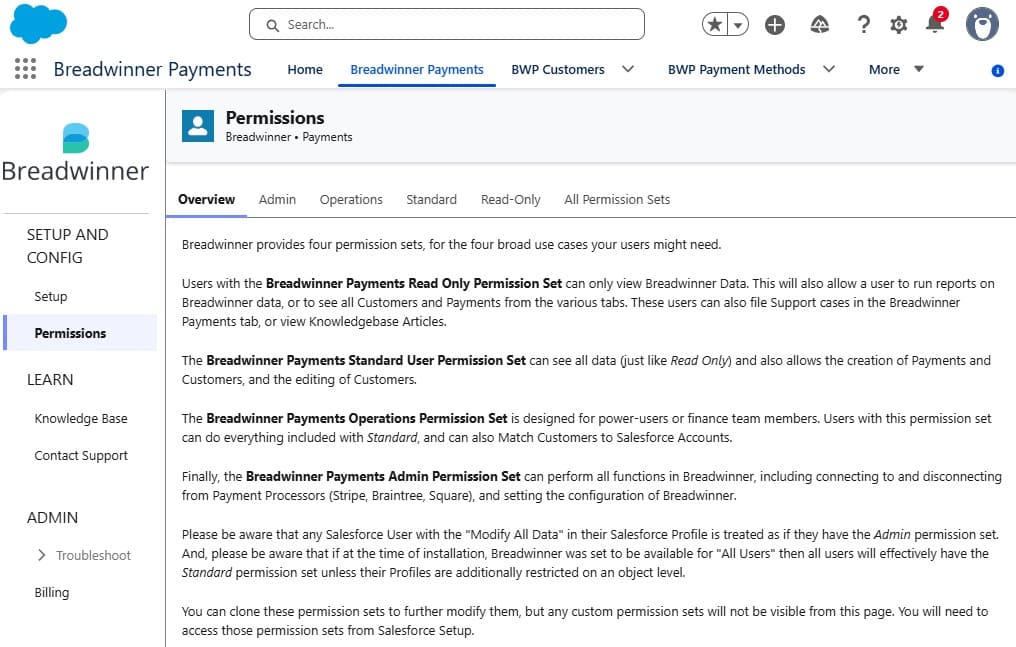
Making Stripe information available in Salesforce does not mean every user needs the same level of access. Breadwinner uses Salesforce permissions to control who can view synchronized payment information and who can perform actions that affect the payment processor.
That distinction can follow responsibilities that already exist. A Sales or Customer Success user may need to see payment or subscription status while working with an Account. Finance users may need permission to initiate a payment-related action. Keeping those access boundaries avoids changing responsibilities simply because more information is now available inside Salesforce.
Keep a User Review Step for Payments and Subscriptions
Removing duplicate entry does not require removing every human check. Breadwinner’s Guided Wizard provides a user-driven process for creating transactions in the connected payment system. During that process, the user can work with relevant customer and payment method information before completing the action.
This can fit a process where a Salesforce user already reviews the customer, amount, product, subscription details, or other information before submitting a transaction. Instead of moving that review into Stripe, it can remain at the same point in the Salesforce process.
The Custom Guided Wizard provides an advanced option for workflows associated with additional Salesforce objects.
Add Advanced Automation Only Where the Workflow Requires It
Some processes may eventually need actions to run without a user completing each step manually. Breadwinner’s Global API is an option for advanced automation and custom requirements, with Apex-based API capabilities for outbound actions involving the connected financial system.
Salesforce-side automation can also interact with Breadwinner records. Flows originating from Breadwinner objects can update other Salesforce records.
Before adding that level of automation, the customer relationships, user permissions, existing Salesforce automation, and any required review steps should already be clear. That keeps automation focused on steps that actually need to run without user input while preserving controls that still have a purpose.
A Stripe Integration with Salesforce Example: What the LPI Membership Project Shows
The Learning and Performance Institute provides membership services and professional development for workplace Learning & Development practitioners. When LPI was relaunching its membership program, Salesforce was already used to manage member relationships, while Stripe handled payment processing.
That separation created practical work around every new subscription. Staff entered information across both systems, moved between Salesforce and Stripe to reconcile payments, tracked membership status, and managed renewals. The process created additional manual work and increased the opportunity for errors.
Breadwinner Payments connected Salesforce with Stripe Billing, Stripe Payments, and Stripe Invoicing. After implementation, the LPI team could create and manage membership subscriptions, process payments, and track invoices from Salesforce. Recurring credit card payments continued to be processed through Stripe, while the related subscription work could be managed from the CRM.
From the start of the project to the launch of the revamped membership product, the implementation took three months.
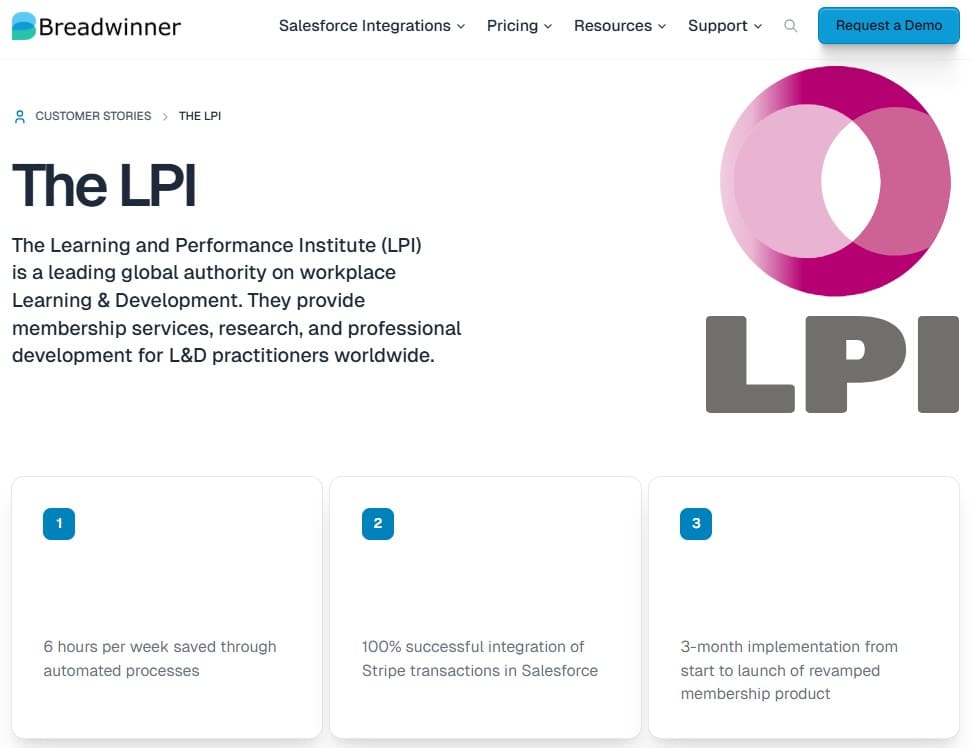
For this project, LPI’s implementation results included saving 6 hours per week through automated processes and achieving 100% successful integration of Stripe transactions in Salesforce. In LPI’s case, subscription management and related payment work became available in Salesforce while Stripe continued to process payments.
Best Practices for Preserving Existing Salesforce Workflows
Adding payment functionality works best when the existing Salesforce process is treated as the starting point. The following practices help limit unnecessary changes and expose conflicts before users depend on the new process.
- Document the current workflow before configuration. Identify where the process begins, which objects and relationships it uses, who is responsible for each step, where review or approval occurs, and which Flows, Apex, validation rules, or reports depend on the affected records.
- Agree on customer identity before importing or creating records. Decide how payment customers should correspond to existing Accounts or Contacts. Review suggested matches carefully and define what should happen when no suitable match is found. Creating a new Account when the customer already exists can introduce duplicates that affect later automation and reporting.
- Start with the minimum access and action scope required. Some teams may only need payment or subscription visibility. Give users the ability to initiate financial actions only when their role requires it. Broader permissions can be added later if the process requires them.
- Test validation rules and existing automation. Validation rules can prevent synchronized records from being created or updated. Flows, Workflow Rules, and Apex triggers can also react to those changes in unexpected ways. Test the interaction first and adjust only the control that causes the conflict. Disabling existing controls across the org can introduce new problems elsewhere.
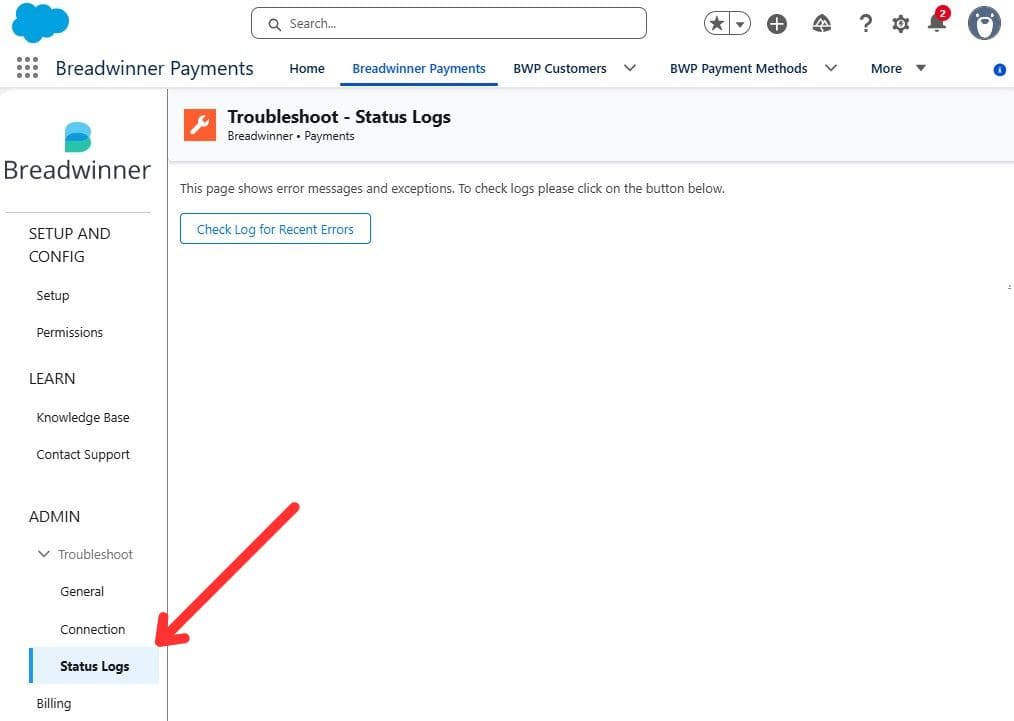
- Validate a representative business process before wider rollout. Test the workflow in a Salesforce sandbox connected to a Stripe test environment. Check customer matching, permissions, payment or subscription actions, resulting Salesforce relationships, and existing automation. If synchronization fails, the Breadwinner Status Log can help identify the affected record and error.
- Separate technical setup from business implementation. Connecting the application is only one part of the work. Data review, customer matching, permission decisions, automation testing, user acceptance, and process changes add work beyond connecting the package itself. Planning for these tasks gives a more realistic view of the implementation.
FAQ: Preserving Salesforce Workflows When Adding Stripe
1. Do Existing Salesforce Workflows Have to Be Replaced?
No. Existing Salesforce processes can remain in place when they still support the business correctly. The integration will still introduce new records, relationships, permissions, and possibly new actions. Existing Flows, Apex, and validation rules should be checked because synchronized records can trigger automation or encounter existing controls. The aim is to adjust only the parts of the process that need to interact with Stripe.
2. Can Some Payment Work Stay in Stripe?
Yes. Breadwinner can be used mainly to bring payment information into Salesforce while transactions continue to originate in Stripe. This can suit teams that need payment visibility in Salesforce without moving every payment action into the CRM. New Stripe customers still need to be associated with the correct Salesforce Account or Contact, and unmatched customers may require additional review before new Salesforce records are created.
3. Can Breadwinner Work with Processes Built Around Other Salesforce Objects?
Breadwinner’s Custom Guided Wizard provides an option for workflows associated with additional Salesforce objects. This can help when an existing process begins from another business record and a payment action needs to fit into that process. More advanced patterns may require additional configuration or development, so compatibility should be checked against the specific object relationships and business logic in the org.
4. What Should Admins Test Before Enabling Stripe Actions?
Start with a representative payment or subscription process in a Salesforce sandbox connected to a Stripe test environment. Check customer matching, permissions, validation rules, Flows, Apex, and other automation that reacts to the affected records. Confirm that the expected Salesforce records and relationships are created before enabling the process in production.
5. How Should Existing Salesforce Accounts and Contacts Be Matched to Stripe Customers?
Customer matching should be reviewed before new Salesforce records are created. Breadwinner can suggest matches using details such as company name, email, phone, or address, and users can confirm or adjust the relationship manually. This helps reduce the risk of creating a duplicate Account and keeps payment activity connected to the Salesforce records that existing workflows and reporting already use.
Preserve the Process That Works and Change the Payment Steps That Need It
A Stripe Salesforce integration should begin with the process users already follow. Identify what payment information they need to see, which Stripe actions they should perform from Salesforce, and which steps benefit from automation.
Customer relationships, access boundaries, validation rules, and existing automation should remain part of that design. Breadwinner Payments provides options for adding Stripe visibility, reviewed actions, and automation at different points in the process.
LPI reported six hours per week saved through automated processes after connecting its membership process across Salesforce and Stripe. If you want to test how Breadwinner could fit your own Salesforce process, the free trial gives you time to work with your records and workflows.

Mykhailo is a Salesforce Certified Platform Administrator with development experience in the fintech field. Since 2021, he has gained the Double Star Ranger rank on the Salesforce Trailhead education platform, where he acquired 26 Superbadges in Business Administration, Process Automation, Security, and more. With a decade of expertise in consulting and compliance, he aspires to translate complex technical concepts into accessible content, helping organizations make the most of Salesforce. Mykhailo is passionate about using technology for everyday needs, enjoys reading sci-fi and non-fiction books, and playing video games. He also has an interest in history and outdoor activities such as hiking, camping, and kayaking.
 Previous Post
 Next Post